

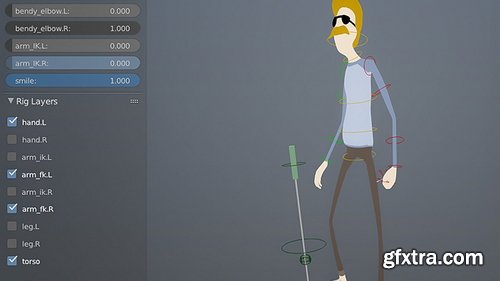
- Starting with some basic Python skills, it’s quite simple to begin building your own interfaces in Blender. These user interfaces can be anything from a collection of operators in the toolbar to dynamic properties based on your objects. In this tutorial we’ll create a Python script that automatically generates a UI for character rigs, creating a more friendly workflow for the animator. This rig will be powered by Custom Properties on a few select bones.
- If you’re ever wondered what the “Custom Properties” are for on objects and bones, then you’re about to find out. It makes rigging all that much more powerful. The script that we’ll be writing will create two UI panels, placing them into a new toolbar tab called ‘rigs’ in the Toolbar. The first panel will dynamically loop through the bones in an armature and display any custom properties it finds as sliders. The second panel will use some user-created properties to generate a very simple visibility panel for your controls, allowing you to easily hide or show groups of bones. As a final step, we’ll convert this script into an add-on for portability and convenience, allowing you to easily share it and let other artists use it too.
- Among other things you will learn: - How to use custom properties in an animation - Find out how to use custom properties and drivers in a rig - Learn to create a UI panel in Python - UI Layout Features: prop() and operator() - Using the Edit Source Button - Using Python’s List Comprehensions - Turning a script into an dd-on

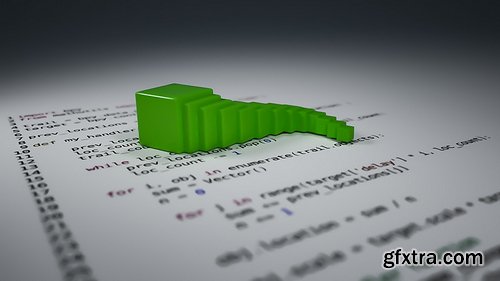
Python can be used for all kinds of things in Blender; for everything from automating tasks to creating custom UIs to developing entirely new, advanced tools like the RetopoFlow tool.
In many ways it is the advanced artists true best friend, as it allows you to push Blender much further than before and to shape it better fit your own needs and workflow. In this course you will learn how to manipulate Blender objects with handler functions. Handler functions are extremely powerful because you can use them do exactly what you want, when you want (such as moving an object on each frame change). It's possible to create this effect using functions that execute every time the frame in the current/specified Blender scene changes. When combined with the fact that we can access nearly everything in Blender through Python, the possibilities become endless.
Udemy - TyFlow VFX in 3ds max Module 1

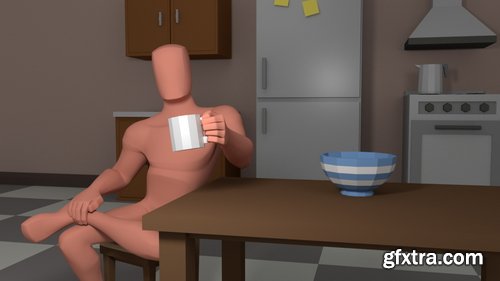
In this intermediate-level workshop, following on from Introduction to Maya for Animators, Erik Castillo explores the core principles that bring animated characters to life. Using Maya, Erik focuses on understanding and applying fundamental animation concepts like squash and stretch, anticipation, timing, balance, and follow-through to create realistic and expressive movements.
Designed for those familiar with Maya, this workshop aims to help animators elevate their understanding of how body mechanics affect a character’s movement and overall performance. Through practical, hands-on exercises, artists will explore the process of creating believable actions such as lifting objects, standing, walking cycles, and more.
The workshop includes an analysis of famous animation sequences to see how professionals tackle complex body mechanics. By the end, students will clearly grasp how to make characters move naturally and with intent, using the principles discussed to refine and polish their animation sequences.
Whether you’re looking to solidify your fundamentals or gain new insight into body mechanics, this workshop offers the essential building blocks to improve your animation skills and deepen your understanding of character movement in CG.
https://coloso.us/mediadesign/motiongraphic_kimyeseong_us
Hello, I am 3D Artist Yeseong Kim. I'm a self-taught 3D artist, currently working for Tendril Studio, a well-known company in the motion design industry.

Udemy - Unreal Engine 5 for Game Trailer: Slow-Motion Bullet & Tanks
Udemy - Unreal Engine 5.5 : The Ultimate Cinematic Masterclass
Udemy - After Effects : Create Motion Graphics & Advertising Videos
Language: English (US)
Learn how to create stunning motion graphic & advertising videos using After Effect with project based learning approach
https://www.udemy.com/course/after-effects-create-motion-graphics-advertising-videos/
Udemy - Beginner to pro: CGI or VFX Advertisement using blender
Udemy - Unreal Engine: Cinematic Creation In 1 Day

Duration: 5h 4m | .MP4 1280x720, 30 fps(r) | AAC, 48000 Hz, 2ch | 1.14 GB
https://www.linkedin.com/learning/maya-2026-essentials-training
Level: Beginner + Intermediate | Genre: eLearning | Language: English
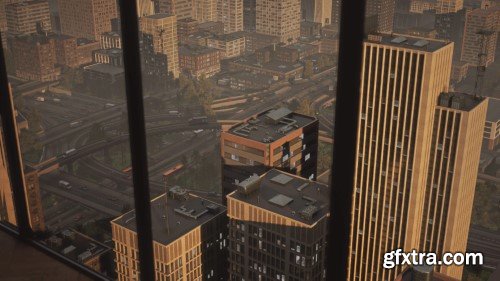
Artstation - Creating Mid/Vista Assets for Games - In-Depth Tutorial Course
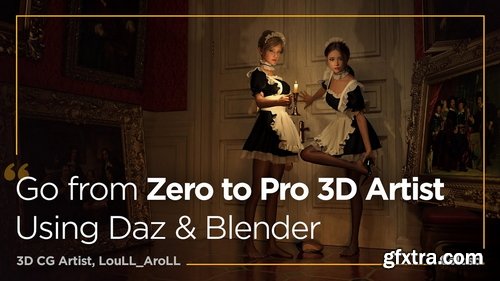
- In this class, I aim to share my experience of adopting quick and straightforward tools and techniques to create images that may initially seem daunting, but will serve as a simple and accessible means to bringing your imaginative visions to life.
- Do you dream of crafting breathtaking artwork that transports the audience into a cinematic world? Embark on an enchanting adventure with this all-encompassing course on creating high-quality 3D scenes with elaborate details and immersive storytelling! LouLL_AroLL is willing to share the secrets of 3D narrative scene design, prepared with beginner-friendly guidance from start to finish.
- Trying to tell a story through your art may seem demanding, but no worries! Starting from providing easy methods of creating your own ideation sketch without the need for any drawing or modeling foundation, you will be learning how to add texturing details and use cool lighting techniques that can instantly change the whole mood of your scene in no time. This class goes beyond providing only fundamental knowledge; it will enlighten you with helpful tips and tricks on how to make yourself grow as a unique 3D artist. After this class, experience the visible growth of your skills in creating high-quality scenes and gain full confidence that can help you escalate to the next level.
Udemy - Blender Mastery: A Complete Project-Based Course
Udemy - Unreal Engine 5: Make Your Game Feel Epic

Some of the things you will learn with this course are going to be:
-
• How to animate a static geometry along a curve, without relying on constraint networks
-
• How to setup particle and smoke simulations and optimize them for faster results
-
• Advanced Techniques for Particle advection
-
• Creating deformations post-simulation with with VEX.
Language: English | Duration: 40 Lectures ( 6h 16m ) | Size: 2.7 GB
https://www.udemy.com/course/the-ultimate-autocad-mastery-course-from-basics-to-advanced/
Master 2D & 3D AutoCAD: Professional drawing, modeling, layouts, and advanced techniques for architectural & Mechanical


126,000 Royalty-Free 3D Model

Udemy Türkçe


Top Rated News
- CreativeLive Tutorial Collections
- Fasttracktutorials Course
- Chaos Cosmos Library
- MRMockup - Mockup Bundle
- Finding North Photography
- Sean Archer
- John Gress Photography
- Motion Science
- AwTeaches
- Learn Squared
- PhotoWhoa
- Houdini-Course
- Photigy
- August Dering Photography
- StudioGuti
- Creatoom
- Creature Art Teacher
- Creator Foundry
- Patreon Collections
- Udemy - Turkce
- BigFilms
- Jerry Ghionis
- ACIDBITE
- BigMediumSmall
- Globe Plants
- Unleashed Education
- The School of Photography
- Visual Education
- LeartesStudios - Cosmos
- Fxphd
- All Veer Fancy Collection!
- All OJO Images
- All ZZVe Vectors
- CGTrader 1 CGTrader 2



















