

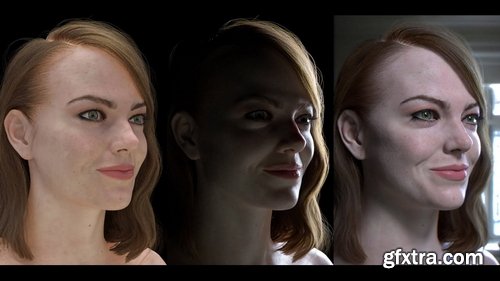
- Great lighting is what makes the difference between an amateur portrait render and a professional one. In this workshop, CG Supervisor Christopher Barischoff steps through what makes a photography studio styled lighting setup successful for characters and portraits. He covers classic photographic and cinematic lighting and expands on its implementation in 3D Graphics. Utilizing the Emma model provided by Satoshi Takazawa Lighting the CG Portrait takes a renderer-agnostic approach to the fundamentals of lighting using VRay Next, covering both the artistic and technical aspects of creating beautiful and compelling light setups.

![CGMasterAcademy - Intro to Asset Creation for Games [PREMIUM]](/uploads/posts/2025-05/1747285992_1_resize.jpg)
![CGMasterAcademy - Intro to Asset Creation for Games [PREMIUM]](/uploads/posts/2025-05/1747286038_2_resize.jpg)
- PREREQUISITES: Basic modelling and texturing skills. Recommended course prerequsites: Intro to Maya, Intro to Production Modeling, Substance Basics
- MATERIALS: Blender (or equivalent), Substance Painter, Pure Ref, Marmoset
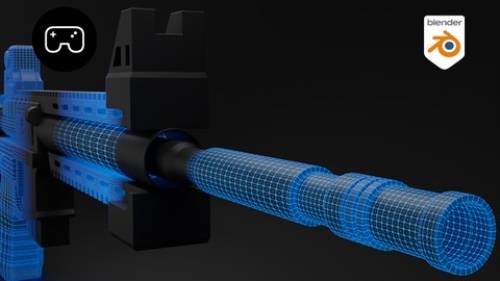
- Join Ben Keeling, an industry expert known for his work on Star Wars, Halo, and Suicide Squad, currently serving as Lead Environment Artist at Respawn, for a transformative journey into the world of the gaming industry. Explore the evolution of video games and learn how to create detailed, realistic props for games, beginning with your very own bot. And a chance to get personalized feedback throughout this process.
- In this course, you’ll gain a broad perspective of the gaming world, including its history, technology, and market dynamics.This course offers a unique blend of industry knowledge and practical 3D Prop modeling skills. Start with an exploration of the gaming industry’s past and present, then transition into hands-on learning with 3D Prop modeling and personalized feedback.
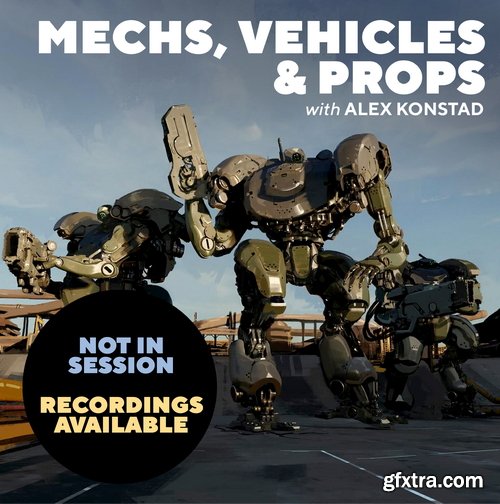
- In this 8-week class, Alex Konstad will give you the tools to be able to construct your own believable hard surface designs. If you’ve ever felt overwhelmed by the restrictive nature of drawing functional mechanical objects, this class will unlock your creativity!
- We’ll cover: Alex’s Thought Process, Hard Surface Design, Form and Function, Drawing, Painting & Rendering techniques
- Duration: 8 weeks, Skill level: All skill levels welcome, Tiers: Receive direct feedback in class or spectate without homework feedback. Format: 4-5 hour live class with combination of lectures, demos, and feedback. Materials: Any digital or traditional tools. Paintovers will be done digitally
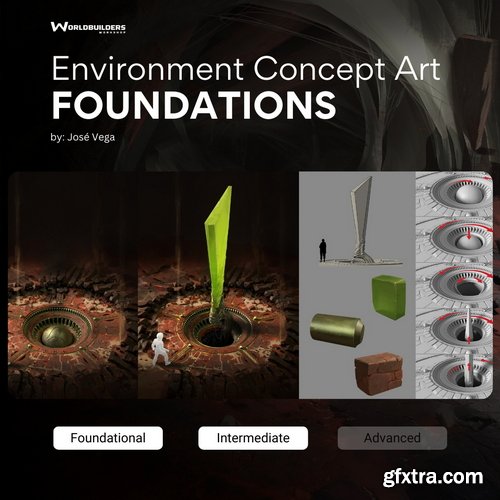
- Our course, 'Foundations of Environment Concept Art,' is perfect for beginner artists. It covers all the basics you need, like how to use light and color, understanding fundamentals, create real-looking textures, best practices and tackling briefs. Plus, you'll get an intro to working with 3D. Through easy-to-follow lessons and hands-on exercises, we'll help you turn your ideas into beautiful scenery. Whether you're new to art or eager to focus on environments, this course gives you the tools to succeed in the exciting field of concept art. You will also get access to ALL NEW content added to this course at no extra cost when you join. Check out our current modules down below to get a sneak peak into what's in the course and some future content coming this year!
- What you get: Structured learning path | Over 20 hours of content | Bonus Materials

- Join us on a fun and creative journey with our detailed course for both new and seasoned concept artists. In "Medieval Village: Unraveling the Curse," you'll learn how to create detailed and magical worlds, focusing on a medieval village with a mysterious curse.
- This course will teach you the basics of environment design, storytelling through art, and using professional tools. You will not only improve your art skills but also learn how to solve problems for your own projects. By the end, you'll have a great portfolio piece that shows your talent in designing engaging and detailed worlds, helping you succeed in the field of concept art.
- What you get: Structured learning path, Over 20 hours of content, Bonus Materials
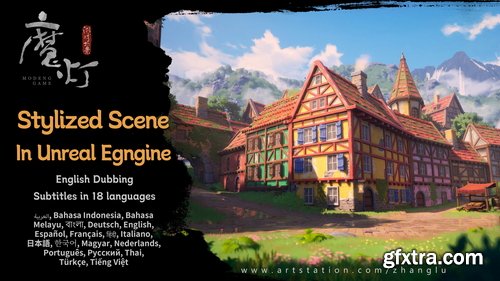
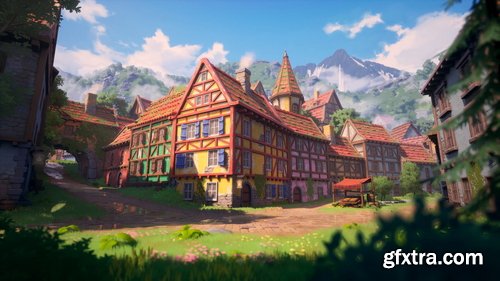
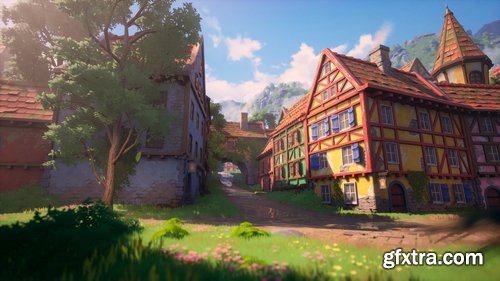
- The Modeng Stylized Course received a significant upgrade in December 2024 while keeping all original content. The course expanded from 18 to 29 chapters, strengthening previously weaker sections of the Modeng workflow. It now features AI-generated English voiceovers with SRT subtitles in 18 languages, compatible with players like PotPlayer. Additionally, in January 2025, the course added roughly 35 hours of fully English-narrated live coaching recordings.
- Release Notes: add 1 game art reference collecion file.
Language: English | Size: 1.20 GB | Duration: 1h 14m
https://www.udemy.com/course/substance-painter-beginners-guide-to-3d-painting/
Substance Painter: Unlock 3D Design and Painting Skills - Ideal for 3D Enthusiasts, Game Developers, and Design Students

Udemy - Hard-Surface Modeling In Blender by Blender Craft
https://www.udemy.com/course/hard-surface-modeling-in-blender/
Hard Surface Modeling a Luger P08 pistol in Blender
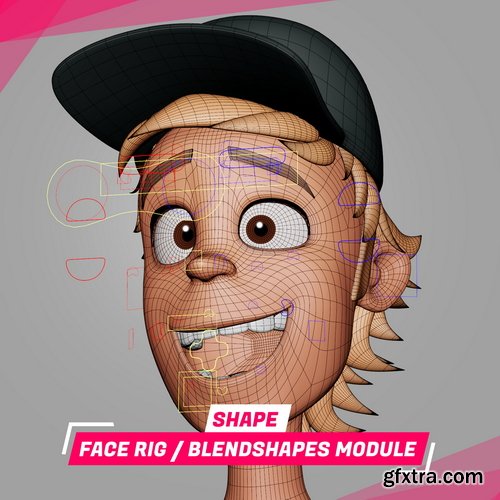
- Learn how to build a face rig from scratch for a feature animation movie
- The final module of SHAPE, in this module, you'll learn how to setup by hand an entire face rig from scratch in Maya, using the plug-in DPK BCS, used by Illumination Mac Guff, Mikros, Dneg, Framestore and a lot of studios, as a blendshapes manager.
- I'll show you my workflow for building a solid face rig for a feature animation film's quality.

Udemy - KATANA | Mastering LookDev & Lighting for the VFX industry
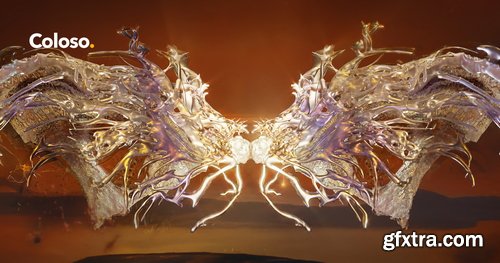

- Exclusive 3D and VFX expertise that’s been shaping the entertainment scene, now available on Coloso. Learn how to create trendy artwork that’s popular with top K-pop artists like Aespa, NewJeans, RIIZE, NCT, and more! Introducing the high-quality 3D artwork and VFX class from Calllmechi, a rising 3D artist who has optimized concepts for projects like Aespa's "Armageddon" music video, featuring unique depictions of the cosmic horror genre. Calllmechi's unique process for creating grotesque and surreal visuals! Create unique 3D artwork in three different styles using atypical objects, heterogeneous yet luxurious textures, and more. Learn how Calllmechi creates unrivaled 3D visuals on Coloso today.
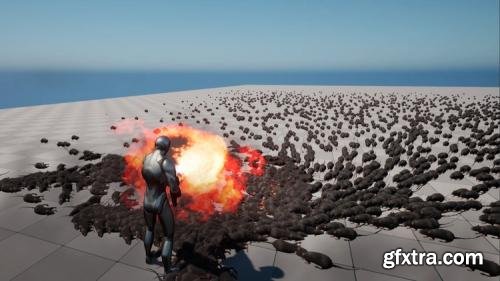
Udemy - Unreal Engine 5: Crowd creation in the Niagara System
https://www.udemy.com/course/unreal-engine-5-crowd-creation-in-the-niagara-system/
In this course you will learn how to work in the niagara system in Unreal Engine 5. How to Create a particle and create, crowd. You'll also learn how to influence the crowd with a player character.
We'll start with the basics. We will study in detail what an emitter is, and how to work with it in the niagara system. How to сreate particles and different effects. We're going to talk about modules, their structure, and how the sequence of modules affects the crowd effect. Then we'll solidify the knowledge with an example of creating fire, and start creating the crowd from rats. First we'll сreate a vertex animation shader, then we'll start creating and customizing particles. Next we'll customize the character, we'll do retargeting and aimoffset, customize weapons and animations. We'll also сreate a flamethrower effect, and make its action as realistic as possible in a crowd with rats. Next we'll work with Blueprints, and learn how to locally kill particles in a crowd. This is a very interesting point. We will also learn how to work with blueprints in the Niagara system.
https://www.imeshh.com/
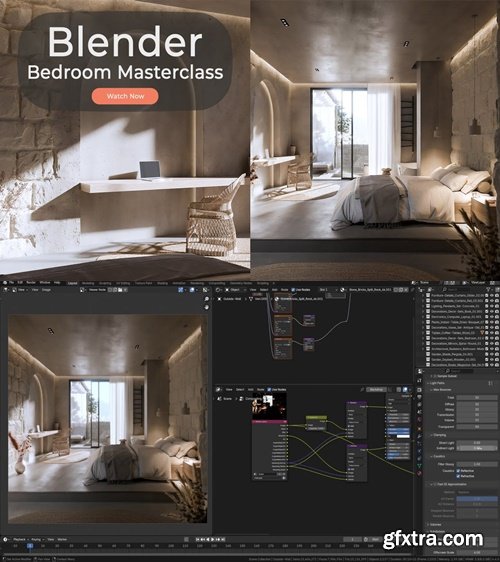
- Take your architectural visualization skills to the next level with this complete Blender 4.4 masterclass
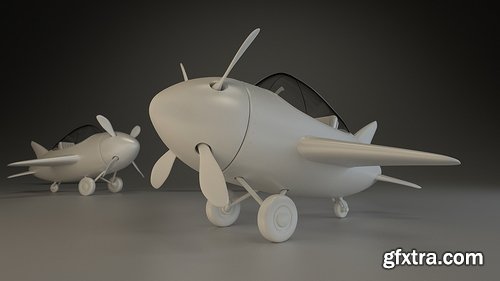
- Hello and welcome to this CG Cookie tutorial series on hard-surface modeling in Blender. Through this series I’ll be giving you a complete introduction to modeling hard-surface objects with subdivision surfaces, allowing you to create anything from vehicles, to weapons, to environment props. For this Blender tutorial I’ve chosen a small, stylized airplane as the subject matter as it provides a great example of hard-surfaces that is fairly simple but also easy to learn. The plane design is based on artwork and modeling sheets created by Tim Von Rueden.
- I’ll be walking you through the complete process of how to model in blender, demonstrating a variety of techniques and tools along the way. First we will set our artwork as a blender background image, then among other things, I’ll be showing you box and edge modeling techniques, how to use various modifiers for non-destructive modeling, and multiple techniques for creating sharp edges with optimal geometry. In this series, even though it's a Blender tutorial for beginners and we dive into the Blender basics, we won't be getting into UV Unwrapping, since we won't be using any cg textures, nor will we touch upon retopology or compositing, it will all be centered at hard surface modeling. Finally, this series is presented in real-time, giving you a complete picture of my modeling process.
- Extra add-ons and themes: During this series I make frequent use of a custom add-on I developed that helps to speed up the workflow for common tasks. You can download the add-on, along with the custom them I use for Blender’s interface below: Jay Tools (now known as Quick Tools)CG Cookie Blender UI Theme CC Music: "H20 Instrumental" by Airtone
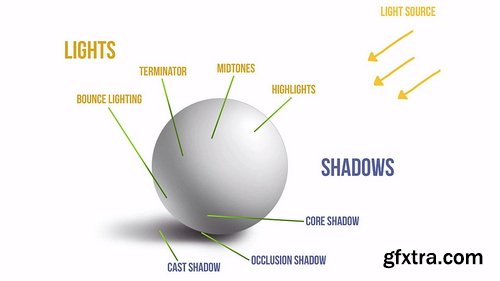
- When it comes to lighting, there are three basic components you need to understand: Direction of lighting, the Object’s Surface, and corresponding Shadows. They determine the final look of your subject matter and it’s essential that you portray them as accurately as possible. To practice, we will look at a few fun examples and see if you can recognize where each object is lit from by trying to identify its light source.
- The most commonly used lighting scenario for you subject matter is a three-point lighting system: the components are a Key light, Fill light (also known as Global light) and Rim light. They each have a different role and we examine them one by one and look at a few examples.
- An interesting property of light is that it travels in every direction and bounces off of surfaces, losing some of its strength in the process. It can even pick up color hues! This may sound very technical, but a few simple examples will help you understand how this works. An inseparable component of light and color is value. You will understand this relationship as we go through the step-by-step process of building values with examples for each type, from neutral base value to bounce lighting and shadows.
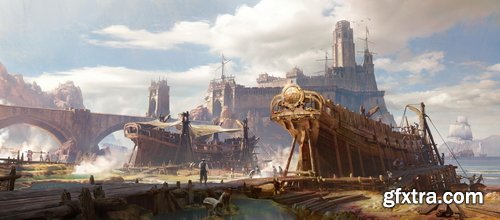

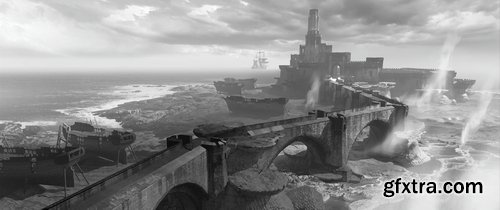
- Learn to create stunning classical-style paintings with modern digital techniques. Concept artist Marco Gorlei will guide you through crafting rich, textured images reminiscent of the old masters, using digital painting, 3D, and photobashing. Beyond technique, Marco’s deep reference-gathering workflow will help you bring authenticity to your work, nailing historical details like clothing, architecture, and ships. By the end of the course, you’ll have a portfolio-ready masterpiece, supporting artwork, and a deeper understanding of how to conduct meaningful research for your projects.
- Here's the low-down on everything covered in this course: 25 hours | 186 Videos | Tools Used: Photoshop and Blender
- Introduction to creating cinematic storytelling images and how it works. This class will focus on examining ways on how to create a ‘cinematic’ image as well as focusing on the fundamentals of cinematic image making such as design, composition, lighting, camera lenses and storytelling.
- We will focus on industry techniques such as 3D Modeling in Blender, Paintover in Photoshop and various other software's that makes the pipeline as smooth and efficient as possible. we’ll also dive into intermediate and advanced Blender techniques as well as painting over the image in photoshop.
- The students will be receiving feedback on their images as well as practicing these techniques to create new portfolio images to help them achieve their personal and professional goals and most importantly tell their own story.

Udemy - After Effects 2025: Complete Motion Graphics & Vfx Course
Learn Adobe After Effects 2025 from scratch and create stunning animations, motion graphics, visual effects like a pro.
Language: English | Duration: 56 Lectures ( 16h 20m ) | Size: 7.7 GB
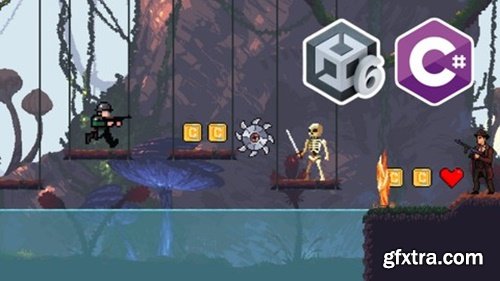
https://www.udemy.com/course/complete-unity-6-c-course-beginner-to-intermediate
How to make a game with Unity 6 & C# Coding, Unity 6 full course, Full Course on Unity 6 & C# Programming for Beginners
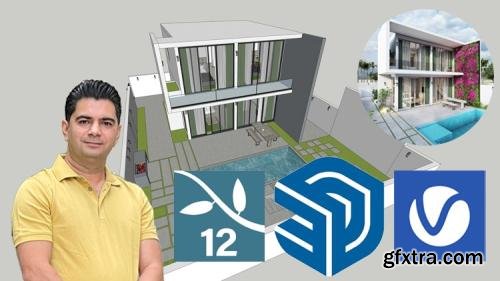
Udemy - Sketchup with Lumion/V-ray- Full course- From zero
2D drawing and 3D modelling from basic in SketchUp, lighting and materials rendering and 3D animation in Lumion / V-ray
Unlock the Power of Post-Production: DIY Moviemaking - After Effects Essentials
Struggling to elevate your indie films with professional-grade visuals? DIY Moviemaking - After Effects Essentials is your gateway to mastering Adobe After Effects—without the overwhelm. Designed by a filmmaker, for filmmakers, this course cuts through the complexity to teach you the core tools and techniques used daily in real-world productions. Whether you’re crafting dynamic title sequences, enhancing scenes with visual effects, or perfecting color grades, this course equips you with the skills to bring your creative vision to life.
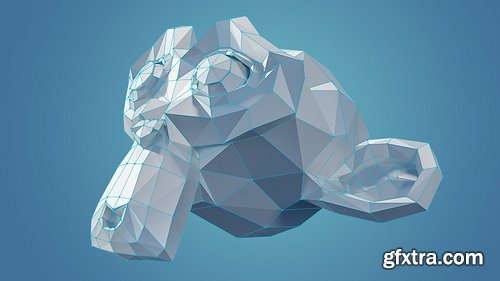
- If you're new to 3D and have watched the Blender Basics tutorials, you might be thinking of what the next step is for you and Blender. Mesh modeling, sometimes called Polygonal Modeling, is the method we use to construct 3D objects of all shapes and sizes. It is the starting point for most things you'll do in 3D.
- Whether your goal is to create compelling characters for film, creating architectural visualizations or even game environment assets, you will need to starts with modeling. Blender has a very powerful and fast modeling toolset that can be used for creating just about any 3D object you may need. This Blender course will teach you the fundamental skills and tools that are essential to becoming a modeler.
- You will learn: How to create mesh objects with primitive shapes, The difference between Object mode and Edit mode, How to manipulate mesh forms and structure, Methods of mesh selection and selection tools, Many of the fundamental modeling tools essential for success, Adjusting mesh visibility for more efficient workflow, Working within Global and Local Space for greater control, The difference between objects and mesh data, and how to share that data
126,000 Royalty-Free 3D Model

Udemy Türkçe


Top Rated News
- CreativeLive Tutorial Collections
- Fasttracktutorials Course
- Chaos Cosmos Library
- MRMockup - Mockup Bundle
- Finding North Photography
- Sean Archer
- John Gress Photography
- Motion Science
- AwTeaches
- Learn Squared
- PhotoWhoa
- Houdini-Course
- Photigy
- August Dering Photography
- StudioGuti
- Creatoom
- Creature Art Teacher
- Creator Foundry
- Patreon Collections
- Udemy - Turkce
- BigFilms
- Jerry Ghionis
- ACIDBITE
- BigMediumSmall
- Globe Plants
- Unleashed Education
- The School of Photography
- Visual Education
- LeartesStudios - Cosmos
- Fxphd
- All Veer Fancy Collection!
- All OJO Images
- All ZZVe Vectors
- CGTrader 1 CGTrader 2



















