

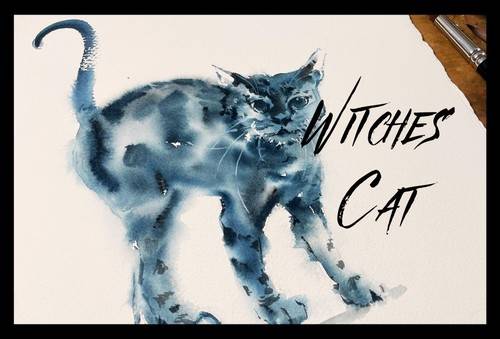
Shorelark Studio - Witch's Cat
https://www.shorelark.studio/witch-s-cat
In this short, atmospheric session, we’ll paint a mysterious witch’s cat — a playful nod to the magic and mischief of All Hallows’ Eve. Using just two colours, you’ll discover how much character and atmosphere can be created through simple tonal contrasts, soft edges, and expressive brushwork.
Instructor: Kat Healy | Lessons: 3

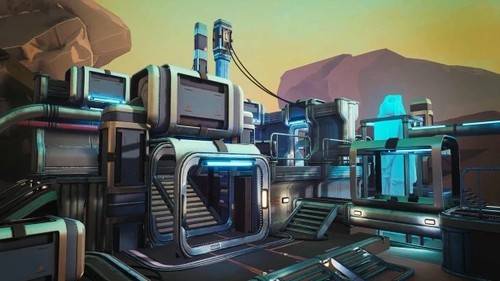
FastTrackTutorials - Creating Game Environments For Mobile & VR
https://fasttracktutorials.com/tutorial_single/1869
Learn how a professional environment artist works when creating environments for mobile and VR games. You’ll learn techniques like Modular Modeling, optimization techniques for Mobile/VR, trim sheet workflows, level art & composition in UE, rock sculpting in Zbrush, Modeling in Blender and so much more!
Instructor: Nico Cluckers | Lessons: 21 | Duration: 10 Hours | Level: Beginner | Software: Blender3D, Substance 3D Designer and Substance 3D Painter, Unreal Engine 4, Zbrush | Language: English | Subtitles: English, Chinese, Spanish | Source Files: Included
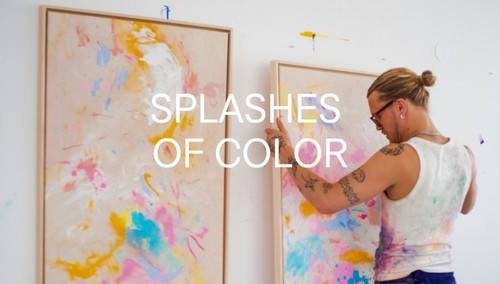
ARIE Studio - Splashes of Color
https://studio.yourarie.com/programs/splashes-of-color
Work with oil sticks, oil pastels and acrylics in this course to create two dynamic, complimentary abstract pieces simultaneously.
Lessons: 5 | Duration: 0m 35s | Tags: The Full process • Creative Sparks

Coloso - 3D Model Creation for VTubers: From Modeling to Setup
https://coloso.global/en/products/3dcgmodeler-fusako-us
Learn 3D VTuber model creation with 3DCG Modeler Fusako. Master modeling, rigging, texturing, and Unity setup to bring characters to life!
Instructor: 3DCG Modeler Fusako | Lessons: 31 | Duration: 26 Hours 37 Minutes | Materials: Included
Skills You’ll Learn: Thai subtitles and Thai-translated class materials will be available starting Nov 6, 2026 • Class Preview • Still Not Sure? • Check Out Fusako's Class Preview! • 02. Face (Rough) • - Creating the face with Sculptris • - Key points to watch for in the silhouette • Class Perks • Special Gift from Fusako
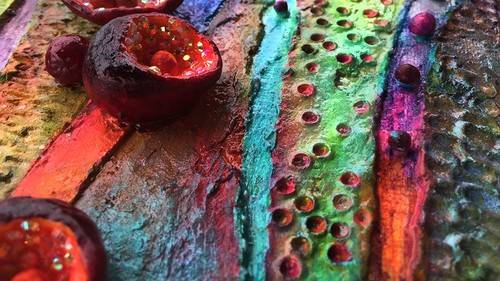
Abyssimo - Marvellous Mixed Media 3–D Techniques
https://www.abyssimoartschool.com/p/marvellous-mixed-media-3-dimensional-techniques
Stretch your creative boundaries and unleash your inner artist with exciting mixed media techniques. PreSell special pricing! Discover a host of mixed media techniques with Instructor Maria Grossbaum-Fondler. Learn to enrich your art with dramatic color, texture and dimension by harnessing the unique properties of speciality materials.
Instructor: Maria Grossbaum | Lessons: 10 | Duration: 1h 52m
CG Cookie - Tools, Add-ons & Software Updates
https://www.cgcookie.com/courses/tools-add-ons-software-updates
Partway through the Photoshop stream, Wes Burke stops mid sentence because there's an echo bouncing off his walls, apologizes, and keeps drawing anyway. That's the tone of this whole collection: real streams, recorded live, glitches and all, not polished courses. What you have here is six archived CG Cookie livestreams stitched together under one title because they never fit anywhere else. Wes Burke walks through the Photoshop essentials (canvas setup, layers, brush transfer and shape dynamics, blend modes) for artists who've never opened the program. Jonathan Gonzalez runs two sessions building visual scripting graphs in Unity's Bolt, recreating game programming bootcamp exercises: animation parameters, trigger zones with ragdolls, projectile firing rate, and object pooling headaches solved live.
Instructor: Wes Burke | Lessons: 6 | Category: Livestream Archive | Software: Blender | Includes: Certificate of Completion
Skills You’ll Learn: Photoshop layer basics • Brush settings that matter • Visual scripting with Bolt • Reading a Blender changelog live • Newer workflow upgrades explained

SuperhiveMarket - How to Make Your First Short Film in Blender
https://superhivemarket.com/products/htmyfsfib
Enough with the Still Renders. Let's make our first short film in Blender!
Creator: millanaire | Category: Addons | Product ID: 262139 | Blender Version: 2.6x - 5.2 | License: Royalty Free | Sales: 30+ | Published: 2 months ago
Schoolism - Digital Landscape Painting Workout with Nathan Fowkes
https://schoolism.com/courses/painting/digital-landscape-painting-workout-nathan-fowkes
- Unlock your artistic potential and take your digital environment art to the next level with Digital Landscape Painting Workout, an inspiring educational course by renowned artist and instructor Nathan Fowkes, presented by Schoolism. Designed for aspiring artists, digital painters, concept artists, and experienced illustrators, this course offers an opportunity to strengthen your landscape painting skills and develop a more confident, expressive artistic approach.
Level: Beginner | Genre: eLearning | Language: English | Duration: 12 Lectures ( 2h 10m ) | Size: 1.2 GB
https://www.udemy.com/course/adobe-illustrator-for-digital-pattern-drafting
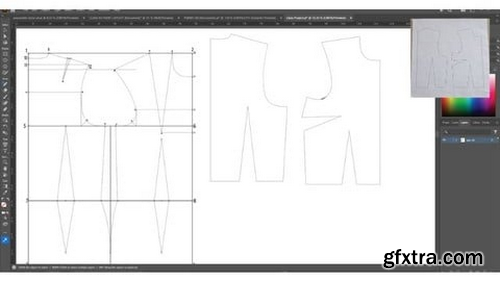
Digital Pattern Drafting in Adobe Illustrator, Digital Sewing Patterns
Watercolour TV - 'REMEMBER' Paint a Poppy Meadow in Watercolours
https://watercolour.tv/lessons/remember-paint-a-poppy-meadow-in-watercolours
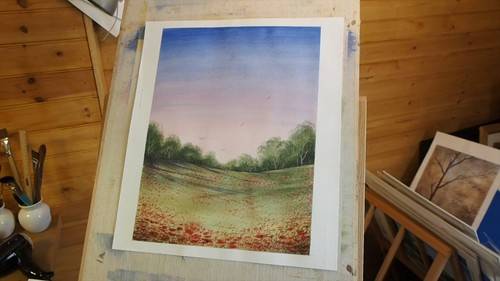
Join Matthew Palmer in his studio as he shows you how to paint a beautiful poppy meadow in watercolours. This step-by-step lesson is easy to follow and captures the full process as the painting develops. Created to commemorate the centenary of the start of the First World War (1914–2014), this painting is both meaningful and visually striking.
Instructor: Matthew Palmer | Duration: 25m 56s | Level: Intermediate
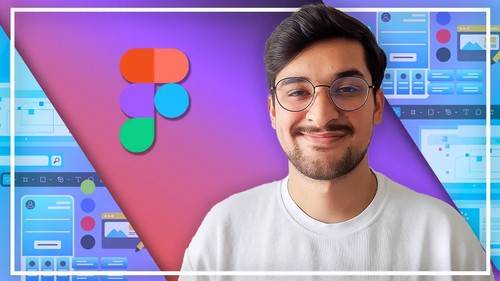
Skillademia - Advanced Figma Course: Design Systems & Professional UI
https://www.skillademia.com/advanced-figma-course/
Master Advanced Figma Workflows and Design Systems Creating beautiful screens is only part of modern UI design. Professional designers build scalable systems, responsive interfaces, and collaborative workflows that make products easier to maintain as they grow. Designed for students who already know the basics of Figma, this course focuses on building efficient workflows rather than simply learning more tools. A major focus is responsive interface design. You'll master Auto Layout, constraints, adaptive components, and responsive design techniques that allow your interfaces to work seamlessly across desktop, tablet, and mobile devices. You'll also build scalable component systems with variants and properties, manage variables for colors, typography and spacing, design light and dark modes, and create advanced prototypes with Smart Animate and microinteractions. To bring everything together, you'll complete several real-world interface projects, including responsive websites, mobile applications, dashboards, and complete user flows, finishing with a full responsive SaaS design project.
Lessons: 18 | Duration: 6 Hours | Category: Design & Digital Art | Level: All Levels | Software: Figma | Language: English
Skills You’ll Learn: Build scalable component systems using variants and properties • Create and manage variables for colors, typography, and spacing • Design light and dark modes using structured systems • Organize files and create team libraries for real workflows • Master auto layout for responsive design • Apply constraints and breakpoints across devices • Create advanced prototypes with Smart Animate • Design microinteractions and interactive components • Understand modern Figma tools and when to use them • Build a full responsive SaaS design project

Udemy - How to Think Like an Architect and Interior Designer
https://www.udemy.com/course/how-to-think-like-an-architect-and-interior-designer/
Language: English (US)
Learn to Analyze Spaces, Solve Design Problems, Understand Design Principles, and Develop Creative Thinking Skills..
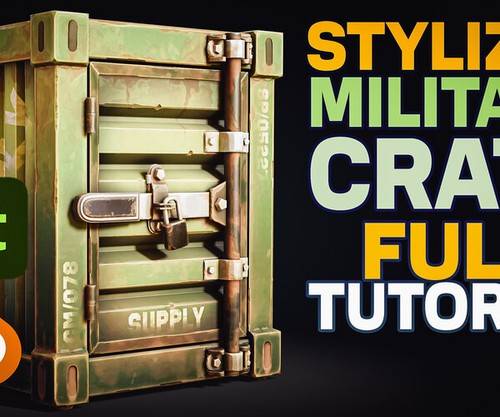
ArtStation Marketplace - Stylized Props Modeling - Learn to Make A Stylized Military Crate in 3D - Blender & Substance Painter - Full Class [English]
Tutorials - Stylized Props Modeling - Learn to Make A Stylized Military Crate in 3D - Blender & Substance Painter - Full Class [English], USD $6.49. Stylized Military Crate, Full Modeling Tutorial (Real-Time...
Creator: Agustín Bastías | Category: Tutorials | Rating: 5.0/5 (1 ratings, 1 reviews)
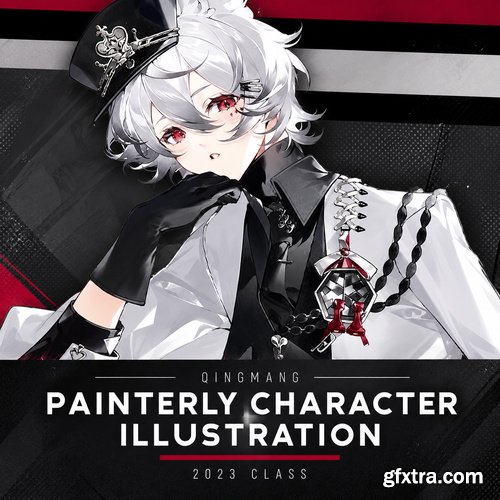
Qingmang - Japanese-Style Painterly Character Illustration (2023)
Digital Painting | Anime Character Illustration | Painterly Rendering
Chinese Audio | English Subtitles | 8 MKV Videos
Course Details
- Instructor: Qingmang, also known as Seafood Chicken Pot
- Edition: 2023
- Format: Eight video sections
- Topics: Character portraits, dynamic poses, clothing design, light and shadow, color relationships, character coloring and complete illustration
- Audio: Chinese
- Subtitles: English
- Included: 8 MKV video links; no supplementary course materials

Udemy - Architectural Design with AutoCAD
https://www.udemy.com/course/architectural-design-with-autocad/
Language: English (US)
Design Your First Floor Plan, Elevation & 3D Model in AutoCAD
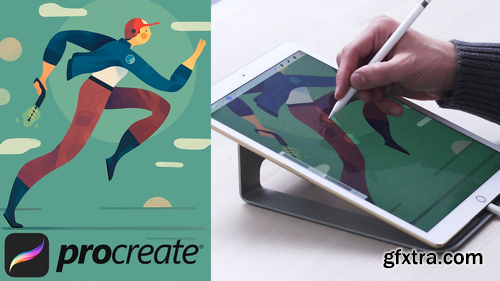
https://www.skillshare.com/en/classes/digital-illustration-learn-to-use-procreate/971736290
- Love digital illustration? Learn how to use Procreate, the award-winning painting app, for your best work yet! Become a Procreate master and learn a whole new approach to illustration in this fun, accessible class. Taught by illustrator Jarom Vogel, you'll learn how to use Procreate on your iPad to create digital artwork like never before. Whether you're new to digital art or are a seasoned illustrator, you'll unlock a whole new way to make your ideas a reality.
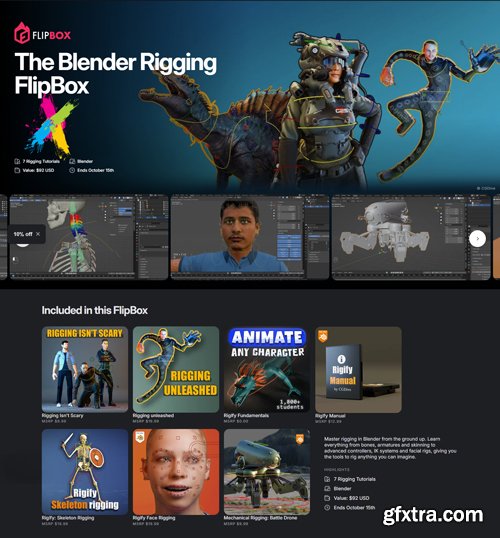
Flippednormals - The Blender Rigging FlipBox
https://flippednormals.com/collections/flipbox/products/the-blender-rigify-flipbox
7 Rigging Tutorials | Blender
Master rigging in Blender from the ground up. Learn everything from bones, armatures and skinning to advanced controllers, IK systems and facial rigs, giving you the tools to rig anything you can imagine.

Udemy - Architectural Design with AutoCAD
https://www.udemy.com/course/architectural-design-with-autocad/
Design Your First Floor Plan, Elevation & 3D Model in AutoCAD
PHLEARN - How to Use the Sharpen Tool in Photoshop
https://phlearn.com/tutorial/photoshop-basics-the-sharpen-tool/
The Sharpen Tool lets you paint extra detail exactly where you want it, which is a quick way to draw the eye to a subject’s eyes, a piece of jewelry, or a logo. In this Photoshop Basics lesson, Aaron sharpens a portrait’s eyes on a new layer with Sample All Layers and Protect Detail turned on, and shows what over-sharpening looks like so you know when to stop.
Instructor: Aaron Nace | Lessons: 1 | Duration: 4 Minutes 5 Seconds | Includes: 1 Lesson, follow-along, 4m, video lesson, Beginner, no experience needed, 1 Sample Image, to follow along, INCLUDED IN PHLEARN PRO, Join PHLEARN PRO for instant access to this course and every tutorial on PHLEARN., Stream in up to 4K on any device, Closed captions and chapters on every course, Download all sample images and PSDs, New PRO tutorials every month, Cancel anytime, START WATCHING, WATCH THE FULL SERIES, Photoshop Basics Collection, Every essential Photoshop tool, one short lesson at a time — browse the collection, DESCRIPTION, The Sharpen Tool lets you paint extra detail exactly where you want it, which is a quick way to draw the eye to a subject’s eyes, a piece of jewelry, or a logo. In this Photoshop Basics lesson, Aaron sharpens a portrait’s eyes on a new layer with Sample All Layers and Protect Detail turned on, and shows what over-sharpening looks like so you know when to stop. | Published: July 13, 2014
Skills You’ll Learn: Setting Up the Sharpen Tool on a New Layer • Sharpen Tool Brush and Technique • Know When to Stop • Protect Detail • Mode: Use the Layer Instead • Sharpen Tool Quick Reference
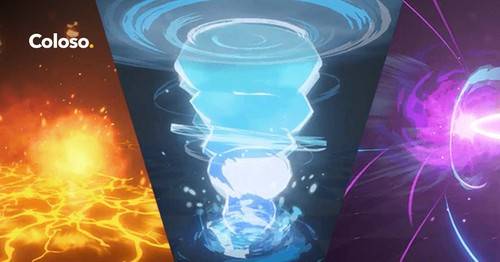
Coloso - Unleash the Power of Unity: 14 Unique RPG Game Effects
https://coloso.global/en/products/vfxartist-shinseolhwa-us
Get exclusive tips and insights from VFX Artist throughout 17 online classes.
Instructor: VFX Artist, Seolhwa Shin | Lessons: 17 | Duration: 17 Hours 55 Minutes | Materials: Included | Software: - Unity 2021
Skills You’ll Learn: 10+ Class Exercises • Stage 01. Hero's Entrance • Stage 02. Dark Lord’s Appearance • Summoning Magic • Portal Effects • Stage 03. Hero's Movement and Attack • Sword Trail • Movement Trail • Stabbing Effect • Impact • next • Stage 04. Fairy's Support
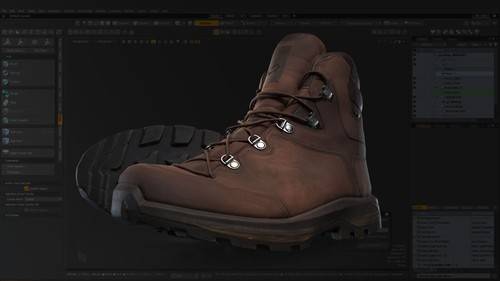
The Gnomon Workshop - Photogrammetry for Production Artists
https://www.thegnomonworkshop.com/workshops/photogrammetry-for-production-artists
Discover professional techniques for Prop Scanning Through to Final Production Asset with John William Crossland at The Gnomon Workshop. Watch now
Instructor: John William Crossland | Lessons: 19 | Duration: 4h 27m | Level: Beginner | Software: For this workshop you’ll need:
Skills You’ll Learn: How to capture effective photogrammetry scans using low, medium, and high-range techniques. • How to process raw scan data in Agisoft to create clean, workable meshes. • How to perform topology cleanup and hard-surface modeling refinements in Modo and ZBrush. • How to create optimized low-poly meshes with proper UV layouts for texturing workflows. • How to bake high-quality normal maps and detail passes using Marmoset Toolbag. • How to develop and apply realistic materials that enhance the photogrammetry base. • How to troubleshoot common photogrammetry issues and optimize scan quality throughout the process.
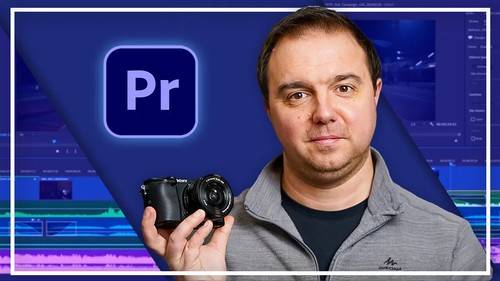
Skillademia - Complete Adobe Premiere Pro Megacourse: Beginner to Expert
https://www.skillademia.com/adobe-premiere-pro-course
Master video editing and create professional-quality videos with Adobe Premiere Pro! Ever wanted to turn your raw footage into stunning videos? Whether you’re editing home videos, creating content for social media, or aspiring to professional video production, Adobe Premiere Pro is the industry-leading software that makes editing accessible and enjoyable. In this practical, hands-on course, you’ll learn all the essential Premiere Pro skills, from importing and managing media, trimming clips, applying transitions, and mastering audio, to advanced techniques like keyframing animations, color grading, essential graphics, and dynamic effects. You’ll also explore how to fix common issues such as shaky footage, incorrect lighting, and audio problems. Guided by experienced video editors and instructors, each lesson provides step-by-step tutorials and clear demonstrations. You’ll build practical skills by working through real-world examples, ensuring you can confidently produce engaging videos for any purpose. Enroll now and start turning your video clips into captivating, professional projects today!
Instructor: Adam Bowles, Hosna Kachooee | Lessons: 171 | Duration: 50 Hours | Category: Design & Digital Art | Level: All Levels | Software: Figma | Language: English
Skills You’ll Learn: How to use Premiere Pro and its elements • The principles of video editing • How to create and work with sequences • How to do transitions • How to add and use audio in your videos • How to use graphics and animate • How to edit specific types of video (e.g., wedding, travel, vintage, etc.) • How to apply different styles and effects to your videos • Advanced audio techniques • The interface and different tools of Premiere Pro • Tips and best practices for interpreting media • How to manipulate media • Different keyboard shortcuts and how to use them in the best way • The principles of colour correction and grading • How to use plug-ins in the most efficient way
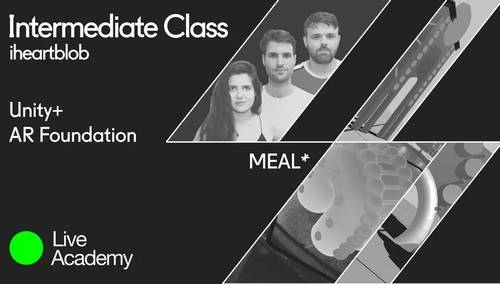
Live Academy - Unity + AR Foundation Intermediate Class
https://www.liveacademy.tv/programs/unity-ar-foundation-intermediate-class
Live Academy Unity + AR Foundation Intermediate Class by iheartblob
Lessons: 7 | Duration: 1m
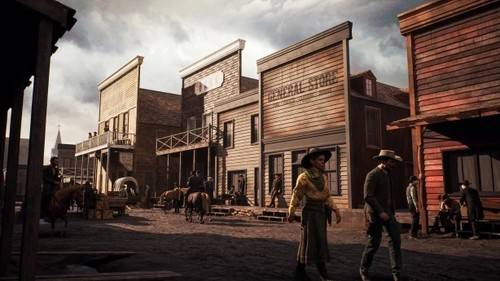
FastTrackTutorials - Full 3D Environment Creation in UE5 & Blender
https://fasttracktutorials.com/tutorial_single/1868
Learn how a professional environment artist works when creating environments for games. You’ll learn techniques like Modular Modeling, Procedural Texturing, Unique Texturing, Level Art & Composition, shader Creation, Lighting, Character Animations and so much more!
Instructor: Emiel Sleegers | Lessons: 80 | Duration: 31 Hours | Level: Intermediate | Software: Blender3D, Substance 3D Designer and Substance 3D Painter, Unreal Engine 5, Marmoset Toolbag 4, Davinci Resolve, Mixamo | Language: English | Subtitles: English, Chinese, Spanish | Source Files: Included






















Top Rated News
 thegreatcourses
- Udemy Part 3
- Pose and Reference Pack
- PSDMarket All Flyer
- TheBoudoirDivas All Tutorial
- 126,000 Royalty-Free 3D Models
- CreativeLive Tutorial Collections
- Fasttracktutorials Course
- Chaos Cosmos Library
- MRMockup - Mockup Bundle
- Finding North Photography
- Sean Archer
- John Gress Photography
- Motion Science
- AwTeaches
- Learn Squared
- PhotoWhoa
- Houdini-Course
- Photigy
- August Dering Photography
- StudioGuti
- Creatoom
- Creature Art Teacher
- Creator Foundry
- Patreon Collections
- Udemy - Turkce
- BigFilms
- Jerry Ghionis
- ACIDBITE
- BigMediumSmall
- Globe Plants
- Unleashed Education
- The School of Photography
- Visual Education
- LeartesStudios - Cosmos
- Fxphd
- All Veer Fancy Collection!
- All OJO Images
- All ZZVe Vectors
- CGTrader 1 CGTrader 2






























