

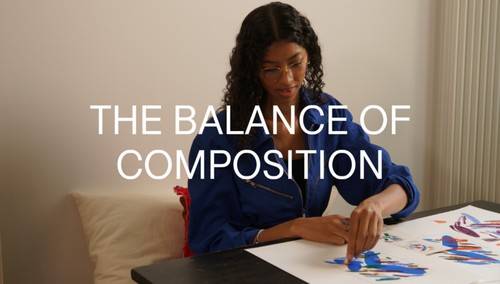
ARIE Studio - The Balance Of Composition
https://studio.yourarie.com/programs/the-balance-of-composition?category_id=206944
In this series, you'll learn how to strike the balance between colors, shapes, and lines to craft dynamic and harmonious abstract paintings. Elke will teach you how to balance light and dark colors and avoid floating elements.
Lessons: 6 | Duration: 0m 36s | Category: Technique Lab | Tags: Beginner Friendly


Abyssimo - The Secrets of Lotus
"The lotus comes from the murkiest water but grows into the purest thing."
Instructor: Maria Grossbaum | Lessons: 11 | Duration: 4h 28m
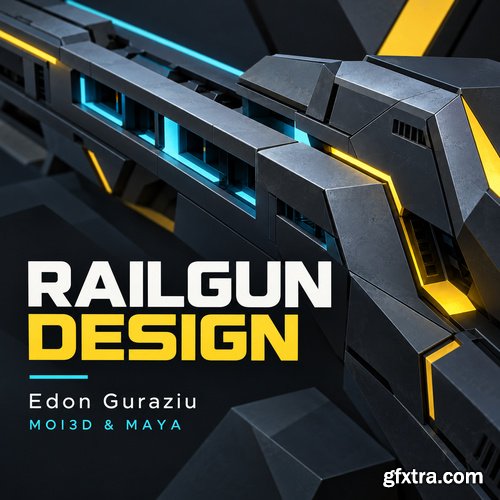
Railgun Design with Edon Guraziu
3D Modelling | Hard Surface Design
MoI3D & Maya | RAR Download
Course Details
- Instructor: Edon Guraziu
- Software: MoI3D and Autodesk Maya
- Subject: Railgun concept design for a digital 3D asset
- Download: Railgun_Design.rar
- Artist Profile: ArtStation
Basic Pistol Modelling with Edon Guraziu
3D Modelling | Hard Surface Design | Maya
Beginner Level | Maya 2015 | RAR Download
Course Details
- Instructor: Edon Guraziu
- Software: Autodesk Maya 2015
- Topics: Basic modelling, digital prop design and workflow theory
- Download: Basic_Pistol_Modelling.rar
- Artist Profile: ArtStation
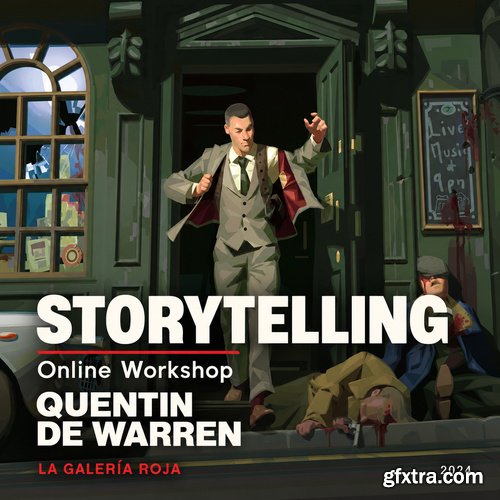
La Galería Roja - Storytelling Online Workshop with Quentin de Warren (2024)
Illustration | Visual Storytelling
Language: English | Download Format: RAR
Workshop Details
- Instructor: Quentin de Warren
- Organizer: La Galería Roja
- Workshop Dates: December 20-22, 2024
- Topics: Composition, values, color, lighting and reference gathering
- Recommended Materials: Photoshop and a drawing tablet
- Product Page: La Galería Roja
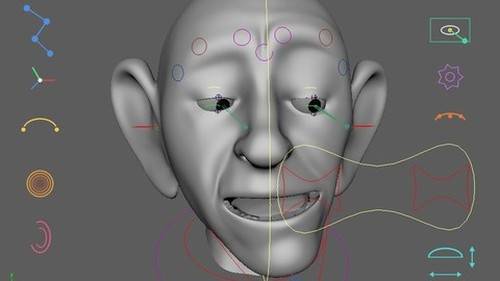
Udemy - Learn facial Rigging In Maya From Scratch
https://www.udemy.com/course/learn-facial-rigging-in-maya-from-scratch/
Master production-ready facial rigging in Maya using joint, blend shapes, wire deformers, skinning, and controls.
Skills You’ll Learn: Facial rigging fundamentals and workflow • Joint placement for facial features • Eyebrow rigging using Wire Deformers • Skinning and Paint Skin Weights techniques • Creating animator-friendly facial controls • Corrective shapes for clean deformations • Eye rigging and eye controls • Jaw rig setup and constraints • Lip rigging techniques • Blend Shape workflow • Control hierarchy and clean rig organization • Production-ready rigging practices
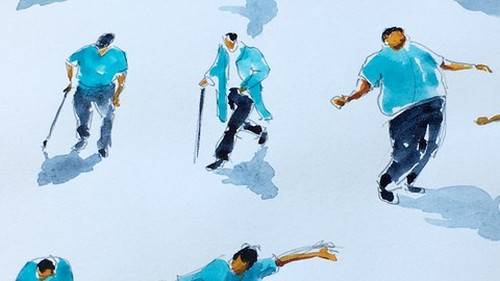
Udemy - Let's Paint Expressive Figures for Urban Sketching
https://www.udemy.com/course/lets-paint-expressive-figures-for-urban-sketching/
Learn to sketch people with gestures and style using watercolor to breath life into your urban sketches
Duration: 15 Hours
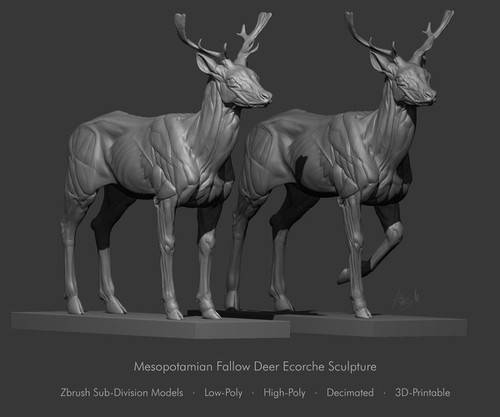
ArtStation Marketplace - Mesopotamian Fallow Deer Ecorche Anatomy Sculpture
https://www.artstation.com/marketplace/p/g17m/mesopotamian-fallow-deer-ecorche-anatomy-sculpture
Resources - Mesopotamian Fallow Deer Ecorche Anatomy Sculpture, USD $15.00. Digital Sculpture of the anatomy of a Mesopotamian Fallow Deer. Files included are Zbrush files with Low-Poly models, High-Poly models,...
Creator: Xander Smith | Category: Resources

Udemy - Motion Design with Figma: Animations, Motion Graphics, UX/UI
https://www.udemy.com/course/motion-design-with-figma-animations-motion-graphics-uxui/
Figma like a Pro! Learn Motion Design on Mobile and Web using modern practices that top designers use + build projects!
Udemy - Modern Graphic Design MasterClass with AI Driven Tools
https://www.udemy.com/course/ultimate-adobe-photoshop-cc-masterclass-basics-to-advanced/
Learn complete AI based graphic design with Canva Gemini Grok and Adobe Photoshop for branding marketing and freelancing
Udemy - Tahoma 2D the complete course
https://www.udemy.com/course/tahoma-2d-the-complete-course
Create 2D animations master features with Tahoma 2D software
https://designcourse.com/af
- "Advanced FrontEnds" is a comprehensive course by Gary Simon, focusing on creating highly animated, interactive landing pages. It covers javascript, GSAP, and Three.js, with a progression from simple animations to intricate projects. The course includes practical challenges and a final project, aiming to enhance front end development skills for 2024.

PHLEARN - How to Use the Spot Healing Brush Tool in Photoshop
https://phlearn.com/tutorial/photoshop-basics-the-spot-healing-brush-tool/
The Spot Healing Brush is the fastest blemish remover in Photoshop: paint over a snowflake, a stray hair, or a pimple and it’s gone, with the tool choosing its own sample point. In this Photoshop Basics lesson, Aaron shows how to work non-destructively with Sample All Layers on a new layer, compares the Content-Aware, Proximity Match, and Create Texture types, explains why to leave the blend mode on Normal, and covers when to switch to the regular Healing Brush instead.
Instructor: Aaron Nace | Lessons: 1 | Duration: 8 Minutes 10 Seconds | Includes: 1 Lesson, follow-along, 8m, video lesson, Beginner, no experience needed, 1 Sample Image, to follow along, INCLUDED IN PHLEARN PRO, Join PHLEARN PRO for instant access to this course and every tutorial on PHLEARN., Stream in up to 4K on any device, Closed captions and chapters on every course, Download all sample images and PSDs, New PRO tutorials every month, Cancel anytime, START WATCHING, WATCH THE FULL SERIES, Photoshop Basics Collection, Every essential Photoshop tool, one short lesson at a time — browse the collection, DESCRIPTION, The Spot Healing Brush is the fastest blemish remover in Photoshop: paint over a snowflake, a stray hair, or a pimple and it’s gone, with the tool choosing its own sample point. In this Photoshop Basics lesson, Aaron shows how to work non-destructively with Sample All Layers on a new layer, compares the Content-Aware, Proximity Match, and Create Texture types, explains why to leave the blend mode on Normal, and covers when to switch to the regular Healing Brush instead. | Published: July 13, 2014
Skills You’ll Learn: Setting Up the Spot Healing Brush on a New Layer • Just Paint with the Spot Healing Brush • Type: Content-Aware, Proximity Match, Create Texture • Mode: Keep It on Normal • When a Spot Healing Brush Heal Goes Wrong • Spot Healing Brush vs. Healing Brush
Udemy - Blender Express: Learn 3D Modeling Fast
https://www.udemy.com/course/blendermasterclass/
Language: English (US)
Want to create cool 3D models and fully understand Blender?
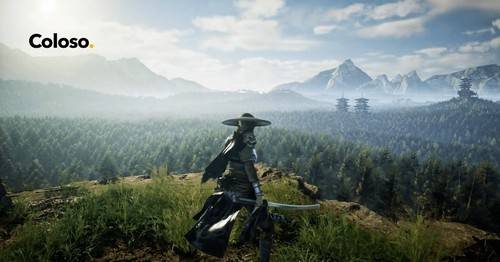
Coloso - Creating an Open World Action RPG with Unreal Engine
https://coloso.global/en/products/gameprogrammer-jonghyukpark-us
From environment building to programming combat play, get a detailed rundown on creating open-world games in Unity from veteran Game Programmer Jonghyuk Park!
Instructor: ic Cartoon-Style Character Modeling with ZBrush | Lessons: 40 | Duration: 9 Hours 27 Minutes | Materials: Included
Skills You’ll Learn: Core Skills for Full-Scale, Open World Creation! • Effective Level Creation Methods to Implement Realistic Backgrounds • The Secrets of Creating Lifelike MetaHuman Characters • How to Create Dynamically Animated Characters • Creating Intelligent Moving Characters with AI Programming • The Highlight of Action RPGs! Workflow for Creating Spectacular Combat

CLASS101 - Digital Illustrations with YILOK: From Sketch to Render
Digital Drawing | Character Illustration | Procreate
English Subtitles | 38 MP4 Videos | Supplementary Files
Course Details
- Instructor: YILOK
- Platform: CLASS101
- Software: Procreate
- Topics: Sketching, anatomy, expressions, color theory, lighting and rendering
- Included: 38 MP4 video links, an English subtitle archive and a supplementary files archive
- Product Page: CLASS101
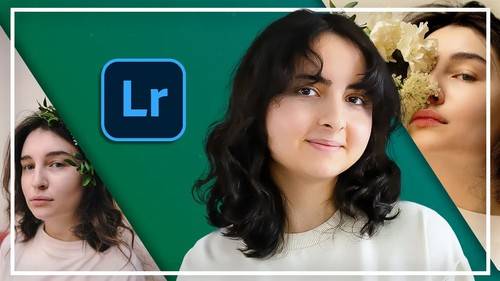
Skillademia - Complete Adobe Lightroom Megacourse: Beginner to Expert Photo Editing
https://www.skillademia.com/adobe-lightroom-course
Instructor: Hosna Kachooee | Lessons: 174 | Duration: 39 Hours | Category: Design & Digital Art | Level: All Levels | Software: Figma | Language: English | Rating: 4/5 (314 ratings)
Skills You’ll Learn: Navigate Lightroom, Lightroom Classic, and Lightroom Mobile confidently • Import, organize, and manage large photo libraries • Edit exposure, color, contrast, and detail professionally • Improve composition through cropping and geometry corrections • Retouch portraits naturally • Edit landscapes with depth and atmosphere • Work with RAW, JPEG, and DNG files • Build efficient editing workflows • Use masks, selective adjustments, and local editing tools • Create and use presets • Synchronize edits between desktop and mobile devices • Batch edit multiple photographs • Create HDR images and panoramas • Apply cinematic and creative editing styles • Organize photographs using collections, ratings, and filters • Export images for print, web, and social media • Publish your work using Lightroom's publishing tools
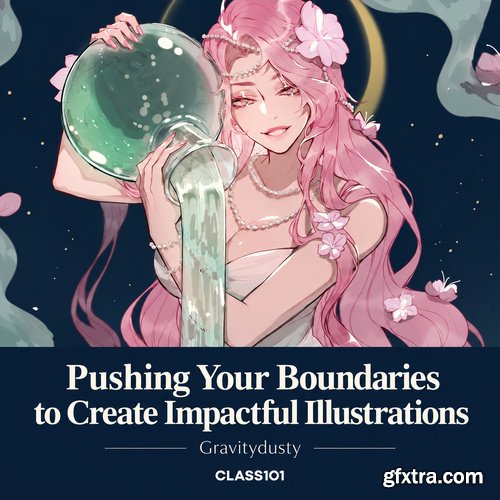
CLASS101 - Pushing Your Boundaries to Create Impactful Illustrations by Gravitydusty
Digital Drawing | Character Illustration
10 Chapter Archives | RAR Format
Course Details
- Instructor: Gravitydusty
- Platform: CLASS101
- Topics: Lineart, color theory, lighting, shading, rendering and backgrounds
- Included: 10 chapter archives, numbered 0-9
- Product Page: CLASS101

PHLEARN - How to Use the Zoom Tool in Photoshop
https://phlearn.com/tutorial/photoshop-basics-zoom-tool
The Zoom Tool is one of the simplest tools in Photoshop, and one you’ll almost never need to click on once you know the shortcuts. In this Photoshop Basics lesson, Aaron covers every option in the Zoom Tool’s toolbar—zoom in and out, Resize Windows to Fit, Zoom All Windows, and Scrubby Zoom—then shows the keyboard shortcuts and the Navigator panel, including his favorite way to fly around an image without ever leaving the tool he’s working with.
Instructor: Aaron Nace | Lessons: 1 | Duration: 5 Minutes 43 Seconds | Includes: 1 Lesson, follow-along, 6m, video lesson, Beginner, no experience needed, 1 Sample Image, to follow along, INCLUDED IN PHLEARN PRO, Join PHLEARN PRO for instant access to this course and every tutorial on PHLEARN., Stream in up to 4K on any device, Closed captions and chapters on every course, Download all sample images and PSDs, New PRO tutorials every month, Cancel anytime, START WATCHING, WATCH THE FULL SERIES, Photoshop Basics Collection, Every essential Photoshop tool, one short lesson at a time — browse the collection, DESCRIPTION, The Zoom Tool is one of the simplest tools in Photoshop, and one you’ll almost never need to click on once you know the shortcuts. In this Photoshop Basics lesson, Aaron covers every option in the Zoom Tool’s toolbar—zoom in and out, Resize Windows to Fit, Zoom All Windows, and Scrubby Zoom—then shows the keyboard shortcuts and the Navigator panel, including his favorite way to fly around an image without ever leaving the tool he’s working with. | Published: July 19, 2014
Skills You’ll Learn: What the Zoom Tool Does • Resize Windows to Fit and Zoom All Windows • Scrubby Zoom in the Zoom Tool Options • Keyboard Shortcuts and the Navigator Panel • Aaron’s Favorite Way to Zoom • Back to Fit Screen with the Zoom Tool
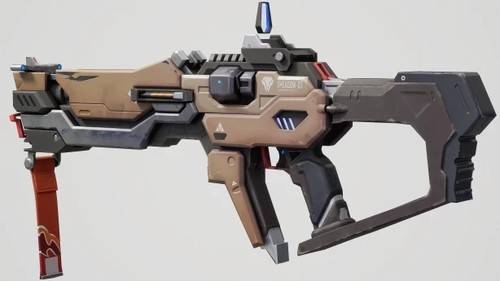
FastTrackTutorials - Creating Low-Poly Stylized 3D Weapons - in-depth Tutorial Course
https://fasttracktutorials.com/tutorial_single/1913
- In-Depth Tutorial Course Learn how a professional prop/character artist works in creating a stylized low poly weapon from start to finish. You’ll learn techniques like Zbrush modeling & Sculpting, Retopology, UV Unwrapping & Baking, Texturing and making final renders, and more!
Instructor: Marcos Emilio | Lessons: 34 | Duration: 29 Hours | Level: Intermediate | Software: Zbrush, Blender 3D, Substance 3D Painter, Marmoset Toolbag | Language: English | Subtitles: English, Chinese, Spanish | Source Files: Included

Udemy - A.I. ChatGPT Images 2.5: From First Prompt to Pro Visuals
https://www.udemy.com/course/ai-chatgpt-images-25-from-first-prompt-to-pro-visuals-o/
Language: English (US)
Go from your first prompt to polished marketing visuals with precise editing, Sketch, templates and text-in-image
Skillademia - Adobe Animate Course: Learn 2D Animation
https://www.skillademia.com/adobe-animate-course/
Unlock your creativity and bring characters and stories to life with Adobe Animate! Have you ever dreamed of creating your own animations? From fun character shorts to engaging digital content, Adobe Animate makes animation accessible to everyone, even if you’re completely new to animation. In this practical course, you’ll learn the fundamentals of Adobe Animate step-by-step. Start by mastering the user-friendly interface, essential tools, symbols, and timeline. You’ll quickly progress to the core principles of animation, learning about timing, spacing, easing, squash and stretch, anticipation, and more - the critical elements every animator needs to know. You’ll then put these skills into action, creating your own animations using both cutout and traditional frame-by-frame techniques. Through clear, hands-on demonstrations, you’ll learn how to design and animate characters, build engaging scenes, and produce smooth, professional-quality animations ready to share. Led by experienced animation instructors, this course is designed to be clear and engaging, helping you quickly build confidence and expertise. Enroll now and start animating your stories today!
Lessons: 22 | Duration: 11 Hours | Category: Design & Digital Art | Level: Beginner | Software: Figma | Language: English | Rating: 4.3/5 (810 ratings)
Skills You’ll Learn: How to use Adobe Animate and its tools • The most important principles of animation • Animating a scene with symbols • To understand the program’s interface and how to get around it • How to create animations using Adobe Animate • How to build characters • How to do frame-to-frame animation
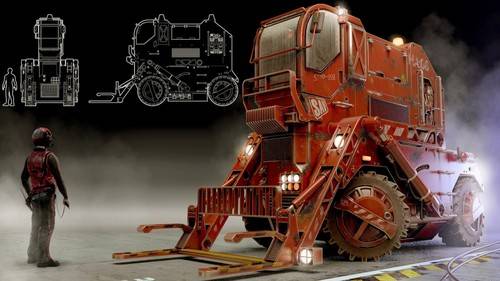
The Gnomon Workshop - Practical Vehicle Design for Film and Television
https://www.thegnomonworkshop.com/workshops/practical-vehicle-design-for-film-and-television
Discover professional techniques for Practical Vehicle Design for Film and Television with Matthew Savage at The Gnomon Workshop. Watch now
Instructor: Matthew Savage | Lessons: 8 | Duration: 3h 40m | Level: Advanced | Software: For this workshop you’ll need:
Skills You’ll Learn: How to analyze existing vehicle chassis and identify key structural constraints for design work. • How to build effective rough block models that serve as accurate sketching underlays. • How to seamlessly transition concept work between Photoshop sketching and MODO 3D modeling workflows. • How to apply textures and decals to 3D models without requiring traditional UV mapping. • How to integrate constraint-based thinking into creative vehicle design for production feasibility. • How to finalize concept art in Photoshop for professional presentation to production teams.






















Top Rated News
 thegreatcourses
- Udemy Part 3
- Pose and Reference Pack
- PSDMarket All Flyer
- TheBoudoirDivas All Tutorial
- 126,000 Royalty-Free 3D Models
- CreativeLive Tutorial Collections
- Fasttracktutorials Course
- Chaos Cosmos Library
- MRMockup - Mockup Bundle
- Finding North Photography
- Sean Archer
- John Gress Photography
- Motion Science
- AwTeaches
- Learn Squared
- PhotoWhoa
- Houdini-Course
- Photigy
- August Dering Photography
- StudioGuti
- Creatoom
- Creature Art Teacher
- Creator Foundry
- Patreon Collections
- Udemy - Turkce
- BigFilms
- Jerry Ghionis
- ACIDBITE
- BigMediumSmall
- Globe Plants
- Unleashed Education
- The School of Photography
- Visual Education
- LeartesStudios - Cosmos
- Fxphd
- All Veer Fancy Collection!
- All OJO Images
- All ZZVe Vectors
- CGTrader 1 CGTrader 2






























