

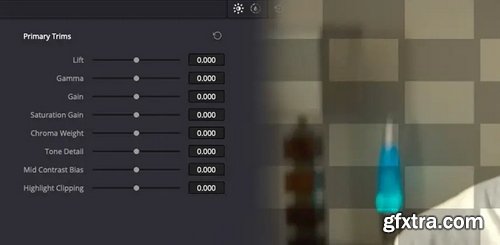

- Have you ever heard colorists talk about texture? Or texture management? Maybe they were talking about it as it relates to beauty work? Or maybe in relation to film print emulation? But do you have a clear, well-defined understanding of the term ‘texture management’?
- How do we define textures in video?
- What are the goals of texture manipulation?
- What does texture management actually do to our images at the pixel level when we soften or (particularly) sharpen them?
- Finally, can you talk and think about texture management with precision such that you can explain it to your clients?
Udemy - CPA Marketing for Beginners (No website needed)

Udemy - Facebook Ads Mastery Secrets
https://www.udemy.com/course/facebook-ads-mastery-secrets/
Learn advanced Facebook Ads strategies to create, optimize, and scale campaigns for maximum ROI.

Udemy - How to Turn Your Idea into a WordPress Plugin & Develop It

Udemy - Deepseek For Business by Professional Skills Learning Academy


Udemy - Mastering ChatGPT Basics: Prompt Engineering for Beginners

Udemy - Why You're Losing on Instagram: Marketing Course 2025

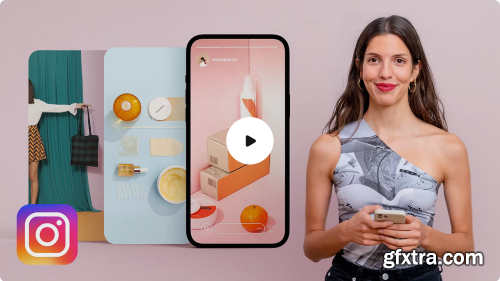
Discover the secrets of photography and video to find success on Instagram
With all that social media has to offer these days, there's no denying that Instagram Stories is one of the most popular tools out there. Beyond just sharing images and videos, it allows you to generate direct traffic to websites or subscription lists. Mina Barrio, product photographer at Melon Blanc and self-confessed Instagram Stories addict, uses social media to help brands make themselves known, connect with their followers, and achieve their goals effectively and aesthetically.In Professional Photography for Instagram, Mina taught you everything you need to know to take and edit perfect photographs for social media. In this online course, learn all the secrets of creating and editing content, focused specifically on photography and video, to succeed on Instagram.
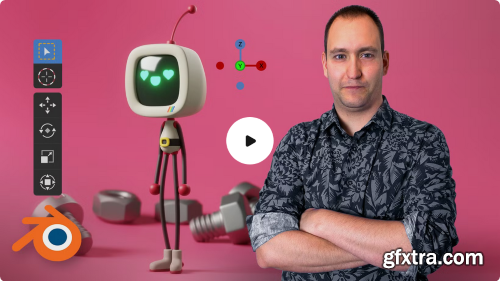
Learn to use basic sculpting, modeling, and rendering tools in Blender
So you've dreamed up a character and sketched out your idea, but it's not brimming with life the way you envisioned. How can you make your character leap off the page with unimaginable depth and realism? In this course, 3D character artist Luis Arizaga—director of the film Holymonks and collaborator for the Goya-winning short Alike—teaches you how to use Blender to model, animate, light, and render characters as lively as the ones running through your mind. Learn to use essential features like modeling and sculpting tools, node systems, light sources, rendering engines, and cameras to create foundational structures with basic objects and build your own character down to the final details.

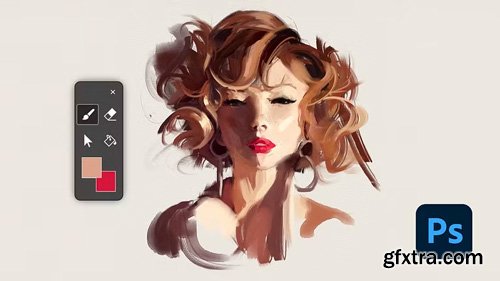
Domestika - Guided Project: Create Traditional Style Digital Portraits in Photoshop
https://www.domestika.org/en/courses/5717-guided-project-create-traditional-style-digital-portraits-in-photoshop
Audio: English | Subtitles: English · Spanish · Portuguese · German · French · Italian · Polish · Dutch
- Discover the artistry of creating digital portraits with a traditional flair using Photoshop. Learn to seamlessly blend traditional painting techniques with digital tools to produce expressive artwork that mimics the charm and depth of handmade pieces. Begin by mastering warm-up exercises that set the foundation for your creative journey. Progress to capturing the essence of a portrait, focusing on big shapes to establish composition and form. Explore the intricacies of establishing values, ensuring your artwork captures the right balance and contrast to bring your subject to life.
- Dive deeper into the details that define a portrait, honing in on the eyes, nose, and mouth to give your artwork character and emotion. The journey doesn't end there; refine your piece further, adding layers of detail and texture to achieve a polished, professional result. This guided project not only enhances your digital painting skills but also serves as a unique way to connect with your creative self and the world around you. Embrace this opportunity to expand your artistic repertoire and transform your digital canvas into a masterpiece that feels truly personal and handcrafted.
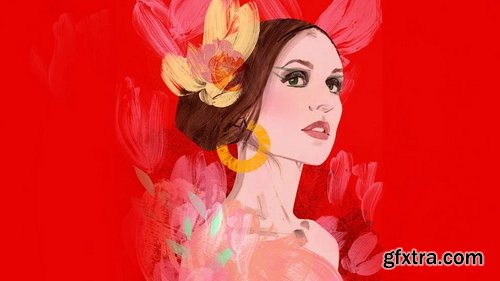
- Explore the art of transforming photographs into creative acrylic portraits through unique techniques like image transfer and frisket film masking. Start by selecting a photographic reference and learn how to creatively translate it into your own artistic style. Frisket film will help you generate striking contrasts, while layers of black paint will allow you to play with light and shadow, adding depth to your portrait. This guided project encourages you to experiment with textures and incorporate graphic elements, making your artwork truly stand out.
- Whether you're drawn to high-contrast cinematic styles or prefer abstract compositions with geometric shapes, this project allows you to explore various creative approaches. Choose to add illustrative details or even integrate digital techniques to elevate your composition. The focus is on discovering new ways to express yourself through acrylics and expanding your artistic repertoire. Embrace the challenge, let your creativity flow, and watch as your portrait comes to life with your personal touch.
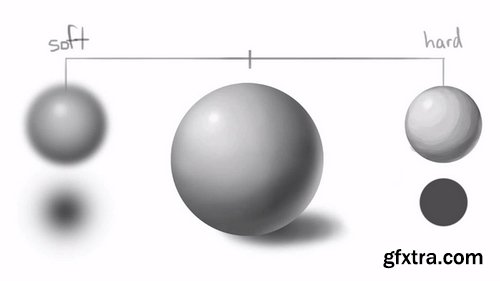
- Everything you create as an artist can be broken down into a shape or a form. There are four basic shapes which can be turned into forms when depth is added, creating an illusion of a three-dimensional object. Once you know the four basic forms, you can practice the analyzing and breaking complex objects down into these forms. This is incredibly valuable and you will later use this skill to understand lighting and shading.
- Shape language is another important aspect of digital painting and it can reveal a lot about your subject. In character design, a whole personality can be defined by shape alone. Next, we take a look at contrast, one of the most important aspects in digital art. Determined by the difference in color and brightness of an object, contrast can be soft or hard depending on which brushes you use. Artists usually aim for a balance to create a realistic look.
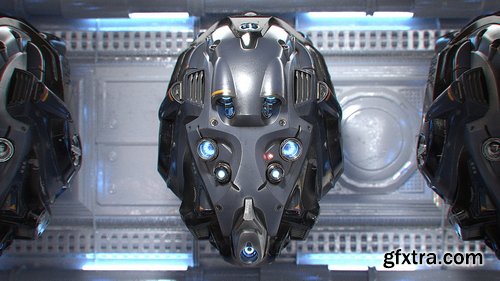
- Much like wrapping paper is to a gift, UVs are to a 3D model. In order to paint textures, UVs must be laid out flat. And ideally the result will be most efficient in favor of texel density – which is the amount of texture resolution applied to a models UVs. We will make use of the Texture Atlas Addon to consolidate our separate objects’ UVs into a single UV space.
- Blender’s painting system enables us to paint directly onto a 3D model, which is often desired over the traditional 2D-texture painting workflow (which Blender also features). We will employ these tools to paint base color, decals, and emission texture maps
- Lighting utilities like ambient occlusion and cavity maps (dirty vertex) can be baked onto the UVs of an object as supplemental textures. In this course we will bake out several maps to aid the worn and torn elements of the helmet materials.
- This is the meat and potatoes of the course. Here we dive deep into Blender’s Cycles shading nodes to construct complex yet flexible materials that will capture the tangibility of realistic surfaces. We will explore 3 variations of metal – painted, tinted, and bare – complete with intricate wear and dust components. Other material types include leather, LED emission, and lens glass.
126,000 Royalty-Free 3D Model

Udemy Türkçe


Top Rated News
- CreativeLive Tutorial Collections
- Fasttracktutorials Course
- Chaos Cosmos Library
- MRMockup - Mockup Bundle
- Finding North Photography
- Sean Archer
- John Gress Photography
- Motion Science
- AwTeaches
- Learn Squared
- PhotoWhoa
- Houdini-Course
- Photigy
- August Dering Photography
- StudioGuti
- Creatoom
- Creature Art Teacher
- Creator Foundry
- Patreon Collections
- Udemy - Turkce
- BigFilms
- Jerry Ghionis
- ACIDBITE
- BigMediumSmall
- Globe Plants
- Unleashed Education
- The School of Photography
- Visual Education
- LeartesStudios - Cosmos
- Fxphd
- All Veer Fancy Collection!
- All OJO Images
- All ZZVe Vectors
- CGTrader 1 CGTrader 2



















