

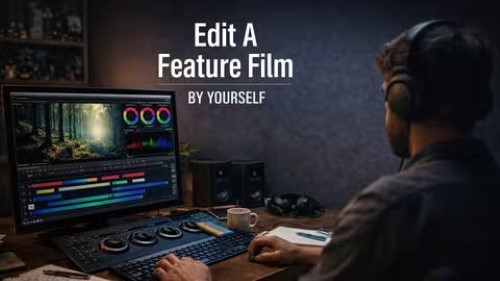
Udemy - How To Edit A Feature Film By Yourself
https://www.udemy.com/course/how-to-edit-a-feature-film-by-yourself/
Language: English (US)
Comprehensive Film Editing Guide From RAW Footage To Final Master With Limited Resources


Sergey Kabankov - AI Video Creators Community
https://www.skool.com/ai-video-creators/about
- Sergey Kabankov – AI Video Creators Community is an innovative learning platform and creative community designed for aspiring filmmakers, digital artists, content creators, freelancers, and entrepreneurs who want to master the rapidly evolving world of AI-powered video production. Led by AI video creator Sergey Kabankov, this comprehensive community combines practical education, professional techniques, creative inspiration, and real-world opportunities to help members transform their ideas into visually stunning, high-quality AI-generated videos.
Coloso - After Effects Stylizing Skills for Creating a Trendy Portfolio
https://coloso.co.kr/products/motiongraphic-aflow
Learn the most trendy After Effects skills right now, such as styling, fake3D, and texture implementation, with aflow.
Lessons: 34 | Duration: 19 Hours 6 Minutes | Language: Korean | Materials: Included | Software: Adobe After Effects 2024 및 Adobe Audition 2024
Skills You’ll Learn: The First Step to Portfolio Creation: Planning a Story-Driven Work • Expanding the spectrum of expression through various materials using light and color • Attractive stylizing that transcends 2D and 3D • Efficiency and quality at once! Motion implementation using expressions • Fully master example skills with a long-form project • The basics of sound design that brings out 200% of the video's appeal

Coloso - Recreating Hand-Drawn Effects in After Effects
https://coloso.global/en/products/animator-snowlisa-us
Learn to develop your own structured workflow to analyze, deconstruct & rebuild effects with a unique hand-drawn feel in After Effects with Animator SNOW LISA
Instructor: snowlisa | Lessons: 22 | Duration: 13 Hours 8 Minutes | Language: English | Materials: Included | Software: After Effects
Skills You’ll Learn: Observation & Deconstruction Methods • Hand-Drawn Style • Controllable Animation Effects • Learn to precisely control the effects' shapes, dynamics, and timing. • Shadows & Colors • Learn to add lighting and color gradations to your effects. • Compositing • Enhance Your Animation Skills

Udemy - Capcut Mastery: Video Editing In Capcut From Beginner To Pro
https://www.udemy.com/course/capcut-pc-complete-capcut-video-editing-beginner-to-pro-k/
Language: English (US)
Learn Complete Capcut, CapCut Video Editing, Color Grading, Composite, Audio Editing and CapCut Pro Editing Techniques.
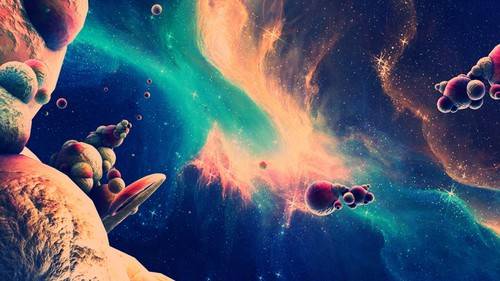
Kadenze - Visual Storytelling for Film and Video Games
https://www.kadenze.com/courses/visual-storytelling-for-film-and-video-games/info
This course will take the student through the basics of visual development: from visual storytelling to character design; from creatures to environment design. Beginning with simple visual elements, the student will learn how to create images that tell a story visually, as well as support a production in animation, live action, and video games.
Instructor: Ken Spirduso | Lessons: 35 | Duration: 15 hours of work per session | Institution: Ringling College of Art and Design | Sessions: 8 | Level: Intermediate | Topics: Storytelling, Animation, Character Design, Live Action, Video Games | Language: English, Spanish; Castilian, Chinese, Portuguese | Category: Visual Arts
Skills You’ll Learn: Importance of Space • Importance of Shape • Importance of Gesture
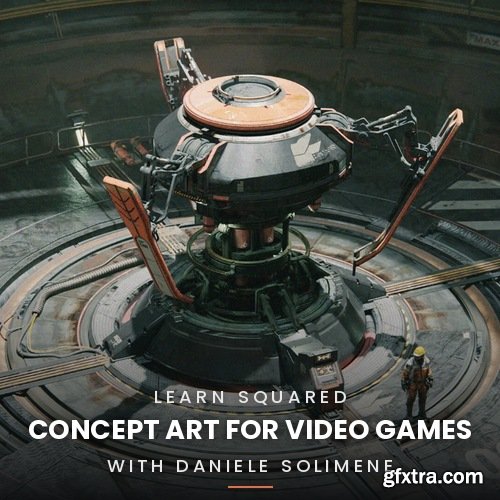
Learn Squared - Concept Art for Video Games with Daniele Solimene
Game Concept Art | Blender 3D | Photoshop Paintover
English Audio | No Subtitles | 6 Lessons | 167 Videos | 21h 52m
Course Details
- Provider: Learn Squared
- Instructor: Daniele Solimene, AAA concept artist who has worked on Conan Exiles, Dune: Awakening and Off The Grid
- Lessons: 01 Sketching Methods (31 videos, 2h 50m), 02 3D Modeling (20 videos, 2h 47m), 03 3D Details (25 videos, 3h 9m), 04 Realism Pass (29 videos, 5h 6m), 05 Rendering (37 videos, 4h 37m), 06 Final Presentation (25 videos, 3h 19m)
- Topics: Building a brief and gathering references, 2D line sketches and VR or 3D blockouts, modeling in Blender, client feedback revisions, kitbashing and detail distribution, materials, decals and color schemes, set dressing, lighting and cameras, render passes, Photoshop paintover and all-Blender rendering, layouts, functionality sheets and final portfolio presentation
- Course Length: 21h 52m across 167 videos
- Software: Blender and Adobe Photoshop, plus Gravity Sketch and the QuickShape, Hard Ops and Curve Basher add-ons
- Skill Level: All levels, with three adjustable difficulty levels
- Project Files: Included for Lesson 1 (Sketching Methods) and Lesson 4 (Realism Pass)
- Audio: English
- Subtitles: None
- Included: 5 RAR parts
- Provider Website: Learn Squared

https://archive.org/details/mamoru-oshii-film-directing/
- Acclaimed anime and film director Mamoru Oshii is synonymous with genre-defining anime, from 80s classics like Urusei Yatsura to the cyberpunk megahit Ghost in the Shell. Inspiring both the Wachowskis’ The Matrix series as well James Cameron’s Avatar, Oshii’s works blend searing action, mind-bending philosophy, and engagement with futuristic technologies.
- This exclusive course (5+ hours!) brings you face-to-face with the famed director like never before: his take on key moments from his classics, a deep-dive into how he created his incredible oeuvre, and advice on ramping up your creativity and creating your own.

Kadenze - Working with Motion & Time
https://www.kadenze.com/courses/working-with-motion-time/info
The first course in the Photographer to Video in Today's Gig Economy program, Working with Motion & Time, is a deep dive from photography to videography, and shows you how to think in motion. Many of the core concepts carried over from still photography are the same, but putting your camera and scene in motion opens up a new world of possibilities and demands. You will learn how to add motion where there is none, and to control focus, light and sound.
Instructor: Alex Garcia | Lessons: 38 | Duration: 6 hours of work per session | Institution: School of Visual Arts | Program: Photographer to Video in Today’s Gig Economy | Sessions: 5 | Level: Intermediate | Topics: Photography, Videography, Motion | Language: English | Category: Film
Skills You’ll Learn: Technology & Practice • Motion Basics • Motion Methods
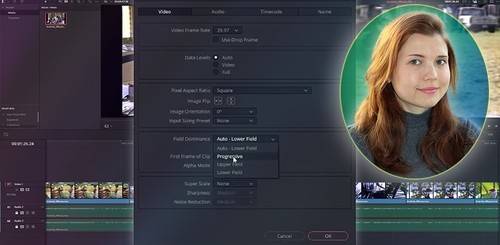
Mixing Light - Deinterlacing And Upscaling NTSC Archives To 4K Progressive Deliverables
https://mixinglight.com/deinterlacing-upscaling-ntsc-pal-archives-4k-progressive/
Part two of the NTSC restoration series covers the remaining Edit Page setup before grading a 1991 archival master for a 4K progressive deliverable. It works through manual audio sync, verifying that deinterlacing is active through Clip Attributes and field dominance, overriding a single timeline to 24 fps, choosing a retime process for the frame rate change, and upscaling standard definition to 4K with Topaz Video AI or Resolve’s Super Scale.
Instructor: Daria Fissoun CSI | Duration: 16m 8s | Level: Intermediate | Software: DaVinci Resolve | Series: Restoring Archives To 4K (Part 2 of 5) | Published: August 15, 2024
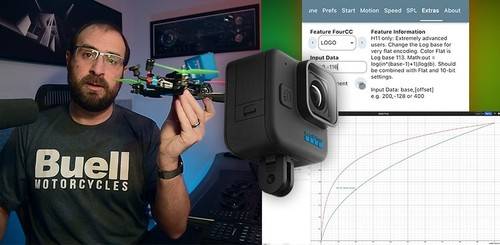
Mixing Light - How To Upgrade Your GoPro Hero11 To A 10-bit Log Workflow
https://mixinglight.com/gopro-hero11-10bit-log-color-grading-davinci-resolve-ml1202/
This Insight covers converting a GoPro Hero11 (full size or Mini) into a 10-bit log capture device using the GoPro Labs beta firmware, QR code camera configuration, and a custom log base and offset derived by comparing GoPro’s Log Designer to the ARRI LogC curve. The second half builds the matching color management in DaVinci Resolve using an ARRI LogC IDT, a Color Space Transform, and post noise reduction and grain. Useful for colorists handling action camera footage. Start recording 10-bit Log for color-managed workflows Action cameras have long been the bane of many colorists’ existence. 8 bit, highly compressed, poor dynamic range, oversharpening, and aggressive noise reduction makes these common cameras a real pain to color grade. I’ve been using action cameras for a long time, attaching them to aerobatic FPV drones due to their small size and weight – but the footage was never really usable due to the well-known quality problems with these cameras. I firmly believe these aerobatic drones offer a perspective and movement freedom that no other filmmaking tool does. And as technology has evolved, they have begun to transition from hobby items to serious filmmaking tools. FPV Drones as a professional filmmaking tool Major motion pictures and commercials are now using FPV to fly larger cinema cameras, but smaller action cams are getting better and better – and Gopro has recently released what I think is a complete breakthrough in the space: an action camera that can record 10 bit log. FPV action cam drones have opened a new form of cinematography and storytelling. Getting professional workflow results with a $399 GoPro Hero11 Mini In this Insight – I’ll walk you through setting up the Hero11 for a professional color managed workflow:
Instructor: Joey D'Anna | Duration: 27m 12s | Level: Advanced | Software: DaVinci Resolve | Published: January 27, 2023
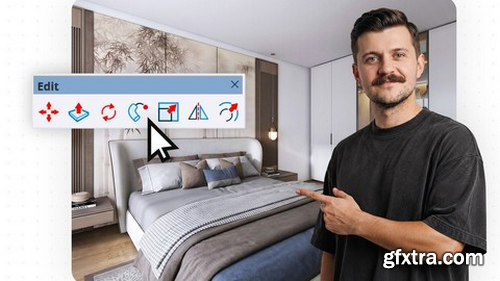
Level: Beginner | Genre: eLearning | Language: English | Duration: 73 Lectures ( 4h 30m ) | Size: 4.6 GB
https://www.udemy.com/course/the-complete-sketchup-pro-course-for-beginners
Learn modeling, materials, PBR textures, AI tools and rendering, step by step, no experience needed
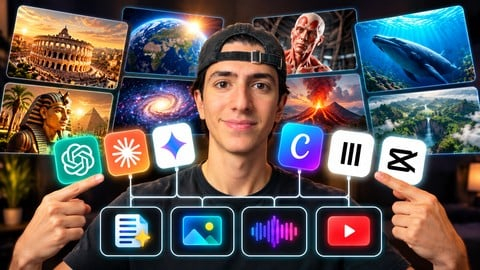
Udemy - 2026 ULTIMATE AI Educational Content Creation Masterclass
https://www.udemy.com/course/2026-ultimate-ai-educational-content-creation-masterclass/
Language: English (US)
Create stunning FACELESS Educational Videos with AI: Scripts, AI Video Generation, Voiceovers, Content Editing and Music

Language: English | Size: 3.43 GB | Duration: 6h 30m
https://www.udemy.com/course/capcut-pc-complete-capcut-video-editing-beginner-to-pro-k/
Learn Complete Capcut, CapCut Video Editing, Color Grading, Composite, Audio Editing and CapCut Pro Editing Techniques.
Udemy - Canva AI - Create Images, Video and Interactive Features
https://www.udemy.com/course/canva-ai-create-images-video-and-apps-with-generative-ai/
Language: English (US)
Canva AI Masterclass: Presentations, image editing, Magic Media, and video creation with Canva AI
Level: Beginner | Genre: eLearning | Language: English | Duration: 55 Lectures ( 6h 8m ) | Size: 5.2 GB
https://www.udemy.com/course/logo-animation-in-after-effects-beginner-to-advanced
Learn to create stunning logo animations in Adobe After Effects.
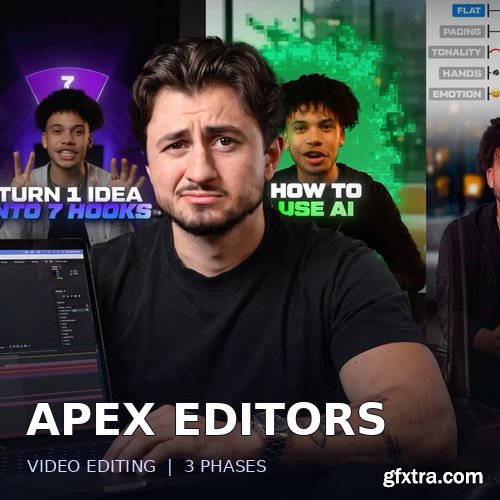
APEX Editors - Viral Editing Psychology, High-Ticket Positioning & World-Class Editor
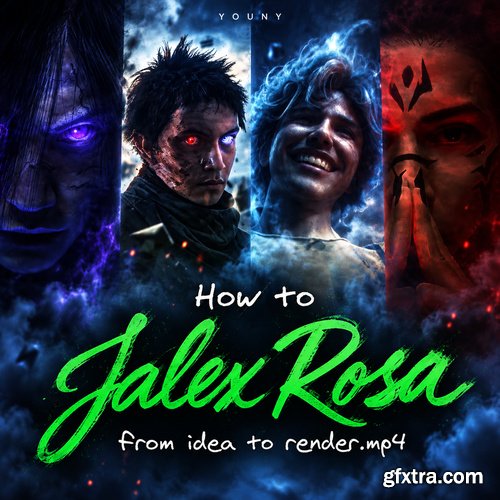
Youny - How to Jalex Rosa: From Idea to Render
Visual Effects | 3D Filmmaking | Concept Art
English Audio | 32 RAR Training Archives | Assets Archive
Course Details
- Instructor: Jalex Rosa
- Platform: Youny
- Software: Blender, Photoshop, After Effects and DaVinci Resolve
- Topics: Screenwriting, storyboarding, 3D blocking, previs, concept art, photobashing, asset creation, environments and character details
- Included: 32 training archive links and one assets archive link
- Product Page: Youny

Udemy - dzine AI Masterclass: Characters, AI Video & Lip-Sync
https://www.udemy.com/course/dzine-ai-masterclass-characters-ai-video-lip-sync/?couponCode=MT261019G1
Language: English (US)
Create, edit and pose consistent characters, animate them into video and make them talk in dzine's all-in-one AI studio
Master AI Video Generation with ComfyUI and MiniMax H3
Level: All Levels | Genre: eLearning | Language: English | Duration: 30 Lectures ( 1h 32m ) | Size: 1.4 GB
Master ComfyUI & MiniMax H3: AI video prompting, workflows, upscaling and portfolio projects for beginners
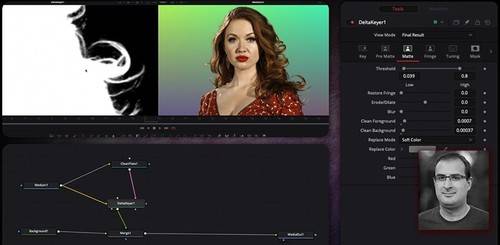
Mixing Light - Getting Great Greenscreen Keys Using Fusion’s Delta Keyer
https://mixinglight.com/color-grading-tutorials/how-to-use-delta-keyer-davinci-resolve-fusion/
This Insight demonstrates the correct workflow for Fusion’s Delta Keyer, which derives its matte from the difference between a green screen plate and a clean plate rather than from a single sampled color. It covers building a test composite over a harsh gradient background, generating a clean plate with the Clean Plate node, refining it with Erode, Grow Edges and Fill, adding a garbage matte, and passing the matte to the Color page for separate foreground and background grading. Fusion’s Delta Keyer: An incredibly powerful but misunderstood tool When I first started using the Delta Keyer in Fusion – I never seemed to get the results I was expecting. Keys took a lot of tweaking, and it always seemed harder than it should be. This got me thinking of one of my overall philosophies when it comes to just about any type of workflow: “If you are working really hard – there is probably a better way to approach the problem”.
Instructor: Joey D'Anna | Duration: 12m 46s | Level: Advanced | Software: Fusion | Published: October 11, 2022
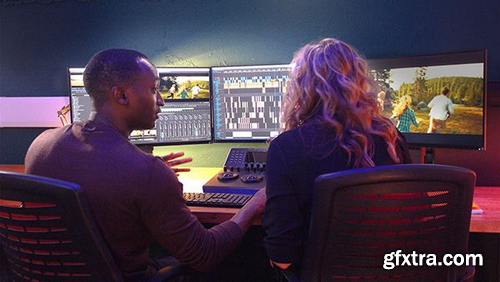
The Art of Drama Editing - Film Editing Pro
Chris MacDonald (et al.) | Duration: 13:08 h | Video: H264 1920x1080 | Audio: AAC 44,1 kHz 2ch | Size: 2,28 GB | Language: English
- The The Art of Drama Editing course by Film Editing Pro is a hands-on training program designed to teach feature film and short-form dramatic editing using a complete set of production dailies.
COREVFX - VFX METHODS
5 IN-DEPTH TUTORIALS | COMPATIBILITY After Effects (2021–2026) Blender (5.0+)
WHAT’S INCLUDED:
- Beginner-friendly and easy to follow
- Structured to help you improve quickly
- Built for After Effects and Blender workflows
- Focused on real techniques used in high-quality edits
- Created by a professional editor to help you improve faster and work smarter
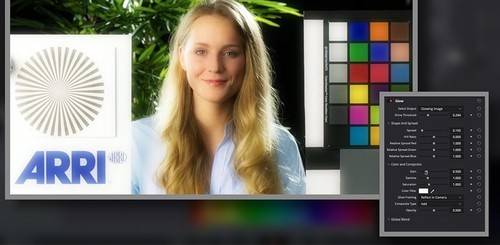
Mixing Light - Learning To Work Quickly Using The Glow Resolve FX (in DaVinci Resolve)
https://mixinglight.com/color-grading-tutorials/how-to-use-glow-resolve-fx-davinci/
This Insight introduces the Glow Resolve FX in the Resolve FX Light category, first mapped out on a ten-step grayscale ramp and then applied to two graded shots. It covers output modes, shine threshold, spread, gain, gamma, saturation, color filter, and composite type, plus the two opacity controls used to dial the result back. Useful for colorists who want a repeatable order of operations instead of trial and error.
Instructor: Jason Bowdach | Duration: 11m 46s | Level: Beginner | Software: DaVinci Resolve | Series: Mastering Glow Effects (Part 1 of 5) | Published: July 26, 2022






















Top Rated News
 thegreatcourses
- Udemy Part 3
- Pose and Reference Pack
- PSDMarket All Flyer
- TheBoudoirDivas All Tutorial
- 126,000 Royalty-Free 3D Models
- CreativeLive Tutorial Collections
- Fasttracktutorials Course
- Chaos Cosmos Library
- MRMockup - Mockup Bundle
- Finding North Photography
- Sean Archer
- John Gress Photography
- Motion Science
- AwTeaches
- Learn Squared
- PhotoWhoa
- Houdini-Course
- Photigy
- August Dering Photography
- StudioGuti
- Creatoom
- Creature Art Teacher
- Creator Foundry
- Patreon Collections
- Udemy - Turkce
- BigFilms
- Jerry Ghionis
- ACIDBITE
- BigMediumSmall
- Globe Plants
- Unleashed Education
- The School of Photography
- Visual Education
- LeartesStudios - Cosmos
- Fxphd
- All Veer Fancy Collection!
- All OJO Images
- All ZZVe Vectors
- CGTrader 1 CGTrader 2






























