

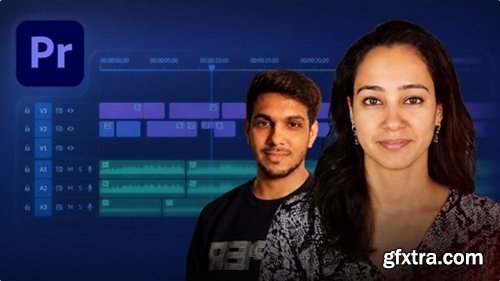
Level: Beginner | Genre: eLearning | Language: English | Duration: 27 Lectures ( 2h 13m ) | Size: 1.4 GB
https://www.udemy.com/course/adobe-premiere-pro-for-beginners-learn-video-editing-from
Learn Video Editing from Scratch
What you'll learn
⚡ Edit professional-quality videos using Adobe Premiere Pro with a complete workflow from raw footage to final export
⚡ Understand and apply proper audio techniques including leveling, noise reduction, and music balancing
⚡ Create smooth, engaging edits using cuts, transitions, and timeline management techniques
⚡ Export videos in the correct formats and settings for platforms like YouTube and social media
Requirements
❗ No prior experience is required. This course is designed for complete beginners, you’ll learn everything from scratch. All you need is a computer (laptop/desktop) that can run Adobe Premiere Pro, a willingness to learn, and consistency to practice.
Description
Video editing has become one of the most valuable and in-demand skills in today’s digital-first world. From films and advertisements to YouTube content and social media reels, every piece of visual storytelling relies on strong editing fundamentals to create impact, clarity, and engagement.
This course is designed specifically for absolute beginners who want to step into the world of video editing using Adobe Premiere Pro, without feeling overwhelmed by complex tools or technical jargon.
Instead of just teaching software features, this course focuses on building a clear understanding of how editing actually works. You will learn the logic, workflow, and decision-making process behind creating clean, professional, and visually engaging videos.
Throughout the course, you’ll be guided step-by-step through the core tools and interface of Premiere Pro, while also learning how to approach editing like a creator, not just an operator.
We cover essential techniques such as timeline management, cutting and trimming, audio balancing, and basic color correction, all explained in a simple and practical way. The goal is not to overload you with information, but to help you build a strong foundation that you can confidently apply to real-world projects.
By the end of this course, you will not only understand how to use Premiere Pro, but also how to structure your edits, maintain visual flow, and create content that looks polished and intentional.
This course is ideal for students, aspiring creators, and anyone who wants to build a skill that is relevant in today’s creative economy, where content is not just consumed, but created at scale.
If you’re looking to start your journey in video editing with clarity, structure, and a practical approach, this course will give you the right foundation to begin.
Who this course is for
⭐ This course is for beginners who want to learn video editing from scratch, content creators who want to improve the quality of their videos, and students or aspiring editors looking to build real, practical skills using Adobe Premiere Pro for YouTube, social media, or professional work.


126,000 Royalty-Free 3D Model

Udemy Türkçe


Top Rated News
- CreativeLive Tutorial Collections
- Fasttracktutorials Course
- Chaos Cosmos Library
- MRMockup - Mockup Bundle
- Finding North Photography
- Sean Archer
- John Gress Photography
- Motion Science
- AwTeaches
- Learn Squared
- PhotoWhoa
- Houdini-Course
- Photigy
- August Dering Photography
- StudioGuti
- Creatoom
- Creature Art Teacher
- Creator Foundry
- Patreon Collections
- Udemy - Turkce
- BigFilms
- Jerry Ghionis
- ACIDBITE
- BigMediumSmall
- Globe Plants
- Unleashed Education
- The School of Photography
- Visual Education
- LeartesStudios - Cosmos
- Fxphd
- All Veer Fancy Collection!
- All OJO Images
- All ZZVe Vectors
- CGTrader 1 CGTrader 2



















