

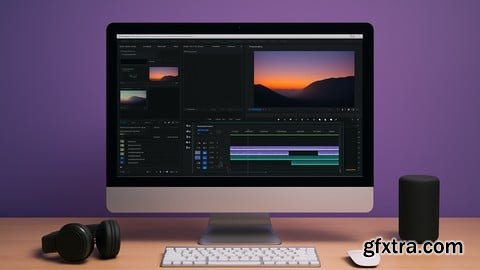
Language: English | Duration: 1h 58m | Size: 1.2 GB
https://www.udemy.com/course/adobe-premiere-pro-masterclass-video-editing-for-beginners/
No Experience Needed – Master the Basics of Premiere pro
What you'll learn How to navigate the Adobe Premiere Pro interface with confidence Basic and advanced video editing techniques Importing, organizing, and managing video, audio, and image files Cutting, trimming, and arranging clips on the timeline Adding transitions, effects, and motion to create dynamic edits Working with audio: volume adjustment, background music, and voiceovers Color correction and color grading for a professional look Creating titles, captions, and lower thirds Exporting videos in different formats for YouTube, social media, and more Best practices for organizing projects and improving editing speed Requirements A computer or laptop capable of running Adobe Premiere pro Description This Adobe Premiere Pro course is designed for anyone who wants to start editing videos with confidence and creativity. Whether you're a complete beginner or someone who has opened the software a few times but never really knew where to begin, this course will guide you through the entire editing process in a clear and practical way.You’ll be introduced to the Premiere Pro interface, tools, and workflow in a friendly and easy-to-understand format. Step by step, you’ll learn how to import footage, organize your media, cut clips, add effects, apply transitions, adjust audio, and export your final video. The course is structured to build your skills progressively so that by the end, you feel comfortable navigating the software and editing your own projects from start to finish.This course doesn’t just focus on the technical side of editing—it also encourages creativity and storytelling, helping you make videos that look professional and engaging. Whether you’re editing content for YouTube, social media, business, or personal projects, the lessons are designed to be useful across all types of video editing goals.You don’t need any previous experience with video editing or Adobe software to join. With just a computer and Premiere Pro installed, you’ll be ready to start learning right away. This course is a great starting point for anyone looking to explore the world of video editing and unlock their creative potential Who this course is for Beginners who want to learn video editing from scratch Content creators looking to edit videos for YouTube, TikTok, or Instagram Freelancers and aspiring editors wanting to build professional skills Students and professionals creating videos for school or work projects Anyone interested in learning Adobe Premiere Pro in a simple and practical way Creatives who want to turn raw footage into polished, engaging content Business owners or marketers producing promotional videos 


126,000 Royalty-Free 3D Model

Udemy Türkçe


Top Rated News
- CreativeLive Tutorial Collections
- Fasttracktutorials Course
- Chaos Cosmos Library
- MRMockup - Mockup Bundle
- Finding North Photography
- Sean Archer
- John Gress Photography
- Motion Science
- AwTeaches
- Learn Squared
- PhotoWhoa
- Houdini-Course
- Photigy
- August Dering Photography
- StudioGuti
- Creatoom
- Creature Art Teacher
- Creator Foundry
- Patreon Collections
- Udemy - Turkce
- BigFilms
- Jerry Ghionis
- ACIDBITE
- BigMediumSmall
- Globe Plants
- Unleashed Education
- The School of Photography
- Visual Education
- LeartesStudios - Cosmos
- Fxphd
- All Veer Fancy Collection!
- All OJO Images
- All ZZVe Vectors
- CGTrader 1 CGTrader 2



















