

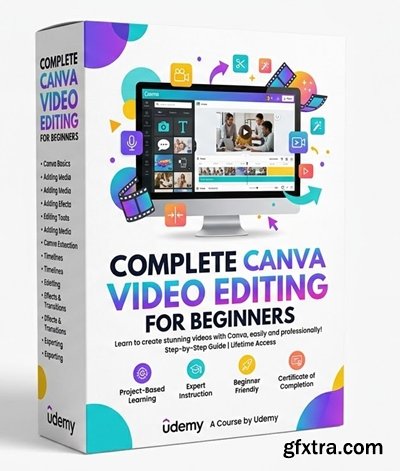
Level: Beginner | Genre: eLearning | Language: English | Duration: 20 Lectures ( 2h 10m ) | Size: 1.8 GB
https://www.udemy.com/course/complete-canva-video-editing-for-beginners
Learn Canva video editing from scratch to create reels, promos, and social media content with confidence
What you'll learn
✓ Learn to create and edit professional videos using Canva from scratch
✓ Understand animations, transitions, and timing for smooth storytelling
✓ Design reels, promo videos, and social media content with clean visuals
✓ Build complete video projects with consistent branding and structure
Requirements
● No prior video editing experience is required—this course is designed for complete beginners
● Basic computer skills (using a browser, typing, uploading files) are sufficient
● A free or paid Canva account is required
● A laptop or desktop is recommended (mobile can work but is not ideal)
● Optional: your own images/videos for practice (Canva stock content is also provided)
Description
This course is designed to help beginners learn Canva video editing from the ground up, with a strong focus on practical, real-world applications. You will start with the basics of Canva’s video editor, understanding how to navigate the interface, work with timelines, and use essential tools effectively.
As the course progresses, you will learn how to create different types of video content, including intro clips, social media reels, and promotional videos. The course emphasizes clean design, smooth animations, and clear storytelling to help you produce professional-quality videos without prior experience.
You will also explore how to use text overlays, transitions, music, and visual elements to enhance engagement. Special attention is given to maintaining brand consistency, choosing the right formats for platforms like Instagram and YouTube, and optimizing videos for mobile viewing.
By the end of the course, you will be able to plan, design, and export complete video projects confidently using Canva. The final project will guide you in creating a full social media video campaign, combining all the skills you have learned.
This course is ideal for beginners, creators, and small business owners looking to produce high-quality video content quickly and efficiently.
See you inside the course & all the best. HAPPY LEARNING
Who this course is for
■ Beginners who want to learn video editing without complex software
■ Content creators looking to make reels, shorts, and social media videos
■ Small business owners who want to create their own promotional content
■ Students and professionals who need quick, clean video presentations


126,000 Royalty-Free 3D Model

Udemy Türkçe


Top Rated News
- CreativeLive Tutorial Collections
- Fasttracktutorials Course
- Chaos Cosmos Library
- MRMockup - Mockup Bundle
- Finding North Photography
- Sean Archer
- John Gress Photography
- Motion Science
- AwTeaches
- Learn Squared
- PhotoWhoa
- Houdini-Course
- Photigy
- August Dering Photography
- StudioGuti
- Creatoom
- Creature Art Teacher
- Creator Foundry
- Patreon Collections
- Udemy - Turkce
- BigFilms
- Jerry Ghionis
- ACIDBITE
- BigMediumSmall
- Globe Plants
- Unleashed Education
- The School of Photography
- Visual Education
- LeartesStudios - Cosmos
- Fxphd
- All Veer Fancy Collection!
- All OJO Images
- All ZZVe Vectors
- CGTrader 1 CGTrader 2



















