

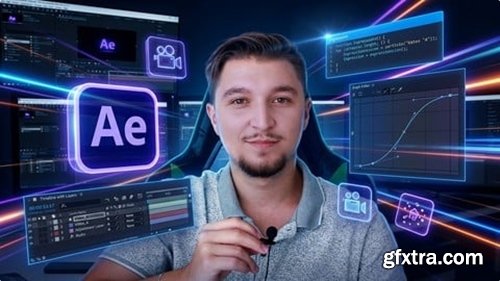
Level: Beginner | Genre: eLearning | Language: English | Duration: 59 Lectures ( 21h 36m ) | Size: 34.1 GB
https://www.udemy.com/course/after-effects-masterclass
After Effects from scratch: Glitch Effects, Viral Edits, AMVs & the techniques behind edits people can't stop watching
What you'll learn Who this course is for
✓ Build viral effects from scratch: datamosh, glitch transitions, infinite zoom, pixel sorting, liquid explosions & clone effects in After Effects.
✓ Sync edits to music with precision — set beat markers, nail smash cuts, and use time remapping so every cut lands exactly where it should.
✓ Create slow motion that actually looks cinematic using Twixtor and RSMB Pro — not the choppy default, the kind you see in pro edits.
✓ Animate text like a pro: neon flicker, melting liquid text, kinetic typography, scribble tracking, and text that reacts to music.
✓ Master glitch and distortion effects — chromatic aberration, pixel CRT, one-framers, VHS, datamosh, and Omino Diffusion-style transitions.
✓ Use professional plugins and tools: Animation Composer, Twixtor, RSMB, Sapphire, Boris FX and built-in After Effects effects - and know exactly when to use each
✓ Apply camera tracking, motion stabilization, screen replacements, and the Warp Stabilizer to your footage like a working editor.
✓ Complete 4 real video projects — from your first edit to an animated lyric video to an advanced VFX build — ready to show in a portfolio.
✓ Turn your skills into income: learn how to price your work, build a client-ready portfolio, and choose between freelancing and getting hired.
■ Complete beginners who have never opened After Effects and want to learn by building real, visually impressive edits — not boring motion graphics exercises.
■ Anyone who has tried learning After Effects through random YouTube tutorials and ended up with a mess of copied effects and no real understanding of how any of it works.
■ Self-taught editors who already know the basics but can't figure out how to recreate the effects they see in AMVs, car edits, and viral video edits online.
■ Creators, freelancers, and artists who want to turn After Effects into a skill that earns — by building a portfolio and landing paid editing work.
■ Music video editors who want to level up their visuals with professional glitch effects, beat-synced cuts, cinematic transitions, and effects that make people rewatch.
■ YouTubers and social media creators who want their content to look more polished, dynamic, and visually distinct from everyone else in their niche.
■ Anime and AMV editors who want to move beyond basic cuts and learn the exact effects — datamosh, pixel sorting, one-framers, chromatic aberration — that define the style.
■ Car editors and cinematic edit creators who want After Effects techniques that make their footage hit harder and look more intentional.
■ Musicians and music producers who want to create their own lyric videos, visualizers, and promotional visuals without hiring someone else to do it.
■ Graphic designers and visual artists who already have a creative eye and want to bring their ideas to motion inside After Effects.


126,000 Royalty-Free 3D Model

Udemy Türkçe


Top Rated News
- CreativeLive Tutorial Collections
- Fasttracktutorials Course
- Chaos Cosmos Library
- MRMockup - Mockup Bundle
- Finding North Photography
- Sean Archer
- John Gress Photography
- Motion Science
- AwTeaches
- Learn Squared
- PhotoWhoa
- Houdini-Course
- Photigy
- August Dering Photography
- StudioGuti
- Creatoom
- Creature Art Teacher
- Creator Foundry
- Patreon Collections
- Udemy - Turkce
- BigFilms
- Jerry Ghionis
- ACIDBITE
- BigMediumSmall
- Globe Plants
- Unleashed Education
- The School of Photography
- Visual Education
- LeartesStudios - Cosmos
- Fxphd
- All Veer Fancy Collection!
- All OJO Images
- All ZZVe Vectors
- CGTrader 1 CGTrader 2



















