

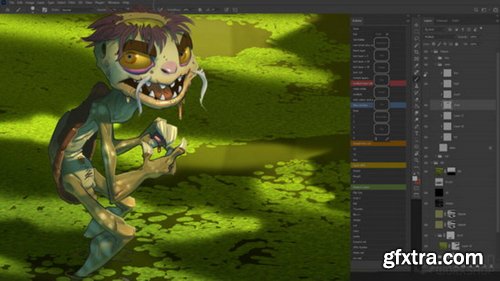
- Take your digital painting to the next level with this 4-hour workshop dedicated to teaching the foundations of professional-level painting in Photoshop. As the leading 2D creative software used throughout the world by artists in the digital entertainment industry, this extremely versatile tool serves many different disciplines, including Illustration, Concept Art, Matte Painting, Texture Painting — and the list goes on. With so many uses, the power of the software can also make it intimidating to learn. In this detailed Photoshop tutorial, Concept Artist Dave Neale demystifies all the key tool settings, menus, and shortcuts needed to create industry-standard digital paintings to help you get started. Dave provides a clear understanding of how you can utilize this exciting program and leverage it for your very own creative projects.
- To give you a really great overview of all of the potential uses of the software, Dave begins with a guide to setting up an efficient workspace, using Photoshop Actions to automate and streamline your workflow. He demonstrates how to get to grips with the Photoshop Pen Tool, and shows how to use Photoshop Selections, Adjustment Layers, and Layer Styles. You’ll also learn how to use Photoshop Filters, explore the Transform tools, discover how to utilize Masks, plus much more. Dave concludes the workshop with his professional tips and helpful processes that will come in handy as you tackle your own future digital painting projects. He also provides a complete walkthrough of how he organizes his images for clients so that you can hand off your next project like a pro.



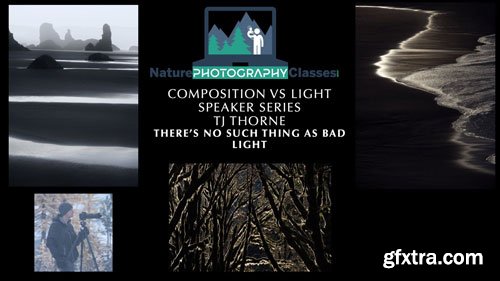
This class is perfect for any photographer looking for inspiration in the world around them.


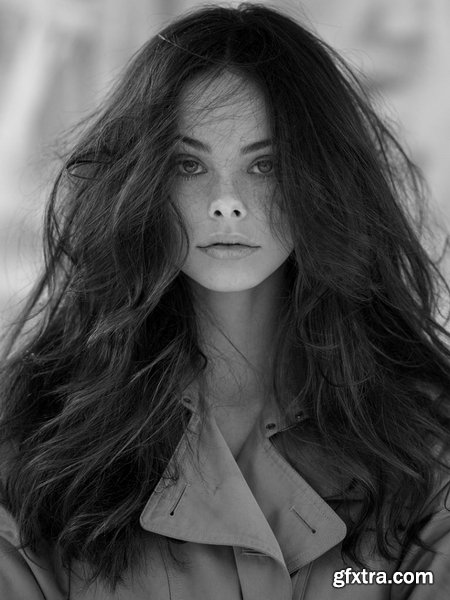
- Join Peter and the amazing Meika Woollard (Giant Management) in this start to finish tutorial from their recent shoot together.
- They have worked on and off since she was 11, and now that she is 16 and signed with IMG Worldwide, they are working more together so he can help take her modelling to the next level. Meika has been modelling since she was 3 and done countless shoots, editorials and campaign’s, so modelling is second nature to her – however Peter is trying to work to take the ‘click, pose’ out of her she has been doing her whole life and work on getting her to feel so he can capture a different image to what every one else would take.
- Peter has also been making music videos on YouTube as a creative outlet, and has found filming models trains them to move more during a shoot. Meika loved the videos he has made so far and was very excited to film one, so included in between these two looks you will get to see Peter filming & how he goes about putting the final video together.
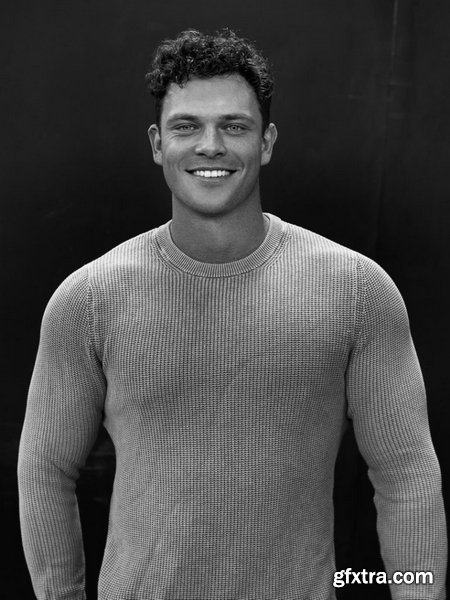
- We recieve lots of comments and questions asking if Peter ever shoots males, and Abbey’s boyfriend is just getting in to modelling so hin this tutorial you will get to see James on his second ever shoot and first shoot with Peter!
- This tutorial dives into the nuances of male model posing, offering practical insights for both aspiring and professional models. Led by renowned photographer Peter Coulson, the session showcases real-time coaching as he guides a male model through essential techniques to enhance confidence, posture, and expression in front of the camera.
- Throughout the tutorial, Coulson emphasizes the importance of natural movement, micro-posing adjustments, and overcoming stiffness to achieve authentic and striking images. He also discusses lighting setups, facial engagement, and the psychological aspects of modeling, ensuring the model feels comfortable and expressive.
- Perfect for photographers and models alike, this training provides a comprehensive look at the art of male modeling, helping individuals refine their presence and elevate their portfolio with dynamic, well-composed shots.
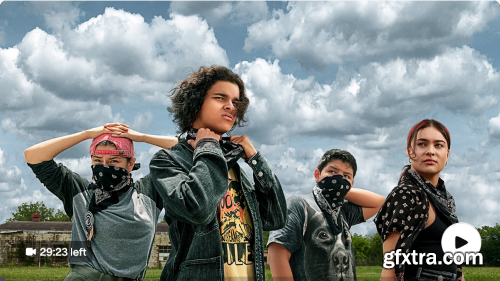
- Here is a full-length rough cut of the upcoming video. This is the version that I get from one of my editors. I then take their project (Final Cut Pro library) and start putting my final touches on it. So here you get to see the version of the video that is longer and hasn't yet had any of my tweaks incorporated. Compare this version with the final one on the channel to see how our videos tend to evolve.

Language: English + subtitle | Duration: 25 Lectures ( 2h 19m ) | Size: 2.41 GB
https://www.udemy.com/course/chatgpt-for-viral-content-creation-social-media-generation/
Steal my Prompts to Explode your Influence and Business with AI Content and Dominate Social Media with Proven Strategies

Language: English | Size: 748.96 MB | Duration: 1h 45m
https://www.udemy.com/course/creating-a-website-for-wedding-photographers/
Boost Your Visibility: Build a Wedding Photography Website That Ranks and Books
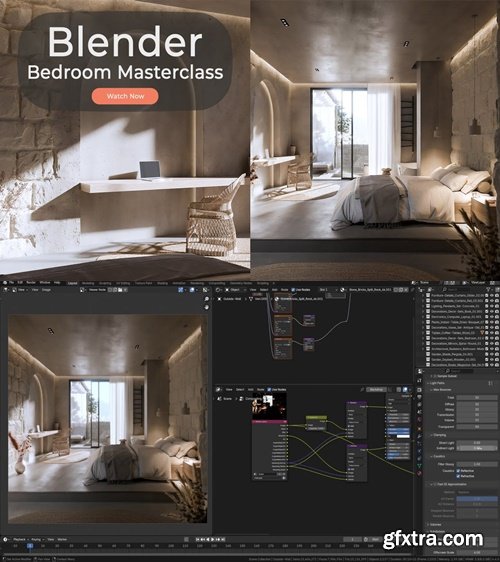
https://www.imeshh.com/
- Take your architectural visualization skills to the next level with this complete Blender 4.4 masterclass
Language: English | Duration: 3h 11m | Size: 3.9 GB
https://www.udemy.com/course/player-centered-game-design/
Putting Players at the Heart of Game Design

Udemy - YouTube Creator Academy 2025 | Your Complete YouTube Guide
Language: English | Duration: 34 Lectures ( 8h 27m ) | Size: 4.93 GB
https://www.udemy.com/course/the-complete-youtube-success-masterclass-ultimate-guide/
The Beginner’s Guide | How to Start & Grow Your YouTube Channel from Scratch.
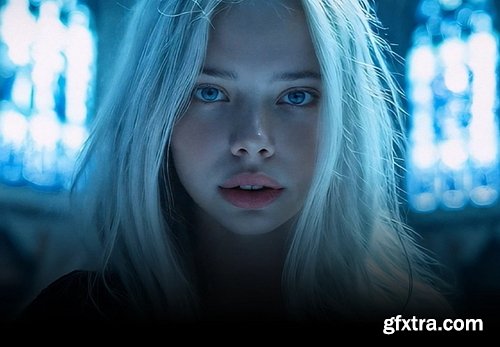


Coloso - Director Kwon Han-seul's AI film making that shook up the domestic and international film industry
https://coloso.co.kr/products/filmdirector-kwonhansl
Beginner~Intermediate | Total 27 episodes, 11 hours and 36 minutes | Korean | Includes lecture materials
- “Everything about film production, from pre-concept to video production, special effects, music, and dubbing, completed with AI”
- Film art has developed along with technology, and now you can produce a movie by yourself in 5 days with a production cost of 0 won? AI movies are shaking up the film industry, so how are they produced?
- If you were frustrated that AI lectures were limited to simply generating images and videos, pay attention! I will show you how to make a movie that can actually be screened using the images and results that I personally created.
- From the scenario, to the character's movements and emotional expressions, to the background direction, composition settings, camera movement, narration, OST, and sound effects!
- The fact that all of this was created solely with AI! Check out the unique AI film making class that you've never seen before right now.

https://www.linkedin.com/learning/learning-photoshop-25646140
- Photoshop is an essential tool for anyone who works with images of all kinds, from photographs to graphics. In this course, instructor Jan Kabili simplifies the most-used Photoshop techniques, giving you helpful tips whether you’re new to Photoshop or looking for a down-to-earth review of Photoshop basics. Learn how and why to use layers, select parts of images, use Photoshop's generative AI features, improve your photos, combine images, add type, and more. Along the way, you’ll work on creative, real-world projects and make great-looking content in Photoshop.
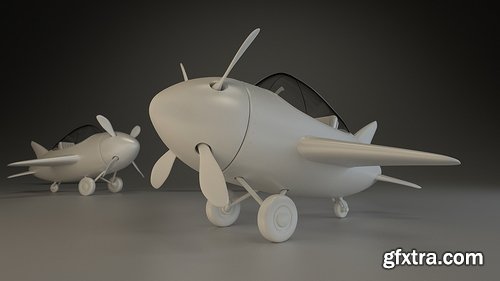
- Hello and welcome to this CG Cookie tutorial series on hard-surface modeling in Blender. Through this series I’ll be giving you a complete introduction to modeling hard-surface objects with subdivision surfaces, allowing you to create anything from vehicles, to weapons, to environment props. For this Blender tutorial I’ve chosen a small, stylized airplane as the subject matter as it provides a great example of hard-surfaces that is fairly simple but also easy to learn. The plane design is based on artwork and modeling sheets created by Tim Von Rueden.
- I’ll be walking you through the complete process of how to model in blender, demonstrating a variety of techniques and tools along the way. First we will set our artwork as a blender background image, then among other things, I’ll be showing you box and edge modeling techniques, how to use various modifiers for non-destructive modeling, and multiple techniques for creating sharp edges with optimal geometry. In this series, even though it's a Blender tutorial for beginners and we dive into the Blender basics, we won't be getting into UV Unwrapping, since we won't be using any cg textures, nor will we touch upon retopology or compositing, it will all be centered at hard surface modeling. Finally, this series is presented in real-time, giving you a complete picture of my modeling process.
- Extra add-ons and themes: During this series I make frequent use of a custom add-on I developed that helps to speed up the workflow for common tasks. You can download the add-on, along with the custom them I use for Blender’s interface below: Jay Tools (now known as Quick Tools)CG Cookie Blender UI Theme CC Music: "H20 Instrumental" by Airtone
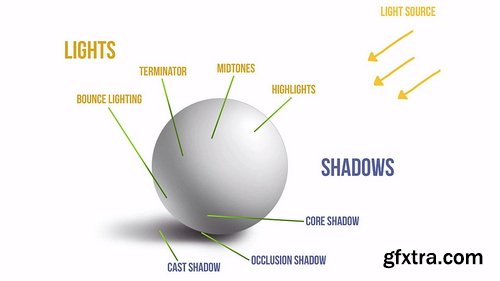
- When it comes to lighting, there are three basic components you need to understand: Direction of lighting, the Object’s Surface, and corresponding Shadows. They determine the final look of your subject matter and it’s essential that you portray them as accurately as possible. To practice, we will look at a few fun examples and see if you can recognize where each object is lit from by trying to identify its light source.
- The most commonly used lighting scenario for you subject matter is a three-point lighting system: the components are a Key light, Fill light (also known as Global light) and Rim light. They each have a different role and we examine them one by one and look at a few examples.
- An interesting property of light is that it travels in every direction and bounces off of surfaces, losing some of its strength in the process. It can even pick up color hues! This may sound very technical, but a few simple examples will help you understand how this works. An inseparable component of light and color is value. You will understand this relationship as we go through the step-by-step process of building values with examples for each type, from neutral base value to bounce lighting and shadows.
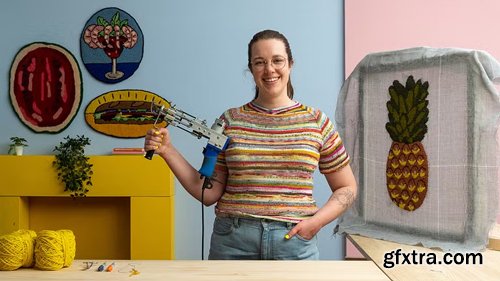
- Dive into the art of tufting with Hanna Eidson, a textile artist renowned for her vibrant and character-filled rugs and wall hangings.
- Tufting is a quick and straightforward technique that allows you to create unique, functional textile pieces, perfect for decorating your space or simply expressing your creativity.
- Starting with the basics and moving on to creating bold, expressive designs, you’ll learn how to use a tufting gun, choose the right materials, and set up your workspace for optimal results.
- With a focus on simplicity and enjoying the creative process, you’ll explore the world of tufting and discover how to bring your ideas to life in the form of one-of-a-kind rugs and wall hangings.
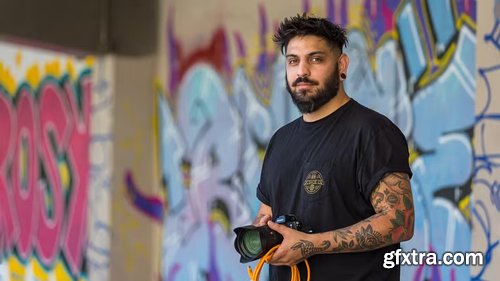
- Discover the exciting world of street fashion photography with this online course. Led by Mairo Mora, a renowned fashion photographer, this course will teach you how to capture high-quality images with basic equipment and make the most of natural light.
- In this online course, you will explore the key techniques and concepts for photographing fashion in urban settings. Mairo Mora will share her experience and knowledge to help you create stunning photos that could be published in fashion magazines.
- You will learn to select the different types of fashion photography shots, to keep your team simple and efficient, and to choose your creative team strategically. You will also discover how to create an inspiring moodboard and design poses that enhance the aesthetics of your models.
126,000 Royalty-Free 3D Model

Udemy Türkçe


Top Rated News
- CreativeLive Tutorial Collections
- Fasttracktutorials Course
- Chaos Cosmos Library
- MRMockup - Mockup Bundle
- Finding North Photography
- Sean Archer
- John Gress Photography
- Motion Science
- AwTeaches
- Learn Squared
- PhotoWhoa
- Houdini-Course
- Photigy
- August Dering Photography
- StudioGuti
- Creatoom
- Creature Art Teacher
- Creator Foundry
- Patreon Collections
- Udemy - Turkce
- BigFilms
- Jerry Ghionis
- ACIDBITE
- BigMediumSmall
- Globe Plants
- Unleashed Education
- The School of Photography
- Visual Education
- LeartesStudios - Cosmos
- Fxphd
- All Veer Fancy Collection!
- All OJO Images
- All ZZVe Vectors
- CGTrader 1 CGTrader 2



















