


Simon Sez IT - XML Crash Course
https://www.simonsezit.com/courses/microsoft/xml-crash-course/
Welcome to the “XML for Beginners” course, where you’ll embark on a journey to master the fundamentals of XML, a versatile markup language. In this course, you will explore the basics of XML, learn how to create and structure XML documents, and delve into practical applications. Throughout the course, you’ll gain hands-on experience through live demonstrations, creating XML documents, and understanding the Document Type Definition (DTD). The advanced XML section covers essential concepts like XML attributes and schemas, providing a deeper understanding of XML’s capabilities. The course then introduces Extensible Stylesheet Language (XSLT), empowering you to transform XML data into various presentation formats using XPATH. Through practical demonstrations, you will learn to leverage XSLT to enhance the visual representation of your XML content. By the end of the course, you should possess the skills to create, structure, and transform XML documents effectively.
Lessons: 15 | Duration: 2h 10m | Category: {title} | Level: Advanced | Exercise Files: Included | Certificate: Certificate of Completion
Skills You’ll Learn: Understand and apply XML attributes in document creation. • Utilize XML schema for structured and validated data. • Master XSLT transformation techniques for XML data. • Enhance XML presentation using XSL for varied styles. • Apply namespaces to organize and categorize XML elements. • Evaluate XML schema documents for data validation. • Conclude the course by summarizing key XML concepts.


GoSkills - Visualizing Data in Excel
https://www.goskills.com/course/visualizing-data-in-excel
When you visualize your data, it’s easier for others to understand and rally behind your shared goals. In this course, data visualization expert and consultant Heather Johnson teaches you how to begin visualizing your data in Microsoft Excel. Heather starts the course by reviewing why data visualization is so important, and provides guidance for showcasing specific numbers/text points. She then discusses her tips for creating pivot tables and charts, and reviews how you can highlight key points in your data with customization and drawing features. Finally, Heather shows you how to transform a traditional spreadsheet into a fancy dashboard. You'll finish this course armed with all the tools needed to start visualizing your data in Excel.
Instructor: Heather Johnson | Lessons: 19 | Duration: 1h 48m | Level: Beginner | Skills Gained: Data visualization • Data analysis | Certificate: Certificate of Completion | Rating: 5.0/5 (1 review)
Skills You’ll Learn: Apply techniques to visualize your data in Excel • Understand why visualizing your data is important • Learn to customize your data visualizations • Transform traditional spreadsheets into fancy dashboards
Udemy - Teach Me Microsoft Excel - Beginners and beyond
https://www.udemy.com/course/teach-me-microsoft-excel-beginners-and-beyond/
Language: English (US)
Go from zero to confident: master formulas, tables, charts, and real-world spreadsheets step by step

Skillademia - Complete Excel Bundle: 5-in-1 Beginner to Advanced Course
https://skillademia.com/excel-course/
Instructor: Gary Newport | Lessons: 296 | Duration: 78 Hours | Category: Productivity & Business | Level: All Levels | Software: Figma | Language: English | Rating: 4.7/5 (854 ratings)
Skills You’ll Learn: Excel fundamentals: interface, formatting, workflows • Core formulas and functions (SUM, IF, COUNTIF, etc.) • Advanced formulas (XLOOKUP, FILTER, INDEX/MATCH, dynamic arrays) • Data cleaning and error handling techniques • Text, date, and logical functions • Data visualization: charts, dashboards, 2D/3D maps • How to create a budgetary system • Pivot Tables and Pivot Charts • Power Query and Power Pivot • Predictive analysis techniques • Tips and tricks for using Excel functions to check and manipulate data • Dashboard creation and reporting • Excel VBA and automation fundamentals • Creating macros and custom Excel tools

Udemy - Microsoft Copilot Cowork & Agentic AI Masterclass [2026]
https://www.udemy.com/course/microsoft-copilot-cowork
Language: English (US)
Master Copilot Cowork Skills, Plugins & AI Agents to Automate Excel, Word, PowerPoint, Email, Reports & Financial Models

Complete Microsoft Excel Course covering absolute basics to Advanced and Hands-On Projects and Real-World Projects!
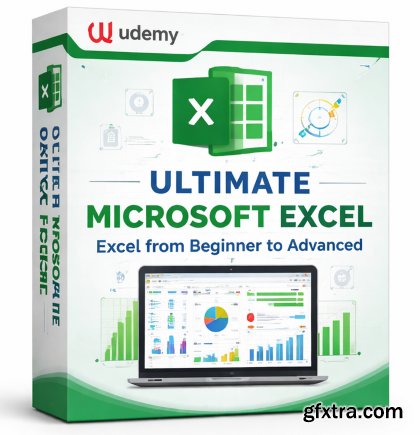
Complete Microsoft Excel Course covering absolute basics to Advanced & Excel Formulas, Pivot tables, Charts, Dashboards!
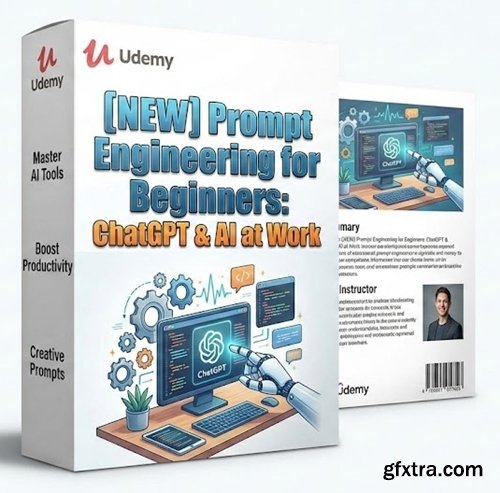
Language: English | Duration: 3h 15m | Size: 3.32 GB
https://www.udemy.com/course/new-prompt-engineering-for-beginners-chatgpt-ai-at-work/
Develop practical prompt engineering skills to reduce AI errors and use ChatGPT and other AI tools accurately at work
The Ultimate Microsoft PowerPoint Course Which Covers everything to Master Microsoft PowerPoint from Scratch!
- Master pivot tables, formulas, macros, vba, data analysis and learn how to land your first job as an Excel expert!
A complete guide to shapes, icons, 3D and illustrations using visualisation to help you design stunning slides.
Master charting techniques to communicate insights visually and professionally.
Language: English | Size: 3.57 GB | Duration: 5h 1m
https://www.udemy.com/course/master-apple-macos-monterey-the-complete-course-in-2024/
Unleash Mac Mastery: Navigate, Innovate, and Dominate with macOS Monterey!
Udemy - MS Office with AI - Word Excel PowerPoint ChatGpt Gemini

Udemy - AI Tools Mastery: ChatGPT, Zapier & More for Productivity
Your Complete Guide to AI Mastery for Creativity, Automation, and Productivity

Udemy - Ms Office With Ai - Word Excel Powerpoint With Chatgpt
Master Microsoft Word, Excel, PowerPoint, and Google Sheets with AI tools like ChatGPT to Save time, Automate tasks

Udemy - The 2025 AI Office Productivity Masterclass
Use AI to Write Better Emails, Summarise and Generate Text, Create Meeting Recaps and Skyrocker your Productivity

Language: English + subtitle | Duration: 45 Lectures ( 6h 2m ) | Size: 5 GB
https://www.udemy.com/course/prompt-engineering-ai-chatgpt-beginner-to-advanced-2025
AI Secrets of Prompt Engineering, Automation, Coding, Marketing , Advanced Topics Covered

Udemy - The Complete Guide to Microsoft PowerPoint and Presentations






















Top Rated News
 thegreatcourses
- Udemy Part 3
- Pose and Reference Pack
- PSDMarket All Flyer
- TheBoudoirDivas All Tutorial
- 126,000 Royalty-Free 3D Models
- CreativeLive Tutorial Collections
- Fasttracktutorials Course
- Chaos Cosmos Library
- MRMockup - Mockup Bundle
- Finding North Photography
- Sean Archer
- John Gress Photography
- Motion Science
- AwTeaches
- Learn Squared
- PhotoWhoa
- Houdini-Course
- Photigy
- August Dering Photography
- StudioGuti
- Creatoom
- Creature Art Teacher
- Creator Foundry
- Patreon Collections
- Udemy - Turkce
- BigFilms
- Jerry Ghionis
- ACIDBITE
- BigMediumSmall
- Globe Plants
- Unleashed Education
- The School of Photography
- Visual Education
- LeartesStudios - Cosmos
- Fxphd
- All Veer Fancy Collection!
- All OJO Images
- All ZZVe Vectors
- CGTrader 1 CGTrader 2






























