

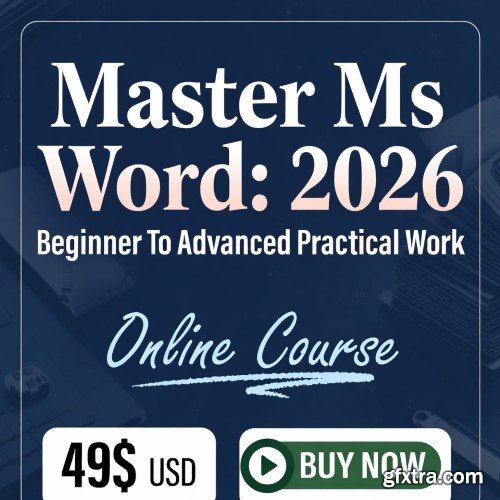
What you'll learn Requirements Description
Create and format professional documents in MS Word
Use styles, headings, and page layout correctly
Insert tables, images, and shapes efficiently
Prepare documents for printing and PDF
No prior experience required
Basic computer knowledge is enough
This course contains the use of artificial intelligence.MS Word beginner and advanced level professional courser Beginner Level (Getting Started)Navigating the Microsoft Word interface efficientlyCreating, saving, and opening documentsBasic text editing: fonts, colors, styles, and alignmentParagraph formatting: line spacing, indentation, bullets, and numberingUsing undo, redo, and basic keyboard shortcutsSpell check, grammar check, and simple proofing tools Intermediate Level (Enhancing Your Documents)Working with tables, columns, and lists for organized dataInserting and formatting images, shapes, and iconsPage layout: margins, headers, footers, and page numbersUsing templates and themes for professional documentsStyles, headings, and table of contents for structured documentsTrack changes and comments for collaborationAdvanced Level (Professional Mastery)Mail merge: letters, labels, and envelopesCreating and managing macros for automationAdvanced tables, charts, and SmartArt graphicsDocument design: watermarks, backgrounds, and professional layoutsKeyboard shortcuts, tips, and tricks to boost efficiencyPreparing documents for print and sharing professionallyPractical Projects & Hands-On ExercisesBuild real-world documents step by stepPractice formatting resumes, reports, letters, and templatesLearn how to solve common office challenges efficientlyApply shortcuts, advanced tools, and automation techniquesWhy This Course is DifferentStep-by-step roadmap: Clear progression from beginner to advancedAccessible learning: Captions, clear narration, and visuals for all learnersReal-world applications: Skills directly applicable in jobs, offices, and freelancingTime-efficient: Learn Microsoft Word effectively in just 4 hoursProfessional techniques: Save time, improve productivity, and work like an expert Who Should EnrollComplete beginners who want to master MS WordStudents, office workers, and freelancers needing professional document skillsAnyone preparing for office tasks, projects, or certification examsThose who want to increase efficiency and productivity with advanced Word toolsRoadmap SummaryBeginner → Intermediate → Advanced → Real-world Application → MasteryBy the end of this course, you will be able to:Confidently create, format, and manage documents of any typeUse advanced features to save time and increase productivityApply professional Word skills in workplace or personal project


NeoSkola Bütün Kursları

Udemy Türkçe


Top Rated News
- TheBoudoirDivas All Tutorial
- 126,000 Royalty-Free 3D Models
- CreativeLive Tutorial Collections
- Fasttracktutorials Course
- Chaos Cosmos Library
- MRMockup - Mockup Bundle
- Finding North Photography
- Sean Archer
- John Gress Photography
- Motion Science
- AwTeaches
- Learn Squared
- PhotoWhoa
- Houdini-Course
- Photigy
- August Dering Photography
- StudioGuti
- Creatoom
- Creature Art Teacher
- Creator Foundry
- Patreon Collections
- Udemy - Turkce
- BigFilms
- Jerry Ghionis
- ACIDBITE
- BigMediumSmall
- Globe Plants
- Unleashed Education
- The School of Photography
- Visual Education
- LeartesStudios - Cosmos
- Fxphd
- All Veer Fancy Collection!
- All OJO Images
- All ZZVe Vectors
- CGTrader 1 CGTrader 2



















