The Gnomon Workshop - Jordu Schell Creature Studio


Duration: 2h 46m | Format: HD 1280x720
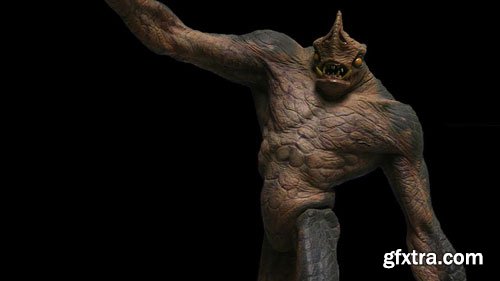
In this lecture, one of Hollywood's most prolific concept sculptors, Jordu Schell demonstrates the techniques he employs in creating a dynamic creature concept sculpture. Jordu begins with a rough armature, then walks you through the process of correctly building up forms by roughing in the large masses of the creature before the addition of muscular and other anatomical forms. He then covers the topic of dynamically posing the creature for maximum impact. Once the pose is decided on and the shape of the creature is established, Jordu transitions from using only his hands to using tools to begin refining the creature, working on defining the muscular forms, adding definition and detail, and finally blending the forms back together to create a unified appearance. Once the creature sculpt is smoothed and refined, textural detail is added back into the skin, using small tubes of clay for veins, a pin for pore detail, and finally using a texture stamp to apply a texture over the entire sculpt. Next, Jordu applies paint to the creature using a paintbrush to apply the base color of the creature. Next he uses an airbrush to refine the color and establish a translucent appearance to the skin. The final touches include placing individual translucent teeth and applying glossy paint to the eyes and teeth.

user Themelli     


The Gnomon Workshop - Efficient Cinematic Lighting


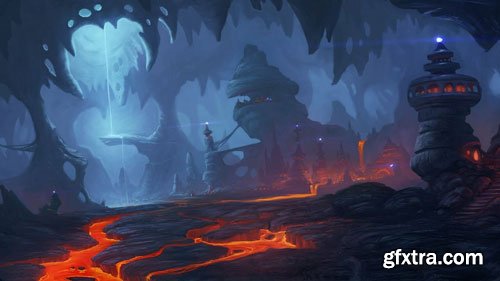
This lecture covers the principles of good composition with an emphasis on effective cinematic lighting. Jeremy begins by discussing the fundamental concepts behind how light operates in the physical world, providing an overview of topics like reflection, absorption, refraction, color temperature and atmospheric dispersion. He then moves into camera based composition, discussing topics like camera angles, distance, lenses and depth of field which all help to define the mood of a shot. The lecture then transitions into more of the artistic elements of lighting and composition as it relates to computer graphics. Techniques such as three-point lighting, framing, tonal gradients, implied lighting, atmosphere and various lighting setups are used to set mood and assist in the story telling process. These principles are then applied using software: Maya as the primary 3D tool. Jeremy discusses basic software: Maya lighting but quickly moves on to setting up various lighting conditions using V-Ray for software: Maya, to achieve beautiful global illumination effects while still paying close attention to the principles outlined in the early part of the lecture.

Duration: 2h 06m | Format: HD 1280x720

user Themelli     

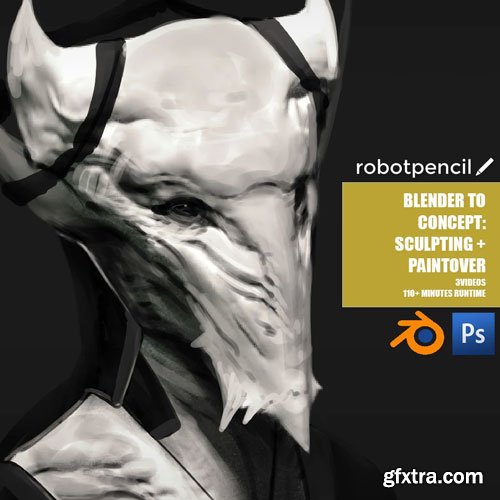
Anthony Jones Blender for Concept : Sculpting + Paintover

Video 1: Basic Set Up of Blender
Feel Comfortable
Video 2: Sculpting tips and tricks
Video 3: Paintover for final touches
This product contains: 100+ minute video, PSD File, Blender Settings

user Themelli     

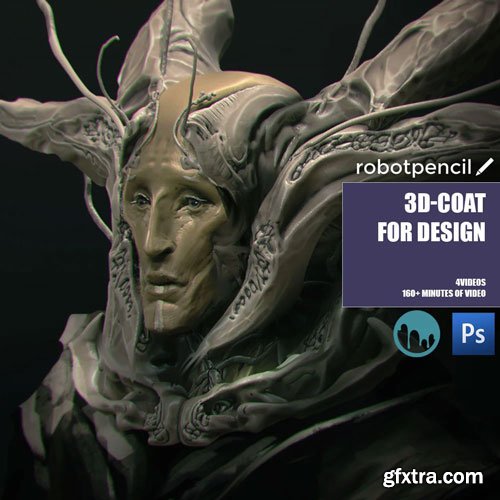
Anthony Jones 3d-Coat for Design

3d can be really challenging, but with tools like 3d coat, you can really pull off quite a bit of awesomeness. In this series I’ll help you walk through some basics, but we’ll get right into high level concepting with the software.
Video 1: Basic interface and understanding of the tool.
Video 2: Knowing your creative and software limits and how to bring unity to both.
Video 3: Designing and the value of checking your work.
Video 4: Demo with no Audio Commentary.

user Themelli     


Cgcookie - Tools of the Trade
These lessons will cover the materials and tools used throughout this course ad give an in-depth look at how and when to use them. We are covering only a fraction of traditional tools and mediums out there, so keep that in mind. I will cover Traditional Pencils, Mechanical Pencils, Sketchbooks, and Erasers. Never again will you be confused as to what the difference between a 4B and 6H pencil is.


user Themelli     


Cgcookie - The Blender & Substance Texturing Workflow
Substance Painter and Substance Designer are excellent programs that are specifically made for texturing. Designer allows you to build complex procedural materials, and Painter allows you to apply those materials to your mesh using brushes, masks, and even particle simulations.They are both great tools to use alongside Blender, whether you’re making assets for games, animations, or visual effects.


user Themelli     


Cgcookie - Texturing Game Assets with Blender
Texturing plays a powerful role in computer graphics, but especially for game asset creation. Textures can simulate high-resolution details very believably but without the high-polygon counts. They can make a simple model look beautiful and complex. They can make a drab object interact with light in a believable way. So yeah, textures are important! In this course, I will walk you through the essential texturing workflow for our stack-o-rocks asset.


user Themelli     


Cgcookie - Shader Forge
Cgcookie - Shader Forge | Understanding Shaders in Cycles Render Engine


Understanding Shaders in Cycles Render Engine: A Comprehensive Course

In the vast and complex world of computer graphics, the art of shading stands as a cornerstone. Shading, or the creation and application of materials (often referred to as shaders), serves as the skin of any CG artwork. It can dictate how real, how tactile, or how dreamy a scene can appear.

This course is tailored to delve deep into the nuances of constructing materials for the Cycles render engine in Blender, a leading open-source 3D software.


user Themelli     


Cgcookie - Sculpting the Wrangler Game Character
https://cgcookie.com/courses/sculpting-the-wrangler-game-character
The second stage of our game character's production is Sculpting. This is where we quickly and artistically build out a 3D translation of the 2D artwork. Sculpting is so valuable for this second stage because of its flexibility and artistic inclination.


user Themelli     


CGCookie - SESSIONS Series
A series of Blender courses about creative expansion and efficient workflow
Sessions 1: Minimalism | Sessions 2: MACRO


user Themelli     

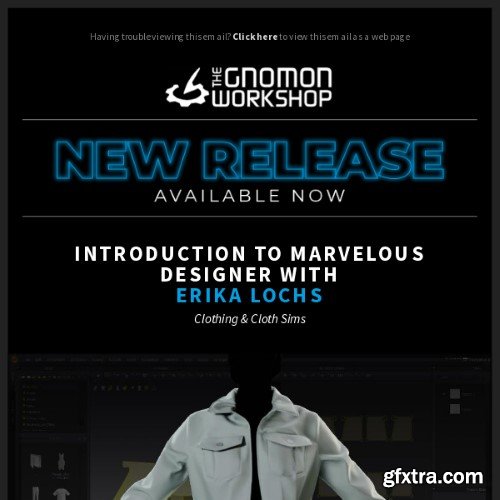
The Gnomon Workshop - Introduction to Marvelous Designer Clothing & Cloth Sims with Erika Lochs
https://www.thegnomonworkshop.com/tutorials/introduction-to-marvelous-designer/
Marvelous Designer is quickly becoming an industry-standard software for creating character clothing and cloth simulation in environment art. Erika Lochs is a principal character artist who uses Marvelous Designer heavily in her professional career and strongly focuses on anything fabric-related.  This introductory workshop is for artists who have never used Marvelous Designer or are relatively new to the software. Erika’s complete introduction covers the essential features in the 3D and 2D windows and details everything you need to know to get started, including how to navigate Marvelous Designer and how to use avatars.  With all the basics covered, Erika then demonstrates how to create a basic denim jacket, working with a pattern provided. Artists can follow along with the workflow from start to finish. Additionally, Erika provides a bonus tutorial tailored for environment artists, focusing on creating a mediaeval tent.


user Gamystyle     

Coloso Making Stylized 3D Animation from Scratch
I'll show you how to animate using foundational skills that combine the fundamentals of 2D and 3D animation, so you can create your own dynamic 3D animations with electric energy that leave a strong impression on the viewer.


user Themelli     

Learn Blender VFX & CGI Ads : Banner Unroll & Pro-Level CGI

Last updated 12/2024
https://www.udemy.com/course/learn-blender-vfx-cgi-ads-banner-unroll-pro-level-cgi/

Master Banner Unroll and Cloth VFX & CGI Techniques


user Gamystyle     


Coloso Create a Fantastic Cyberpunk City with Blender


Duration: 24 h 58 m | Quality: 1080p | Language: Japanese | Subtitles: English | Project files: yes | Software: Blender, After Effects | Size: 11.2 GB

user Themelli     

Coloso Mastering the Practical Animation Workflow through an Original IP Project
Dive into the practical workflow of the widely-adored Animation Studio, Team Forma+9.


user Themelli     


Plasticity 3D iPhone Product Design Course
This course consists of ten clear and structured lessons that provide a balanced blend of essential concepts and practical application in Plasticity 3D. We start with the basics, like setting up the appropriate references, and then methodically progress through the various stages of creating an iPhone model. By the end, students will have a thorough understanding of the process and a complete model to show for their efforts. It's a direct and informative journey from start to finish.


user Themelli     


Udemy 3Ds Max Masterclass with PLUGINS & AFTEREFFECTS in 20+ Hours
Master 3D Modelling, Lightning, Rendering, Animations, Pheonix FD Simulations, Tyflow Simulation and Post Process in AE


user Themelli     

Udemy - 20+ Hrs of 3Ds Max: From Beginner to Professional Level

Udemy - 20+ Hrs of 3Ds Max: From Beginner to Professional Level

Language: English (US)

Learn 3D Modelling, Lightning, Rendering, Animations, Pheonix FD Simulations, Tyflow Simulations and Post Process in AE

https://www.udemy.com/course/3ds-max-from-beginner-to-professional-level/


user Themelli     


Houdini School HS-236: Velocity Forces 2.0: Advanced
“Velocity Forces 2.0: Advanced” is an in-depth class expanding on “ Velocity Forces 1.0”. It delves deeper into creating velocity fields, exploring the differences between Houdini Standard Volumes and OpenVDB volumes.
The course focuses on techniques to help you refine velocity fields, blend multiple fields together, and use alternative simulation outputs for unique movement. You'll learn how to create vorticles, enhance simulations with wake turbulence forces, as well as injecting extra detailed motion into low-resolution smoke sims. Additionally, this class will cover volume optical flow fields on both 2D planar and 3D geometry, plus utilizing the Potential Flow node for 3D surface advection.
This class will also show how to move beyond volume-based fields into dynamic VEX coding, reducing the volume caching overhead, while also tackling advanced mathematical concepts, from matrices and quaternions to cross products and vector math.


user Themelli     


Houdini School HS-227: Visualizing Protein Data Bank Information
In this recorded course, students will be shown how to build and process Protein Data Bank data inside of Houdini. They will learn how to understand atomic values, visualize atomic elements, bonds between elements, information about residues and binding sites, as well as other protein information. There will also be a visual element for breaking down the different systems inside of biological proteins.

user Themelli     


Houdini School HS-226: MOPs: Motion Operators for Houdini
This recorded course provides an overview of the MOPs workflow and how it integrates with the rest of Houdini, shows concrete examples of how MOPs can be used in both motion graphics and visual effects workflows and dives into some of the fundamental math concepts that drive MOPs (and 3D animation as a whole!).


user Themelli     

Houdini.School – HS-234 Mastering Constraints with Taylor Tomlinson
Houdini School HS-234 Mastering Constraints with Taylor Tomlinson

The all-in-one stop for all things constraints. This recorded course will dive into understanding the purpose, construction, manipulation, application, and destruction of using constraints in the RBD context. Topics will cover both traditional and custom ways to create constraints to fit the needs of the scene, including building constraints from scratch to achieve full control to art direct behaviors in your simulations.


user Themelli     

Houdini.School – HS-235: Small Scale Fluids
Houdini School HS-235: Small Scale Fluids
You will leave the course with a better understanding of FLIP simulations for unique shot cases, including the advantages and disadvantages inherent in these scenarios.

user Themelli     


Premium Mockups


rss