

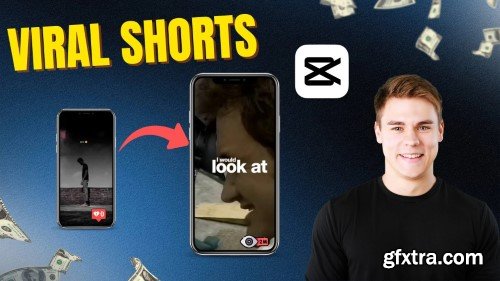
- Want to edit scroll-stopping viral short form videos for Instagram Reels, TikTok or YouTube Shorts? In this quick and actionable class, you'll learn how to use CapCut to create premium, high-performing short videos using trending audio, text overlays, and smooth transitions. Whether you're growing on TikTok, Instagram, or YouTube Shorts, this class gives you a blueprint for editing viral content fast — no fluff, no experience required. Unlock the creative power of short-form video with this practical, beginner-friendly class on editing high-quality, viral-style reels using CapCut — the free, powerful mobile and desktop editing tool taking over TikTok, Instagram, and YouTube Shorts.

Udemy - Advanced Capcut Masterclass: Complete Video Editing Guide
Your Expert Guide to CapCut: Elevate Your Video Production with Advanced Keyframing, Masking, Motion Graphics, Export
https://courses.seancannell.com/enroll-in-the-shorts-masterclass
- YOUTUBE SHORTS MASTERCLASS: VIRAL STRATEGIES FOR GROWTH Expert, Proven Strategies for Creating High-Performing Short-Form Videos and Skyrocketing Your YouTube Growth
- WHEN YOU GET THIS COURSE, HERE ARE A FEW OF THE SECRETS YOU'LL DISCOVER:
- YouTube Shorts Creation Tips Learned from Posting THOUSANDS of Short-Form Videos
- YouTube Shorts Best Practices and Cool Tricks Every Creator Needs-to-Know
- How to Measure Success and Trigger the Algorithm
- Advanced YouTube Shorts Strategies and the Biggest Mistakes that Hurt Growth
https://courses.seancannell.com/youtube-1k-challenge-july-2023-get-your-starter-kit
- A comprehensive digital asset package that will significantly expedite the process of establishing (or revitalizing) your YouTube channel! Despite your efforts to embark on YouTube (or contemplate starting for quite some time), you find yourself overwhelmed by the magnitude of it all. Uncertainty surrounds the correct approach to take. This blueprint will provide you with crystal-clear guidance, enabling you to confidently position yourself for triumph. We understand that you have pondered in bed, questioning which video could captivate and engage viewers. You have encountered creative obstacles. Self-doubt has crept in. Perhaps you have repeatedly questioned whether the videos you create would genuinely captivate an audience. Rest assured, within this download, we present you with 51 fail-safe ideas that are bound to resonate with your viewers.
Language: English | Size: 3.17 GB | Duration: 4h 36m
https://www.udemy.com/course/capcut-canva-masterclass-graphic-design-with-video-edit
CapCut and Canva Masterclass: Create Professional Graphic Designs and Engaging Video Edits for Social Media and Beyond
Udemy - Mastering Video Editing with Final Cut Pro: Ultimate Course
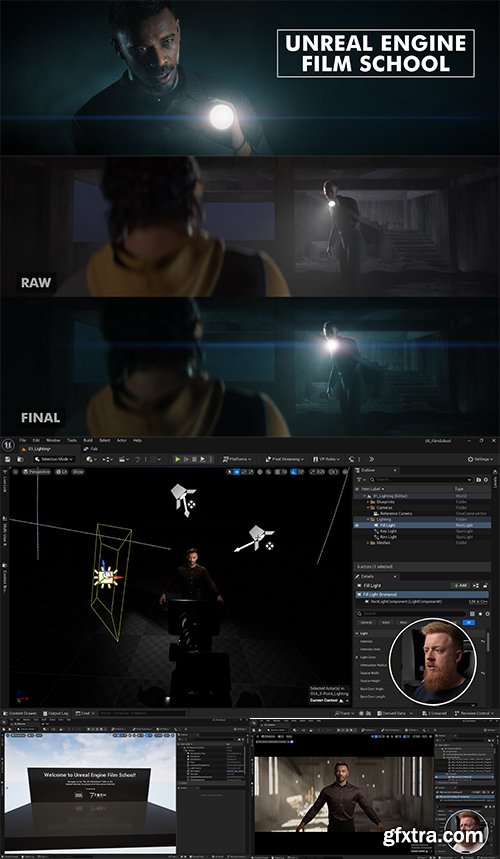
- Have you ever wanted to make your Unreal Engine cinematics feel more... "cinematic"? Then you're in the right place! This course will teach you fundamental filmmaking techniques that are used on movies and tv shows and how to apply those techniques inside of Unreal Engine 5. Everything from how cameras and lenses work to how to light your subject with 3 point lighting. And at the end of the lesson, we will demonstrate how to apply these techniques by creating a cinematic inside Unreal Engine from scratch.

Udemy - Canva Social Media Video Editing MasterClass Edit Like a Pro
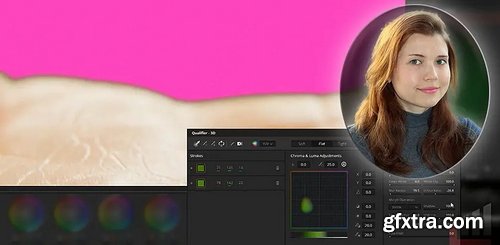
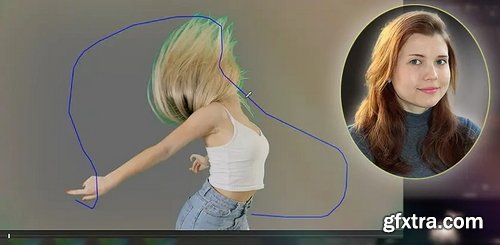
MixingLight - A Definitive Guide To Resolve’s 3D Qualifier, Part 1 – The Workflow
https://mixinglight.com/color-grading-tutorials/definitive-3d-qualifier-chroma-keying-workflow-davinci-resolve/
Type: Video | Duration: 34:21 | Skill Level: Intermediate | Skills: DaVinci Resolve
Colorist Daria Fissoun offers a definitive workflow for Resolve's 3D Qualifier when chroma keying, with tips for matte finesse and more!

Coloso - Anyone can easily create C4D motion graphics
https://coloso.co.kr/products/motiongraphic_kimjaeho
Basic | Total 50 times 30 hours 1 minute | Audio: korean | Subtitle: Korean, Spanish, English, Chinese Simplified, Chinese Mandarin by GFXTRA | Class materials included
- We will teach you 3D motion graphics in a more fun and easy way through step-by-step learning and assignments optimized for beginners .
- Did you think 3D motion graphics was only for professionals
- because of the difficult and complicated lectures that only deal with practical matters ? If you start with simple props and follow the explanations that are suitable for beginners, and try cute examples , you will find 3D motion graphics much easier and more fun in just a few lectures !
- An introductory course for those who want to learn easily and enjoyably and complete the results ! For those who want to challenge themselves with high-quality work without stopping there, we have prepared 50 lectures so that you can learn octane and advanced courses . We also explain all the terms that are too basic to ask about, such as rendering and subdivision, and we will make sure to grasp the concepts. Enjoy the fun of improving your skills by easily and quickly creating various examples with C4D and dive into the world of 3D graphics.

- This LIVE-recorded, 6-class series is an interactive take on our traditional online courses.
- As a wedding photographer, editing is so much more than just making a photo look good. We edit large volumes of images taken indoors, outdoors, in the full sun, at sunset, with a flash, with multiple different cameras and often from multiple photographers. At the end of the day, when you go to push that sacred SEND button on your gallery – your heart stops – and for some reason you doubt everything you've just created.
- Editing is very subjective. It's your creative take on a moment, an image, a gallery. You get to choose what colors to use, what images to highlight, what moments will live forever in someone's life. It can be so vulnerable! That's why it's so important to know how to manipulate every slider, every lighting scenario, every color to exactly what you want.
- This live-recorded series will not only get into the nitty gritty of Lightroom and editing tips & tricks, but also show you how to do it all with consistency and efficiency, because let's be real – we have 1,000 more photos to edit and we can't paint perfect skin tones on every single one.
Language: English (US)
https://www.udemy.com/course/hdr-color-grading-masterclass/
If you’re here, I probably don’t need to explain what HDR is or convince you that the sooner you learn to work with it, the better. New standards have permanently broken away from the previous era, and this process is irreversible. Almost a decade ago, Amazon and Netflix set this machine in motion, and this year, Brazil became the first country in the world to launch 3.0 television—television in HDR technology. Professional training in practical HDR color correction, not theory or use of program tools.
Level: All | Genre: eLearning | Language: English | Duration: 53 Lectures ( 7h 45m ) | Size: 5.45 GB
https://www.udemy.com/course/the-ultimate-color-grading-bootcamp-in-davinci-resolve/
Learn professional color grading in DaVinci Resolve and the marketing skills to launch your career as a colorist!
Learn how to make incredible edits using capcut + Documentary creation!
Language: English (US)
Canva Mastery: Go from Basic Designs to Social Media Graphics, T-Shirts, Videos & Animations
https://www.udemy.com/course/canva-masterclass-social-media-t-shirt-video-edit-motion/
Skool - TheCarVideo Academy
https://www.skool.com/the-car-video-academy
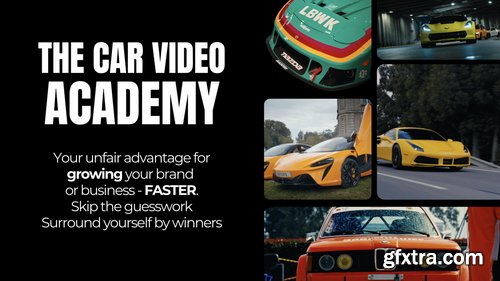
Want to film & edit like the Top 1% of Automotive Videographers?
Inside this community, you will learn step-by-step how to shoot & edit automotive videos that stand out.
Who It’s For: Automotive creators who are serious about taking their work to the next level, Videographers & editors who are sick of shaky footage & crappy edits, (Aspiring) Business owners who are ready to find more paid clients
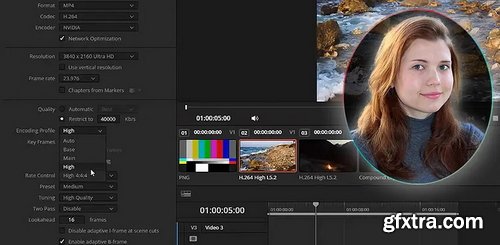
MixingLight - How To Maximize The Quality Of YouTube Videos (using Resolve)
https://mixinglight.com/color-grading-tutorials/optimize-youtube-export-settings-davinci-resolve-windows/
Duration: 8:41 | Skill Level: Beginner | Skills: DaVinci Resolve | RAR 162 MB
Learn how to set up DaVinci Resolve's color management when delivering to YouTube and modify the default preset for better quality.

Udemy - AI Video Creation with Google Veo 3: A Generative AI Course

- Learn branded editing techniques, compete for career boosting opportunities, work on real client projects, and ultimately charge more for your expertise. The Clips Academy teaches high-impact video editing techniques optimized for social media (TikTok, Reels, YouTube Shorts), branded content, and digital advertising. Founded by industry professionals, it focuses on fast-paced, algorithm-friendly storytelling.
Udemy - Filmora 13 Masterclass: From Beginner to Pro Video Editing
https://www.udemy.com/course/filmora-13-masterclass-from-beginner-to-pro-video-editing/
Filmora 13 Full Course Beginner to Pro | Filmora 13 Masterclass: The Ultimate Guide to Becoming a Video Editing Expert
Language: English (US)
Master Video Editing for Instagram Facebook Youtube TikTok with Premiere Pro, After Effects & Canva
https://www.udemy.com/course/social-media-video-editing-premiere-pro-after-effect-canva/
126,000 Royalty-Free 3D Model

Udemy Türkçe


Top Rated News
- CreativeLive Tutorial Collections
- Fasttracktutorials Course
- Chaos Cosmos Library
- MRMockup - Mockup Bundle
- Finding North Photography
- Sean Archer
- John Gress Photography
- Motion Science
- AwTeaches
- Learn Squared
- PhotoWhoa
- Houdini-Course
- Photigy
- August Dering Photography
- StudioGuti
- Creatoom
- Creature Art Teacher
- Creator Foundry
- Patreon Collections
- Udemy - Turkce
- BigFilms
- Jerry Ghionis
- ACIDBITE
- BigMediumSmall
- Globe Plants
- Unleashed Education
- The School of Photography
- Visual Education
- LeartesStudios - Cosmos
- Fxphd
- All Veer Fancy Collection!
- All OJO Images
- All ZZVe Vectors
- CGTrader 1 CGTrader 2



















