

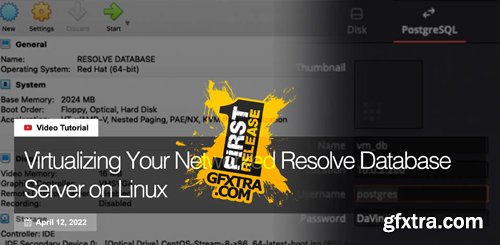
Unless you’ve lived under a rock for the past decade – it’s pretty likely you’ve at least heard of the term virtualization. Even if you don’t use it directly – you’ve certainly used it indirectly while using almost any online service. Virtualization is the the process of running a virtual computer inside a physical one. Multiple virtual machines can run on a single host machine. This makes it possible to maximize the hardware of a single computer, running multiple operating systems and services at the same time. It is also how almost all datacenter and cloud applications are hosted today. Resolve’s project database runs on a industry standard Postgres database platform. This means it can be hosted on just about any computer, and it barely uses any resources. This also makes it a perfect use-case for virtualization. Many colorists already have NAS machines that support running virtual machines. If you don’t have a NAS that supports virtualization, you may have a spare computer that is doing something else that does. Hosting your Resolve Database in a virtual machine is a great way to maximize hardware that you may already have! In my home studio, I run my database in VMWare. At our office at DC Color, we run it on our big TrueNAS server, and at Pat’s facility, he runs it on his TrueNAS Mini XL+. First, you will need a hypervisor. This is the software that runs and manages virtual machines. In this Insight – i’ll be using Oracle Virtualbox – an opensource hypervisor that runs on desktop operating systems. Other options include the built-in hypervisors in TrueNAS, Synology, QNAP and other NAS servers. You can also use dedicated, bare-metal hypervisors like VMWare or ProxMox. Every hypervisor is a little different – but the general options for configuring a virtual machine are the same. In this Insight, I’ll show you how to: This Insight features a lot of command-line interaction – so a general understanding of Linux is recommended. Don’t worry – since the server is virtual, you won’t break anything. If you get it wrong – you can just delete it and start fresh. This makes virtual machines a great way to dip your feet into Linux without a lot of risk. To make it easier to follow along – I’ve also included all the commands I used as a reference. Just know that these may be different in other linux distributions or versions.
What is Virtualization?
Virtualized Database Servers For Resolve
The Process
Command Reference



126,000 Royalty-Free 3D Model

Udemy Türkçe


Top Rated News
- CreativeLive Tutorial Collections
- Fasttracktutorials Course
- Chaos Cosmos Library
- MRMockup - Mockup Bundle
- Finding North Photography
- Sean Archer
- John Gress Photography
- Motion Science
- AwTeaches
- Learn Squared
- PhotoWhoa
- Houdini-Course
- Photigy
- August Dering Photography
- StudioGuti
- Creatoom
- Creature Art Teacher
- Creator Foundry
- Patreon Collections
- Udemy - Turkce
- BigFilms
- Jerry Ghionis
- ACIDBITE
- BigMediumSmall
- Globe Plants
- Unleashed Education
- The School of Photography
- Visual Education
- LeartesStudios - Cosmos
- Fxphd
- All Veer Fancy Collection!
- All OJO Images
- All ZZVe Vectors
- CGTrader 1 CGTrader 2



















