

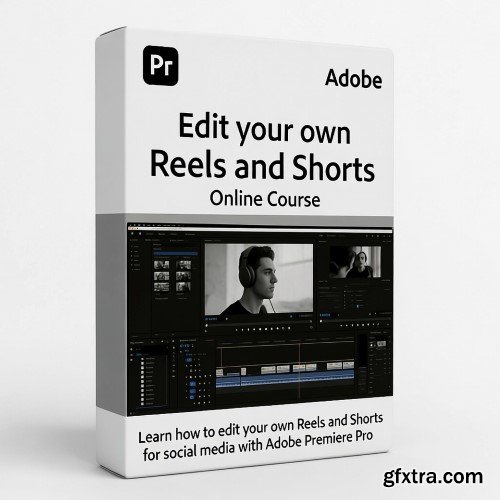
Vertical Video Editing Workflow
What you'll learn Requirements Description
How to edit high-quality vertical videos (Reels, Shorts, TikToks) using Adobe Premiere Pro from start to finish.
How to choose and set the correct aspect ratios, sequences, and export settings for each major social platform.
How to use creative editing techniques: transitions, subtitles, pacing, effects, and storytelling, tailored specifically for vertical content.
How to integrate music, sound design, and voice clips seamlessly to boost engagement.
How to design an efficient, repeatable vertical-video workflow to speed up editing and increase output.
How to create a polished short talking-piece video using all the techniques learned in the course.
No prior video editing experience required, complete beginners can follow along easily.
A computer capable of running Adobe Premiere Pro (Windows or macOS).
Adobe Premiere Pro installed (trial or full version).
Basic understanding of how to import media files (recommended but not mandatory).
A short video clip of yourself or any footage you’d like to use for the class project (optional: sample clips will work too).
Vertical video has taken over the internet and if you want to grow on Instagram, YouTube Shorts, or TikTok, mastering this format is no longer optional. This course gives you a complete, practical workflow for editing scroll-stopping vertical videos using Adobe Premiere Pro, even if you're a beginner.Inside, you’ll learn how to turn raw footage into clean, cinematic vertical content that stands out in a crowded feed. From setting up the perfect sequence for different platforms to crafting dynamic subtitles, polishing colour, and exporting with the right settings, every step is broken down in a clear, hands-on way.You won’t just learn tools; you’ll learn how to think like a modern vertical-video editor. That means understanding pacing built for mobile screens, telling compact stories, choosing the right aspect ratios, and designing a sustainable editing workflow you can use for Reels, Shorts, TikToks, brand ads, or personal content.By the end of the course, you’ll create a complete short talking-piece video using professional editing techniques tailored specifically for vertical formats. Whether you're building your creator journey, managing a brand account, or simply trying to make better videos faster, this course equips you with practical, repeatable skills you can use immediately.Level up your content. Edit like a pro. And step confidently into the world of short-form vertical video.


126,000 Royalty-Free 3D Model

Udemy Türkçe


Top Rated News
- CreativeLive Tutorial Collections
- Fasttracktutorials Course
- Chaos Cosmos Library
- MRMockup - Mockup Bundle
- Finding North Photography
- Sean Archer
- John Gress Photography
- Motion Science
- AwTeaches
- Learn Squared
- PhotoWhoa
- Houdini-Course
- Photigy
- August Dering Photography
- StudioGuti
- Creatoom
- Creature Art Teacher
- Creator Foundry
- Patreon Collections
- Udemy - Turkce
- BigFilms
- Jerry Ghionis
- ACIDBITE
- BigMediumSmall
- Globe Plants
- Unleashed Education
- The School of Photography
- Visual Education
- LeartesStudios - Cosmos
- Fxphd
- All Veer Fancy Collection!
- All OJO Images
- All ZZVe Vectors
- CGTrader 1 CGTrader 2



















