

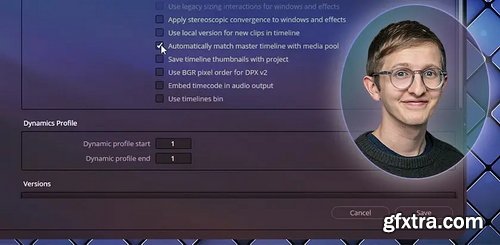
- DaVinci Resolve has a ‘hidden’ feature in Project Settings that is a great tool to speed up your workflow: Remote Versioning. We’re not talking about remote grading – that’s something else entirely.
- Instead, we’re talking about an extension of the Versions functionality. A decade ago, ‘Remote Versions’ was the ONLY form of version control in Resolve. But a few years after Blackmagic purchased and released DaVinci Resolve for Mac, they introduced Local Versions – and soon it became the default operating mode of grade management in Resolve.
By default, all color grades are Local Versions. This means each clip’s Color Page node graph is an independent instance. As you grade shots in your timeline, if multiple shots are from the same source clip, you must copy their grade manually. But ‘Remote’ Versions saves you that trouble. Once a source is graded, every instance carries that same color grade. And if you change the color grade elsewhere on the timeline, every instance of that ‘Remote Version’ is immediately updated. This Insight digs into the pros and cons of switching from Local to Remote Versioning. We also explore a fun legacy feature, Project Setting > Master Timelines. By the end of this Insight, you should understand how to:Key takeaways from this Insight



126,000 Royalty-Free 3D Model

Udemy Türkçe


Top Rated News
- CreativeLive Tutorial Collections
- Fasttracktutorials Course
- Chaos Cosmos Library
- MRMockup - Mockup Bundle
- Finding North Photography
- Sean Archer
- John Gress Photography
- Motion Science
- AwTeaches
- Learn Squared
- PhotoWhoa
- Houdini-Course
- Photigy
- August Dering Photography
- StudioGuti
- Creatoom
- Creature Art Teacher
- Creator Foundry
- Patreon Collections
- Udemy - Turkce
- BigFilms
- Jerry Ghionis
- ACIDBITE
- BigMediumSmall
- Globe Plants
- Unleashed Education
- The School of Photography
- Visual Education
- LeartesStudios - Cosmos
- Fxphd
- All Veer Fancy Collection!
- All OJO Images
- All ZZVe Vectors
- CGTrader 1 CGTrader 2



















