

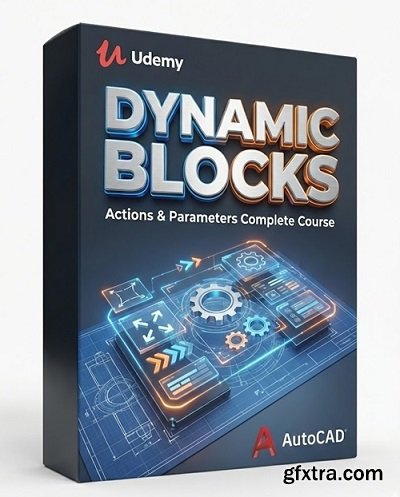
Language: English | Duration: 45m | Size: 1.91 GB
https://www.udemy.com/course/dynamic-blocks-actions-parameters-complete-course/
Absolutely everything you need to get started with AutoCAD Dynamic Block Action and Parameters
What you'll learn How to create Dynamic Blocks How to use Parameters and Actions in a Dynamic Block How to work with Visibility States in Dynamic Blocks How to work with Chained and Unchained Actions How to resolve common issues Requirements A working copy of AutoCAD Good understanding of AutoCAD 2D Understand basic commands like Mirror, Isolate Objects, Dimmension... Understand how to work with Arrays Know how to create and edit AutoCAD Blocks Description Unlock the full power of AutoCAD with this complete, hands-on course dedicated entirely to Dynamic Blocks. Whether you're a beginner or an experienced drafter looking to level up your workflow, this project-based training will teach you how to create smart, flexible, and professional-grade blocks that save time, improve accuracy, and transform the way you work in a fun and engaging way. Dynamic Blocks are one of the most under-used but most powerful features in AutoCAD and after this course, you’ll be able to build them with confidence.What You Will LearnBy the end of this course, you will be able to create fully functional Dynamic Blocks using a wide range of Actions, Parameters, and Constraints, including:StretchMoveRotateScaleFlipArrayChained/Unchained ActionsCombining multiple actions into advanced, smart blocksYou will also learn best practices, and how to troubleshoot common dynamic block problems.Who This Course Is ForComplete beginners who want to understand Dynamic Blocks from the ground upAutoCAD users who want to speed up their drafting workflowDesigners, engineers, architects, and drafters who regularly reuse drawing elementsAnyone who wants to make their blocks smarter, cleaner, and easier to editNo previous experience with Dynamic Blocks is required. If you know the basics of AutoCAD, you’re ready!Course Structure & MethodThis is a project-based course with clear, step-by-step demonstrations. You’ll learn by doing, not just watching.Each lesson introduces a new tool or concept, followed by practical examples and guided exercises. You’ll learn how to use actions in a way you can apply to your own work without getting bogged down with theory.Included in the CourseWritten InstructionsStarter FilesSample blocks to study and reverse-engineerWhy Dynamic Blocks?Dynamic Blocks allow you to add intelligence and flexibility to your drawings.With the skills in this course, you will be able to:Reduce repetitive draftingStandardise your drawingsCreate adjustable componentsImprove accuracy and consistencySave hours on every projectOnce you start using them, you’ll wonder how you ever worked without them.Start Learning Dynamic Blocks Today!Join the course and start building professional, powerful, and fun Dynamic Blocks that bring your AutoCAD drawings to life. Whether you want to boost your productivity or modernise your CAD workflow, this course will give you the tools you need.Let’s get started! Who this course is for AutoCAD Users that want to get to grips with dynamic blocks for the first time, or expand their knowledge and understanding. 


126,000 Royalty-Free 3D Model

Udemy Türkçe


Top Rated News
- CreativeLive Tutorial Collections
- Fasttracktutorials Course
- Chaos Cosmos Library
- MRMockup - Mockup Bundle
- Finding North Photography
- Sean Archer
- John Gress Photography
- Motion Science
- AwTeaches
- Learn Squared
- PhotoWhoa
- Houdini-Course
- Photigy
- August Dering Photography
- StudioGuti
- Creatoom
- Creature Art Teacher
- Creator Foundry
- Patreon Collections
- Udemy - Turkce
- BigFilms
- Jerry Ghionis
- ACIDBITE
- BigMediumSmall
- Globe Plants
- Unleashed Education
- The School of Photography
- Visual Education
- LeartesStudios - Cosmos
- Fxphd
- All Veer Fancy Collection!
- All OJO Images
- All ZZVe Vectors
- CGTrader 1 CGTrader 2



















