

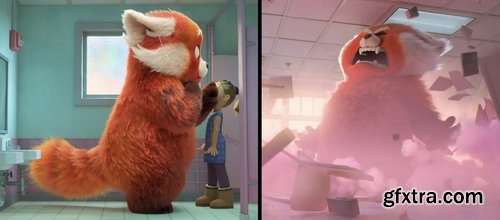
- PREREQUISITES: Previous experience in hair grooming and access to hair grooming software like Xgen, Houdini. Recommended courses: Stylized Characters in 3D
- MATERIALS: Grooming Software of Choice: Xgen, Houdini, Blender (lectures will be done in Houdini 19). Rendering Software of choice: Arnold, Renderman, Redshift; Unity or Unreal
- Grooms can be an extension of the model and design on many animated characters. Given that many animation studios use their own proprietary software, it’s not enough simply to know how to use hair grooming software. In this class, I’ll teach you to see key character design details, execute and improve upon those design details in the groom, problem solve in 3D, and tell the story of the character. This class is set up to mimic a studio environment, from design kickoff and routine reviews, all with the goal of having a feature film quality groom ready at the end. Throughout the course, students will learn how to make an animated feature film quality groom, get familiar with the review style and working cadence at a studio, and learn how to troubleshoot in 3D grooming software and hair shaders. By the end of the course, students should have a high quality portfolio piece.
Week #1 Design Kickoff Class syllabus overview | Starting your character groom | Gathering reference | Planning ahead (design? grooming software? rendering software?) Week #2 Block In Your Groom Setting up UVs | Creating masks for density maps and operators | Setting up hair guides Week #3 Set Up A Shader Hair shader basics | What is lighting looking for? | Understanding three point lighting set up and what to look for in your hair shader Week #4 Setting Up Hair Operators How to think about hair operators | Troubleshooting your groom Week #5 First Review How to present your work to a production designer or a director | Understanding drawovers and feedback Week #6 Setting Up Your Groom For An Animated Performance How to groom for an animated performance | Working with rigging and animation | Refining your guides and operators | How to deliver a groom to simulation Week #7 Working Week Creating portfolio level pieces | Grooming in a studio environment | Creating grooms for an animated population Week #8 Final Review How to bring work back to a production designer or a director | Refining your final presentation | Preparing your model for lighting



NeoSkola Bütün Kursları

Udemy Türkçe


Top Rated News
- TheBoudoirDivas All Tutorial
- 126,000 Royalty-Free 3D Models
- CreativeLive Tutorial Collections
- Fasttracktutorials Course
- Chaos Cosmos Library
- MRMockup - Mockup Bundle
- Finding North Photography
- Sean Archer
- John Gress Photography
- Motion Science
- AwTeaches
- Learn Squared
- PhotoWhoa
- Houdini-Course
- Photigy
- August Dering Photography
- StudioGuti
- Creatoom
- Creature Art Teacher
- Creator Foundry
- Patreon Collections
- Udemy - Turkce
- BigFilms
- Jerry Ghionis
- ACIDBITE
- BigMediumSmall
- Globe Plants
- Unleashed Education
- The School of Photography
- Visual Education
- LeartesStudios - Cosmos
- Fxphd
- All Veer Fancy Collection!
- All OJO Images
- All ZZVe Vectors
- CGTrader 1 CGTrader 2



















