
Domestika - Guided Project: Bring Your Sketch to Life with Lighting and Color in Photoshop
https://www.domestika.org/en/courses/5712-guided-project-bring-your-sketch-to-life-with-lighting-and-color-in-photoshop
Audio: English, Spanish | Subtitles: English · Spanish · Portuguese · German · French · Italian · Polish · Dutch
In this Guided Project, we’ll begin painting our character, but first, we’ll cover a few essential preparatory steps. We’ll start by learning how to import your sketch into the computer properly, ensuring a smooth transition to digital painting. Next, we’ll explore the importance of a mood board—what it is, how to create one, and how it can serve as a valuable reference throughout the painting process. With these foundational elements in place, we’ll then dive into the exciting stage of applying color and bringing our character design to life. By the end of this Guided Project, you’ll have a solid starting point for your digital painting, equipped with the tools and knowledge needed to develop a polished and expressive final piece.

- Unlock the secrets to crafting iconic logos that leave a lasting impression. Begin by selecting a client or brand and delve into understanding their mission, values, and visual identity. This foundational research guides you in developing a logo concept that resonates with the core essence of the brand. Engage in structured exercises designed to stimulate creativity, helping you brainstorm and refine your ideas into compelling sketches. Explore how to transform these sketches into polished designs that effectively communicate the brand's message.
- The journey doesn't stop at concept development. Learn how to integrate typography seamlessly to enhance the logo's impact and ensure a balanced visual identity. Discover the importance of each design element and how they work together to create a cohesive and memorable logo. By the end, you'll have a clear, structured approach to logo design, enabling you to produce professional logos that stand out. Whether you're designing for a client or your own brand, gain the skills to turn abstract ideas into powerful symbols.


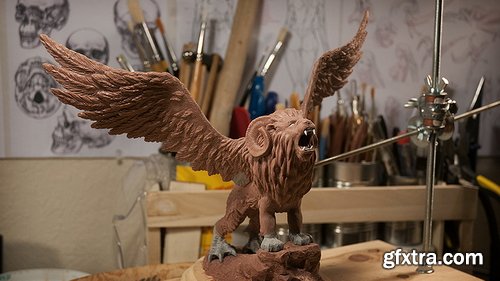
- You’ve probably been taught that sculpting the head starts with a sphere and ends with a head. That’s like reading a book without chapters! This unorganised approach makes the information more difficult to understand and retain.
- This course takes a different approach by breaking the process up into 8 manageable levels. You can think of these levels like checkpoints, and each builds on the one before it. This organises what you need to do and takes away much of the stress that comes with the daunting task of sculpting a head!
- Each level also becomes it’s own exercise, so you can really focus in on those areas you struggle most with!
- We all know the importance of using reference when working but 2D references are limiting, especially when you’re learning. Most of the time you have just a single image to work from. If you’re lucky you might have a character sheet that gives you Front, Side and 3/4 views. This is slightly better, but it’s far from ideal.
- The problem is that when you work in 3D you need to know how the model should look from any percievable angle, otherwise it falls apart. Unfortunately, character sheets don’t include references showing the model 37° to the left and 23° tiilted downwards.
- Having a 3D reference right there in the viewport removes any doubt by allowing you to rotate around the model however you like, whenever you like. I sincerely wish I had this when I was starting out.

- Ever seen a cool isometric diorama and thought, "I wish I could make that"? Well, now you can! Our Blender Isometric Scene Creation course is designed so you to learn how to build those stunning scenes.
- In this course, you'll dive into Blender and master various modelling techniques, lighting, and rendering. You'll stack modifiers like a pro and use speed hacks to create awesome scenes faster than ever.
- We’ll guide you step-by-step through crafting isometric scenes, perfect for adding to your game dev portfolio. Imagine creating a magical wizard’s workshop or a cosy fantasy tavern, all in 3D!
- This course is perfect for beginners with a basic understanding of Blender. If you’ve made a few simple objects or taken a starter course, you’re ready to level up your skills and creativity!
- Not sure about complex tools? No worries! We focus on making things easier with tips and tricks for quick object creation and modifier use. Speed up your workflow and create stunning scenes in no time.
- You’ll learn to make objects that are easily adaptable, using techniques that save you time. Your scenes will look fantastic with advanced lighting, all without the hassle of a steep learning curve.
- Are you a game artist, designer, or just someone who loves 3D? This course is for you! It’s designed to help you create dynamic 3D environments for games or any other creative project.
- Join us and turn your ideas into reality. With our easy-to-follow lessons, you’ll quickly go from Blender beginner to isometric scene expert.
- Ready to start crafting your own magical worlds? Let’s go!

- Learn how to do retopology in Blender using simple and effective techniques. We cover all the tools you'll need as well as a lot of fundamental theory. With over 4 hours of training, this covers everything you need to know about retopology. By the end, you'll know how to retopo your all own characters!
- Industry Techniques: Your instructor, Henning Sanden, has been doing retopology for characters for over a decade - most notably he retopologized the Xenomorph from Alien Covenant. The techniques shown in this series are exactly the same as the ones used on the Xenomorph.
- Fundamentals: We focus heavily on strong fundamentals in Retopology in Blender. Instead of just showing you the different steps, we cover why you retopo like you do. The concepts shown are applicable in all 3D software and are universal.
- Blender Retopology Tools: Throughout Retopology in Blender, we'll use the default modeling tools. No plugins needed! Blender has a great set of tools which are excellent for retopology. We cover all the modeling tools needed, like extrude, polybuild, merge, f2 - and many more!

- Learn everything you need to know in order to get started with modeling in Maya! Learn the basic modeling tools, how to model for SubD, master topology, using sweep mesh, vert re-ordering, using deformers, and we're simply scratching the surface!
- PROJECT-BASED: We believe it’s important to learn both how the tools work and also how to actually practically use them. The antique camera project is a 3-hour long real-time series where you can easily follow along. You'll learn industry-standard techniques for building a high-quality antique camera, combining everything you've learnt in the course.
- SKILL LEVEL: Introduction to Modeling in Maya is the perfect series for beginners! If you’re interested in learning modeling in Maya, this is the series for you. No modeling knowledge in Maya is required though we recommend that you know the complete basics, such as how to navigate.


MixingLight - Tips for matching an imported timeline in DaVinci Resolve
https://mixinglight.com/color-grading-tutorials/tips-for-conforming-imported-timelines-davinci-resolve/
It’s a common workflow to be provided with a rendered ‘guide clip’ (offline reference movie) approved by the editor. Usually, the editor exports a .xml or .aaf to be imported into DaVinci Resolve that reconstructs the timeline. But things almost always go wrong when the editor’s software platform differs from your software.


- In this class, you will learn the secrets to efficiently create impressive character designs by following Hidari’s unique methods.
- Hidari will guide you through the basic approaches to character design, such as character concepts and qualities, how to start from a broad description to add details and hone your focus, and approaches to coloring. Through his understanding of anatomy, Hidari will teach you the key points in drawing the human body by building from cross-sections and his unique way of drawing hands and feet.
- Lighting is essential for a wide range of expression. Using examples, Hidari will explain how to handle areas that are exposed to light and areas not exposed to light, and how to place shadows.
- You will also develop an understanding of how to utilize the characteristics of materials, such as metal, skin, cloth, and enamel, so that you can incorporate them into your own drawings. You will pick up on the process of producing illustrations through a character illustration demo, including a rough draft, line drawing, and coloring. Learn Illustrator Hidari’s unique skills to effectively create striking character designs. Only at Coloso!

- Top-of-the-industry illustrator Sungmoo Heo is back at Coloso to help you boost your skills!
- Sungmoo Heo is the instructor who produced the Coloso course , watched by more than 5,000 students.
- His second course <Mastering Skills: A Self-Study Illustration Guide for Long-Term Growth > covers from types and methods of drawing studies to understanding the sense of volume based on the comprehension of light, expressing color and brightness, and composition and design for creating eye-catching illustrations. This course has it all!
- A comprehensive self-study drawing guide to help you build skills that will last! Available now at Coloso.


- Required Prerequisites: Knowledge of Houdini (UI/UX), Knowledge of SOPs, Beneficial though not necessary: Basic Python knowledge
- It happened – we finally found a brave guy who agreed to take us through the ins & outs of using PDG in a small studio/freelance environment. Meet Chris Kopic! You might know him from his guest tutorial – turns out he’s not only into simulations and rendering but also into automatization and parallelization. Exactly what you’d need to work effectively with PDG.

- In this course, Matthias Winckelmann takes you through the basics to set up your very first project using blueprints, Unreal Engine’s node based scripting environment. Mix in a bit of physics and you’ve got yourself a neat abstract flock of geometry bouncing around on your basketball(ish) court.
- Recommended Prerequisites: Basic knowledge of a 3D DCC (not strictly necessary, but makes your life easier), Basic understanding of working with node based tools
Top Rated News
- CreativeLive Tutorial Collections
- Fasttracktutorials Course
- Chaos Cosmos Library
- MRMockup - Mockup Bundle
- Finding North Photography
- Sean Archer
- John Gress Photography
- Motion Science
- AwTeaches
- Learn Squared
- PhotoWhoa
- Houdini-Course
- Photigy
- August Dering Photography
- StudioGuti
- Creatoom
- Creature Art Teacher
- Creator Foundry
- Patreon Collections
- Udemy - Turkce
- BigFilms
- Jerry Ghionis
- ACIDBITE
- BigMediumSmall
- Globe Plants
- Unleashed Education
- The School of Photography
- Visual Education
- LeartesStudios - Cosmos
- Fxphd
- All Veer Fancy Collection!
- All OJO Images
- All ZZVe Vectors
- CGTrader 1 CGTrader 2