


- Dynamic Simulation is one of the most "magical" things we can do with Blender. In short, it's a way to create complex procedural animations that mimic physics. If you've taken a high school math class, you'll understand that physics calculations require a lot of math. Fortunately, we don't have to do any math in order to make our models bounce, shatter, splash, and squish - Blender does that math for us! We just give it input materials and Blender does the rest. In this course we will be taking an introductory look at the nine types of dynamic effects that are available in Blender:
- Particles: Dust floating in the air, snow falling from the sky, sparks from a welder, and so much more. This type of effect involves the simulation of large quantities of small bits; i.e. particles.
- Hair: Exactly what it sounds like.
- Force Fields: Blender objects that mimic real-world forces like gravity, magnetism, vortex, etc.
- Rigid Bodies: You know when a Jenga tower falls? It's like that: The simulation of rigid, non-deforming objects.
- Cloth: Also, what it sounds like - The simulation of fabric.
- Soft Bodies: In contrast to rigid bodies, this kind of simulation accounts for deformation of objects.
- Smoke: The simulation of smoke and fire! Muahaha
- Fluid: Liquid simulation like a pipe gushing water for example.
- Dynamic Paint: Think of this like writing with your finger on a foggy mirror. This is an interesting simulation genre that interprets object-to-object interaction into surface information like vertex weights.


AFTER THIS CLASS YOU’LL BE ABLE TO:
- Create sophisticated and desirable presets
- Produce presets that go beyond what is possible using Lightroom’s built-in adjustment controls
- Package your presets for easy download and installation
- Setup a sales page where people can order and download your presets
- Learn to market your presets to generate income
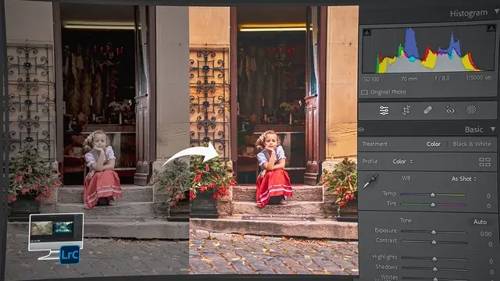
AFTER THIS CLASS YOU’LL BE ABLE TO:
-
Understand how to use every tool and panel in Lightroom Classic
-
Organize your images so that you can find every image instantly in Lightroom Classic.
-
Improve every image with powerful new tools in Lightroom Classic.
-
Create powerful masks in seconds to enhance your photos.
-
Create AI driven presets that will smooth skin, darken skies, and much more with the touch of a button.
-
Share your images with your audience with ease.





AFTER THIS CLASS YOU’LL BE ABLE TO:
- Import, backup and organize your photos with ease.
- Create stunning images with powerful editing tools.
- Create brilliant HDR and PANORAMIC images.
- Find, enjoy and share your images instantly.
- Do all of these things anywhere, anytime, on any device

AFTER THIS CLASS YOU’LL BE ABLE TO:
- Set up your camera with confidence
- Better understand shutter speed, aperture, and ISO
- Capture perfect exposures in camera
- Get sharp, focused images quickly
- Understand white balance and the difference between RAW and JPEG
- Quickly and confidently capture images “in the moment”
- Become a better photographer by building an understanding of basic photography techniques




AFTER THIS CLASS YOU’LL BE ABLE TO:
- Confidently create environmental portraits
- Light any portrait, indoors or outdoors
- Compose strong environmental portraits
- Cull and polish high-end images in post
- Develop a portfolio and marketing tactics

In this class you’ll learn:
- How to use adjustment layers to check the luminance, saturation, and hue of a composite.
- How to make composites come to life by adding ambient color.
- How to use familiar tools in unconventional ways to help you create realistic composites
Software Used: Adobe Photoshop CC 2015


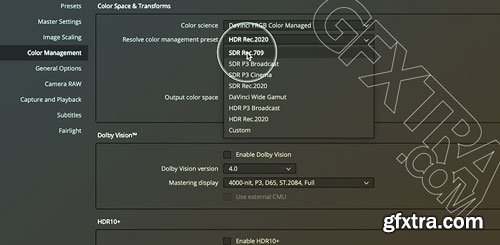

- Dan briefs you on a Black & White Tri-X look. If you grade to his brief and post in the comments, he'll play 'client' and offer feedback.
- I had a request from a couple of Mixing Light members to bring back the Grading Challenges so here we are and we are looking at building a dirty Kodak Tri-X Film Stock inspired look.
- I love dishing out a brief and seeing how every single one of us will come up with something totally different.
- If you’ve never taken part in one before please do this time!
- It’s essentially me role-playing as the client and setting a brief for the grade and also giving feedback on your attempts in the comments section
- I also wrap up things by doing a video Insight with the same footage and comparing my looks to yours.
- In a slight change from the usual format, I’ve actually included my attempt at the look in Part 1. I’d still urge you to try your own version for fun before watching my grade but if you don’t have the time you can freely enjoy my look building.


AFTER THIS CLASS YOU’LL BE ABLE TO:
- Master multiple off-camera flash setups for dramatic portraits.
- Control light with flash modifiers such as softboxes, grids, and gels.
- Master creative techniques like creating silhouettes anywhere, pin lighting. your subjects, backlighting rain, creating starbursts with diffraction, and much more.
- Use various tools in Adobe Lightroom Classic to enhance the images created using the lighting techniques taught in this course.

Documenting the first days and weeks of a newborn baby is often as stressful for the photographer as it is for the parent. Knowing how to handle the baby, capture all that is in your shot list, and keep tired parents calm and happy is often overwhelming. Join Emily Lucarz, as she walks you through how to get started in newborn photography by taking the photo session into your client’s home. Emily’s passion for newborn photography will teach how to incorporate not only items in the home into your photography but also how to capture natural moments that document real memories in the baby's first few weeks.
She’ll cover:
- How to photograph in natural light no matter how dark or bright the room is
- Prepping the parents before you get there so your photoshoot is relaxed
- Poses and safety tips that work great for the newborn baby and for the family
- Incorporating young siblings into your session
- Marketing yourself as you grow your clientele and your portfolio
- Pricing and Sales that don’t overwhelm new parents
By the end of this course, you’ll have the tools and techniques to capture images that are not only memories but become art in your client’s home.


126,000 Royalty-Free 3D Model

Udemy Türkçe


Top Rated News
- CreativeLive Tutorial Collections
- Fasttracktutorials Course
- Chaos Cosmos Library
- MRMockup - Mockup Bundle
- Finding North Photography
- Sean Archer
- John Gress Photography
- Motion Science
- AwTeaches
- Learn Squared
- PhotoWhoa
- Houdini-Course
- Photigy
- August Dering Photography
- StudioGuti
- Creatoom
- Creature Art Teacher
- Creator Foundry
- Patreon Collections
- Udemy - Turkce
- BigFilms
- Jerry Ghionis
- ACIDBITE
- BigMediumSmall
- Globe Plants
- Unleashed Education
- The School of Photography
- Visual Education
- LeartesStudios - Cosmos
- Fxphd
- All Veer Fancy Collection!
- All OJO Images
- All ZZVe Vectors
- CGTrader 1 CGTrader 2



















