

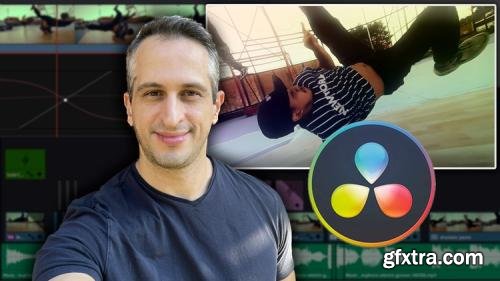
Learn PRO EDITING TECHNIQUES, make unique ANIMATED EFFECTS, apply and customize EYE-CATCHING TRANSITIONS and much more
https://www.udemy.com/course/in-depth-video-editing-in-davinci-resolve/
The most IN-DEPTH and BEGINNER FRIENDLY course about Video Editing in DaVinci Resolve of the Udemy platform. Teacher with more than 6 years of experience in DaVinci Resolve and more 15 years in Video Editing. Learn how to edit GREAT VIDEOS using this PROFESSIONAL and FREE software with very well thought out and produced classes to make you LEARN EASILY. Memorize better the knowledge through GUIDED EXERCISES, an exclusive type of exercise designed specially to help you fix even more the contents of the course. Practice making MANY PROJECTS with me along the course to have real examples of how to use the tools to produce very eye catching editing. Get PRO TIPS from my 6+ years of experience in DaVinci Resolve that will speed up your workflow. Take advantage of the HIGH QUALITY MEDIAS provided by me to practice your own editings, including videos, music, sound effects and overlays, being more 250 royalty free medias. Use the READY TIMELINES provided by me as references for your practice. What you will learn IN DETAILS: - Know how to edit your video professionally and quickly. - Modify and animate clip attributes such as zoom, position, rotation and others. - Insertion of animated texts (technique known as kinetic typography). - Make amazing video transitions, including the very customizable matte transitions. - Add music and sound effects to videos synchronously. - Create professional slow motions using the Optical Flow tool and speed points. - Use composite modes for artistic purposes. - Learn how to use proxy media and render cache to improve editing performance in DaVinci Resolve. - Detect scene cuts automatically to split already edited clips. - Create transition presets to reuse. - Keep all your video project organized using metadata, filters, bins and smart bins. - Edit clips with frame-by-frame precision. - Animate clips with dynamic zoom. - Use overlays and composite modes to enrich the look of your videos or create modern, eye-catching transitions. - Create custom transparencies in videos with Alpha and Luma compositions. - Create Motion Paths to define the trajectory of images that move across the screen. - Synchronize animated effects with music beats and sound effects to create a highly immersive video. - Use adjustment clips to make super-fast copies of animations from one clip to another. - Create, export and import subtitles. And much more!



126,000 Royalty-Free 3D Model

Udemy Türkçe


Top Rated News
- CreativeLive Tutorial Collections
- Fasttracktutorials Course
- Chaos Cosmos Library
- MRMockup - Mockup Bundle
- Finding North Photography
- Sean Archer
- John Gress Photography
- Motion Science
- AwTeaches
- Learn Squared
- PhotoWhoa
- Houdini-Course
- Photigy
- August Dering Photography
- StudioGuti
- Creatoom
- Creature Art Teacher
- Creator Foundry
- Patreon Collections
- Udemy - Turkce
- BigFilms
- Jerry Ghionis
- ACIDBITE
- BigMediumSmall
- Globe Plants
- Unleashed Education
- The School of Photography
- Visual Education
- LeartesStudios - Cosmos
- Fxphd
- All Veer Fancy Collection!
- All OJO Images
- All ZZVe Vectors
- CGTrader 1 CGTrader 2



















