

 MotionCircles – Beginner\'s Guide to Animate Fun Social Media Reels in Adobe After Effects" width="500" height="500" />
MotionCircles – Beginner's Guide to Animate Fun Social Media Reels in Adobe After Effects
Instructor: Hongshu Guo | Level: Beginner
Audio: English | Subtitles: Not specified
Software: Adobe After Effects + Adobe Photoshop | Archive: RAR
About This Course
Follow a social media animation project from the initial client brief to the finished reel. Hongshu Guo demonstrates how to plan a storyboard, prepare artwork, organize an After Effects project and bring a colorful beverage campaign to life. Learn to combine animated type, secondary motion and fluid transitions into an engaging promotional video.
What You Will Learn
- Understand a client brief and prepare a project estimate.
- Develop storyboards and prepare layered Photoshop artwork for animation.
- Set up compositions, organize layers and edit music.
- Use keyframes, animation principles and the graph editor.
- Create stretched typography, liquid transitions and spiral movement.
- Animate fruit elements and a liquid-style logo reveal.
- Polish the animation and render the completed reel.

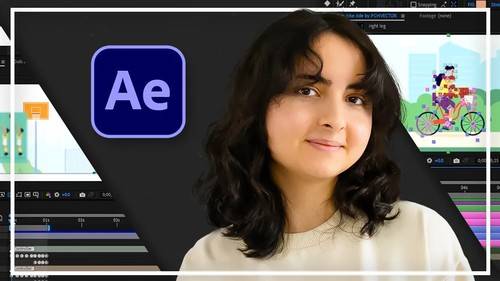
Skillademia - Adobe After Effects Course: Practical Motion Graphics & Animation
https://www.skillademia.com/adobe-after-effects-course/
Instructor: Hosna Kachooee | Lessons: 214 | Duration: 57 Hours | Category: Design & Digital Art | Level: All Levels | Software: Figma | Language: English
Skills You’ll Learn: Master the After Effects interface, timeline, tools, and core animation workflows • Create professional motion graphics, text animations, and video edits • Work with 3D layers, cameras, lights, Cinema 4D, and geometry-based animations • Design looping content, UI animations, logos, and social media motion graphics • Animate characters, facial expressions, and full body movement • Apply VFX techniques including tracking, distortions, glow effects, and compositing • Use Mocha, Firefly, and modern AI-assisted tools inside After Effects • Build cinematic scenes, transitions, and popular visual styles • Export and deliver projects using professional workflows

Kelly Brown Online - Back Pose
https://kellybrownonline.com/programs/back-pose?category_id=113895
The back pose is one of the most comfortable poses for a newborn baby, showing the baby in its purest, natural state.Learn to transition the newborn to the posing bag, and then correctly pose the fully supported baby with the legs curled up in a wrap keeping baby comfortable and safe in the centre of the posing bag.I love this pose because it shows the baby in its purest, natural state. The Back Pose is where the baby is positioned safely in the middle of the posing bag with their legs curled up and supported with a wrap.At the beginning of the session, I like to take the baby from the parents and hold it in my lap and see how they respond to touch.
Instructor: Kelly Brown | Lessons: 7 | Duration: 0m 35s
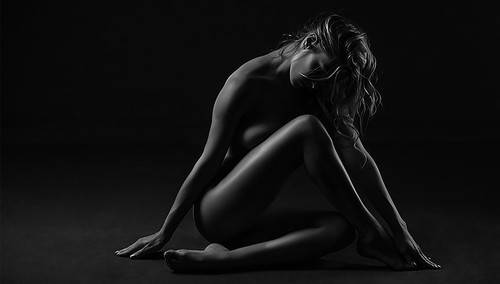
Believe in Boudoir - Female Fine Art Nude
https://tv.believeinboudoir.com/courses/female-fine-art-nude
Master the art of female fine art nude photography and learn to capture elegance in every image. This course teaches lighting, posing, and composition techniques to create timeless, sophisticated portraits of the female form.
Instructor: Yuliya Panchenko | Lessons: 9 | Duration: 0.5+ Hours | Videos: 8
Skills You’ll Learn: Lighting • Posing • Demo Sessions

Nature Photography Collective - Nic Stover - Printing & Selling Your Work
https://www.naturephotocollective.com/offers/LXvzLkpf/
We start this series, turning the camera a different way and back towards the founder of Nature Photography Classes and host of the speaker series, Nic Stover. Nic has presented to over 250+ camera clubs on light, technique, and a host of other topics and has hosted 54 speakers as part of the speaker series. This session on Printing and Selling Your Work builds off his popular preparing your Images for Print Class. Since 2018, Nic has been selling his work at galleries, small shops, and large art fairs. See this video link for a sample layout for a regional art fair. In the past 4 years, he has sold over $200K of prints, cards, and folios, and he wants to help you understand some of the following things. 1. Do I want to sell my work? What are the headaches and potential rewards. 2. How do I price my work? What makes sense for you and the market. 3. What is the right size or type of print? How you can start small and test concepts / images and slowly work your way up bigger pieces. 4. What images should I select? 5. What are Nic’s top selling pieces, and what regional considerations need to be accounted for? 5. What is harder to sell? 6. What mediums sell the most? Metal, canvas, traditional prints. The answers might surprise you. 7. Where should I look to display my work? Coffee shops or at the Met or somewhere in between. 8. What causes the biggest stress points and how can you avoid them? And so MUCH more. Much of the value of this session will come from your questions!
Instructor: Nic Stover | Session: 24.11
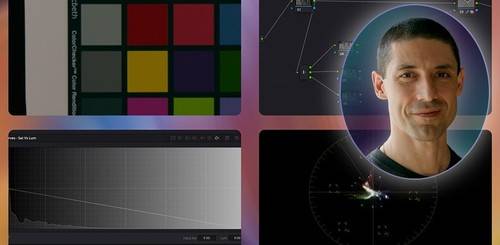
Mixing Light - Upgrade Your Toolkit: Get Better Hue vs Lum Results
https://mixinglight.com/color-grading-tutorials/improved-hue-vs-sat-curve/
This second entry in the Upgrade Your Toolkit series replaces the artifact-prone Hue vs Lum curve with a Sat vs Lum adjustment masked by a single RGB color channel. The walkthrough builds a Splitter-Combiner branch in DaVinci Resolve, routes the red channel into a key input, then shows a Layer Mixer variation on multiply to protect yellows, and ends by saving the setup as a compound node and PowerGrade.
Instructor: Cullen Kelly | Duration: 15m 38s | Level: Intermediate | Software: DaVinci Resolve | Series: Upgrade Your Kit (Part 2 of 3) | Published: November 8, 2023
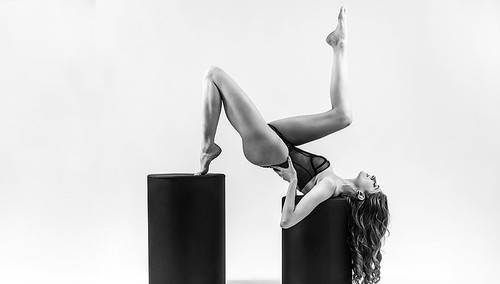
Believe in Boudoir - Fundamentals of Posing
https://tv.believeinboudoir.com/courses/fundamentals-of-posing
Learn everything from the basics of posing to creating a posing flow. Learn how to pose different body types from slim to curvy. This course is the ultimate boudoir posing course.
Instructor: Yuliya Panchenko | Lessons: 15 | Duration: 1.5+ Hours | Videos: 12
Skills You’ll Learn: Basics of Posing • Posing Workflow • Posing Different Body Types

Udemy - AI for Photography: A Photographer's Guide to Using AI Tools
https://www.udemy.com/course/ai-for-photography
Language: English (US)
Authentically Use AI for Photography: Lightroom, Photoshop, Aftershoot, Luminar Neo, Imagen AI, ChatGPT, Topaz + More

Udemy - Scan Film Like a Pro with SilverFast Step-by-Step Workflow
https://www.udemy.com/course/scan-film-like-a-pro-with-silverfast-step-by-step-workflow
Language: English (US)
Scan Dias, Scan 35mm Negatives, SilverFast Software full walkthrough, convert tif to jpg, save time and memory, tips
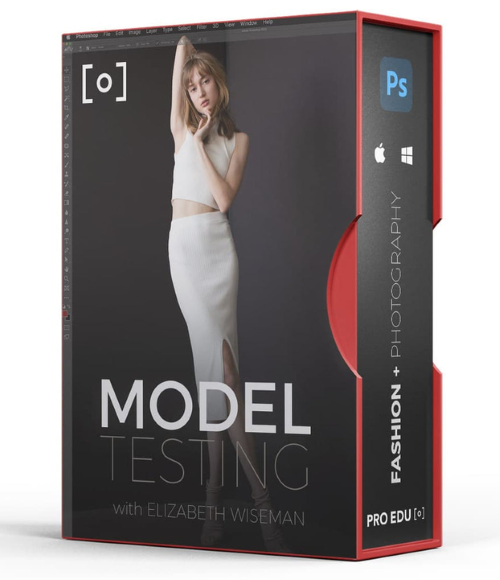
Pro EDU - Fashion Photography: Model Testing with Agencies
https://proedu.com/products/model-testing-how-to-build-a-fashion-photography-portfolio-with-talent-agencies
- Building a strong fashion photography portfolio takes more than simply taking attractive portraits. Photographers need to understand how agencies work, communicate with talent, plan test shoots, direct models, and create images that demonstrate their creative and technical abilities. This course provides a behind-the-scenes look at that process and shows how photographers can approach model testing as an important part of building a career in fashion photography.

Joel Grimes - Start to Finnish - Mad Max
https://www.joelgrimes.com/create-your-style?utm_source=chatgpt.com
- I had an idea to shoot one of my signature rough and grungy portraits on location with my good friend and model, Vincent. I was inspired by the look of the "Mad Max" films, so I took Vincent out into the Arizona desert to dress up as an apocalyptic survivor. I did multiple lighting techniques and tried a couple of lenses to find the perfect image. I had a lot of fun with this shoot! You’ll learn how to adapt quickly to what’s happening in this action-packed shoot.
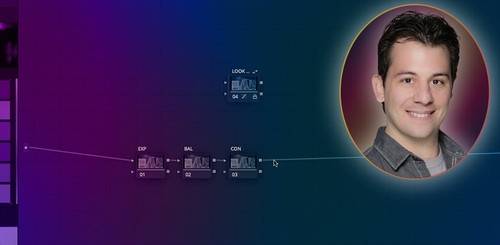
Mixing Light - Alternate Uses For Shared Nodes in DaVinci Resolve
https://mixinglight.com/color-grading-tutorials/exploring-shared-nodes-in-davinci-resolve
This short demonstrates how Shared Nodes keep a look identical across clips in DaVinci Resolve, then shows a less obvious use. A shared copy of a Timeline-level look node is pasted into the clip-level node graph and disconnected from the output, where it acts as a remote strength control and on/off toggle. Colorists working in complex node trees across pre-clip, clip, and timeline levels gain a practical shortcut. Mixing Light Short: Using A Shared Node as a ‘Master Toggle’ Shared nodes are an expedient tool that can offer consistency–and predictability–to your node graph. But did you know Shared nodes do not need to be operated exclusively on the Clip level of the node graph? In this Insight, you learn how to control a ‘look node’ at the Timeline level of the node graph while working at the Clip level.
Instructor: Jason Bowdach | Duration: 6m 3s | Level: Intermediate | Software: DaVinci Resolve | Published: March 1, 2024

Coloso - Creating 2D Animations with VCRWORKS
https://coloso.global/en/products/animationstudio-vcrworks-us
Get exclusive tips and insights from VCRWORKS throughout 25 online classes.
Instructor: Boksim Kim | Lessons: 25 | Duration: 9 Hours 36 Minutes
Skills You’ll Learn: A Practical 2D Animation Pipeline For Individuals and Small Teams • Formulating a Story That Creates Something Out of Nothing • Directing an Animation With TVPaint • How to Create Rough Animations That Bring Characters to Life • Challenges and Obstacles In the Production Stage And How to Navigate Them • Post-correction Techniques To Boost Final Quality
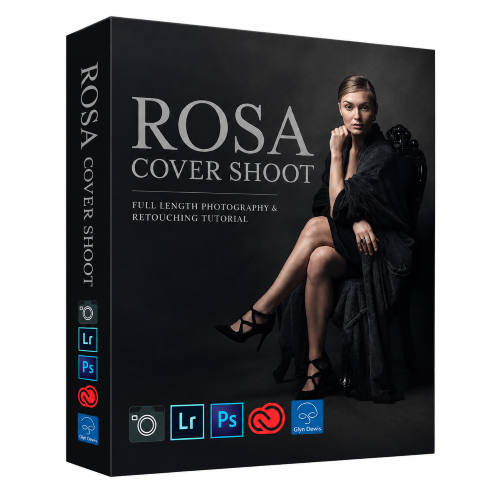
Glyn Dewis - Rosa Cover Shoot
https://vimeo.com/254529995
- ROSA (Cover Shoot) Photography and Retouching Tutorial by Glyn Dewis is a detailed photography and post-production learning experience designed for photographers who want to understand how a professional-looking cover shoot is planned, photographed, edited, and retouched. Created by commercial photographer and retoucher Glyn Dewis, the tutorial takes a practical, real-world approach rather than simply presenting isolated Photoshop techniques. The available source identifies it as a full-length photography and retouching tutorial focused on the ROSA cover shoot.
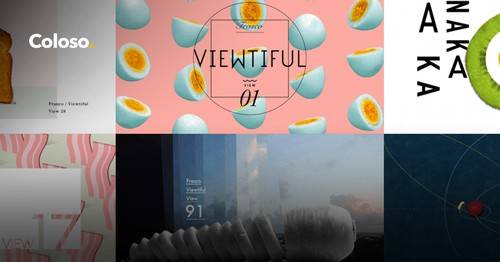
Coloso - Music video production that brings out the appeal of sound through motion and visual effects
https://coloso.jp/products/videodirector-shirota-jp
From the basics of After Effects to intuitive video direction through motion graphics production, we'll teach you video production know-how from a working video director.
Lessons: 23 | Duration: 13 Hours 53 Minutes | Language: Korean | Subtitles: Japanese | Materials: Included
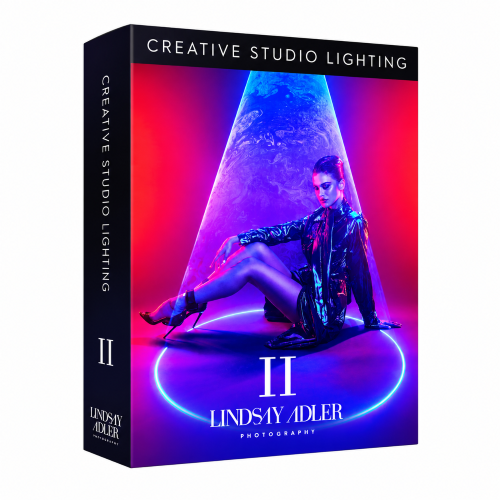
Lindsay Adler - Creative Studio Lighting Guide II
https://learn.lindsayadlerphotography.com/product/creative-studio-lighting-guide-ii/
- The sequel to my best selling Creative Studio Lighting Guide is here! Chock full of 30 new lighting setups to inspire you and push you your work to the limits!

Unraveled Academy - The Artistic Senior With Mari Trancoso
https://www.theunraveledacademy.com/course/the-artistic-senior
Unlock the secrets to photographing seniors authentically and uniquely with The Artistic Senior by Mari Trancoso. This comprehensive course dives into everything you need to create unforgettable senior portraits, including creative posing and prompts, building meaningful connections, and delivering an exceptional senior photoshoot experience. Mari also shares her strategies for setting up a successful senior referral program to grow your business. Plus, an exclusive editing tutorial is included, teaching you how to elevate senior portraits with professional post-processing techniques. Perfect for photographers ready to stand out in the competitive senior photography market, this course will help you master every aspect of senior photography—from connection to final edits.
Instructor: Mari Trancoso | Lessons: 8 | Duration: 30m 13s

Coloso - From Basics to Applications of 2D Lyric Motion in After Effects
https://coloso.co.kr/products/motiongraphic-nuventus
From basic After Effects operations and settings to design brainstorming, effect application, and even Cinema 4D Lite and Expression application skills! We will teach you the secrets to creating high-level 2D lyric motion.
Lessons: 27 | Duration: 24 Hours 14 Minutes | Language: Korean | Materials: Included | Software: After Effects 2025, Illustrator 2025
Skills You’ll Learn: Understanding and tolerance of the counterintuitive • Trial & Error and Verification • Adapting to the interface • Idea generation method utilizing the 'constraints' of letters • Video production considering the viewer's perspective • The Importance of Increasing 'Production Method' Options
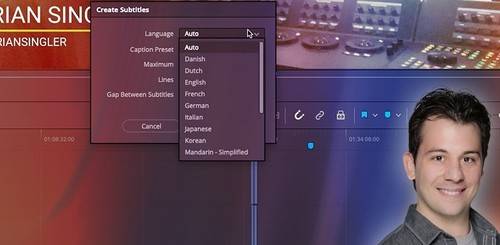
Mixing Light - Using Resolve 18.5 Transcription & Subtitle Tools
https://mixinglight.com/color-grading-tutorials/how-to-use-resolve-transcription-subtitle-tools
This Insight examines the machine learning audio transcription and subtitle tools introduced in DaVinci Resolve 18.5, covering timeline and single-clip transcription, silence and filler-word removal, building a timeline from transcript selections, and generating captions with Create Subtitles from Audio. It also walks through caption presets, track-level styling, spelling fixes, and subtitle delivery options, with notes on where the beta implementation still falls short.
Instructor: Jason Bowdach | Duration: 13m 29s | Level: Intermediate | Software: DaVinci Resolve 18.5 | Series: Transcription, Subtitles, and Captions (Part 1 of 2) | Published: August 16, 2023
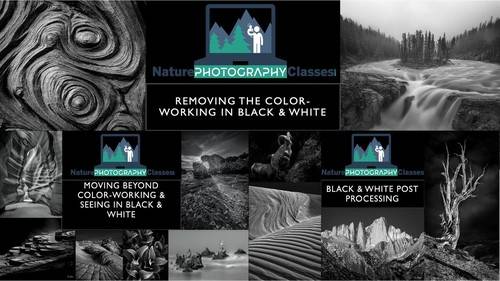
Nature Photography Collective - Moving into a Black & White World
https://www.naturephotocollective.com/offers/u6AUrcJo/
Sign up today. What you'll get: Over 1 hour of expert video tuition 9 lessons in total 30 day money-back guarantee
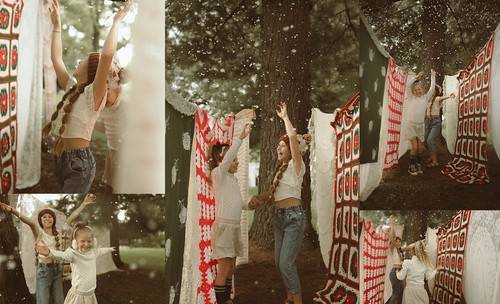
Unraveled Academy - A Very Vintage Christmas by Kara Bonura
https://www.theunraveledacademy.com/course/kara-bonura
A Very Vintage Christmas with Kara Bonura is a mini lesson that teaches photographers how to maximize profit and minimize stress during the holiday season. Kara shares her best tips for holiday mini sessions, from styling with minimal vintage props to creating a seamless client experience. Go behind the scenes of her setup and editing process to learn how to craft magical, nostalgic images in a short amount of time. This course is perfect for photographers looking to elevate their seasonal minis with ease, charm, and profitability.
Instructor: Kara Bonura | Lessons: 2 | Duration: 7m 53s

Unraveled Academy - Intimate Male Portraiture with Kevin Lowery
https://www.theunraveledacademy.com/course/intimate-male-portraiture
In this online course, you will learn how to guide and photograph men in intimate portrait sessions that capture and celebrate male vulnerability.
Instructor: Kevin Lowery | Lessons: 5 | Duration: 1h 1m
Peter Coulson - Recreating Light With Teisha 2
https://inspire.peter-coulson.com.au/workshops/lighting/recreating-light-with-teisha-2
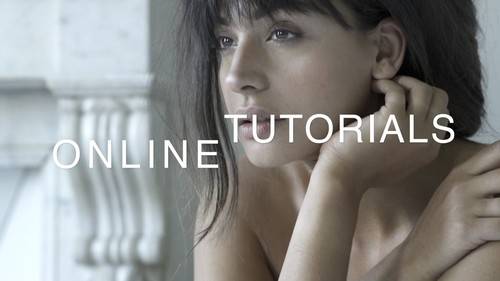
In this tutorial with model Teisha, Peter attempts to recreate the lighting from a photo he found on the internet taken by someone else. He didn’t want to copy the image completely, just take the essence of it – which is exactly how Peter usually works when clients bring inspiration photos saying they want that lighting for their shot. It is one of the best skills you can learn as a photographer!
Instructor: Peter Coulson | Lessons: 1 | Category: Lighting
Nature Photography Collective - $10.00 USD
https://www.naturephotocollective.com/offers/hHr9a2Fq/checkout






















Top Rated News
 thegreatcourses
- Udemy Part 3
- Pose and Reference Pack
- PSDMarket All Flyer
- TheBoudoirDivas All Tutorial
- 126,000 Royalty-Free 3D Models
- CreativeLive Tutorial Collections
- Fasttracktutorials Course
- Chaos Cosmos Library
- MRMockup - Mockup Bundle
- Finding North Photography
- Sean Archer
- John Gress Photography
- Motion Science
- AwTeaches
- Learn Squared
- PhotoWhoa
- Houdini-Course
- Photigy
- August Dering Photography
- StudioGuti
- Creatoom
- Creature Art Teacher
- Creator Foundry
- Patreon Collections
- Udemy - Turkce
- BigFilms
- Jerry Ghionis
- ACIDBITE
- BigMediumSmall
- Globe Plants
- Unleashed Education
- The School of Photography
- Visual Education
- LeartesStudios - Cosmos
- Fxphd
- All Veer Fancy Collection!
- All OJO Images
- All ZZVe Vectors
- CGTrader 1 CGTrader 2






























