

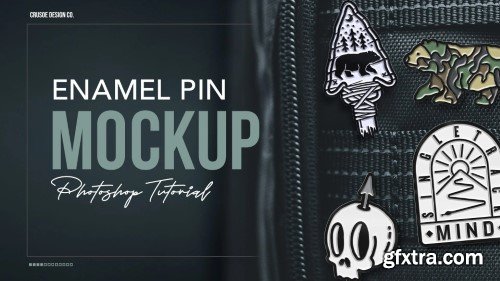
Skillshare - Design Realistic Enamel Pin Mockups with Smart Objects in Photoshop
https://www.skillshare.com/en/classes/design-realistic-enamel-pin-mockups-with-smart-objects-in-photoshop/620454398
Language: English (US)
- Want to create beautiful, professional enamel pin mockups without the hassle of photographing real pins? In this mini-class, I’ll walk you through my easy and effective process for making photo-realistic soft enamel pin mockups using smart objects in Adobe Photoshop. This is the same technique I use to showcase my own pins and client designs. You’ll learn how to use layer styles, textures, and smart objects to quickly swap out your design while keeping the 3D effect totally intact. Perfect for designers selling pins, presenting to clients, or just looking to add a touch of realism to their digital portfolio. This class also ties into my full Pen Tool Masterclass, where students create a pin design as part of their class project — making this mockup the perfect final step.
What You’ll Learn: Setting up your mockup file from scratch Creating realistic soft enamel textures and shadows Using smart objects for easy design swapping Tips for making your mockup look as real as possible Class Runtime: Approximately 19 Minutes



Related Posts
Information
Members of Guests cannot leave comments.
126,000 Royalty-Free 3D Model

Udemy Türkçe


Top Rated News
- CreativeLive Tutorial Collections
- Fasttracktutorials Course
- Chaos Cosmos Library
- MRMockup - Mockup Bundle
- Finding North Photography
- Sean Archer
- John Gress Photography
- Motion Science
- AwTeaches
- Learn Squared
- PhotoWhoa
- Houdini-Course
- Photigy
- August Dering Photography
- StudioGuti
- Creatoom
- Creature Art Teacher
- Creator Foundry
- Patreon Collections
- Udemy - Turkce
- BigFilms
- Jerry Ghionis
- ACIDBITE
- BigMediumSmall
- Globe Plants
- Unleashed Education
- The School of Photography
- Visual Education
- LeartesStudios - Cosmos
- Fxphd
- All Veer Fancy Collection!
- All OJO Images
- All ZZVe Vectors
- CGTrader 1 CGTrader 2



















