

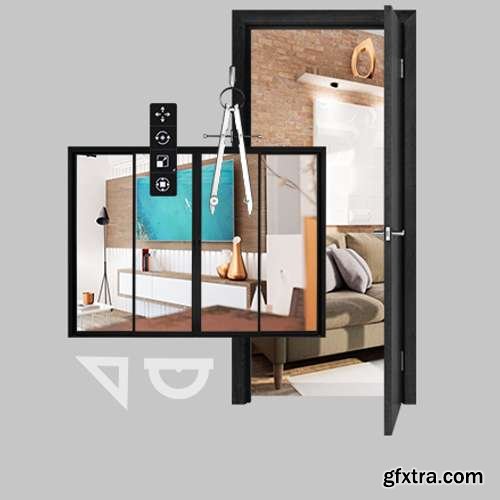

UnhideSchool - Blender and Unreal for 3D Architecture
https://unhideschool.com/cursos/view-all/3853/blender-e-unreal-para-arquitetura-3d
Level: Basic to Intermediate | Duration: 11h 50m | Audio: Portuguese | Subtitles: English by GFXTRA.COM
- Using Blender, a free 3D software, it's possible to stand out from industry standards with interactive visualization environments. Furthermore, using another software, Unreal Engine, it's possible to create real-time rendered walkthroughs, breaking down the barrier between static and interactive. In this way, you can further expand your opportunities.
- Therefore, mastering these two programs is the first step in creating much more realistic images of an architectural project, impressing the client and helping in the process of convincing them to close deals!
- In this course, you will learn how to create projects that stand out from the rest of the market. You will create your own 3D project using Blender, and you will even offer a walkthrough inside your project, as if the client were entering a game.
What you will learn in the course “Blender and Unreal for 3D Architecture” The instructor will provide an introduction to Blender and Unreal, the two programs used during the process, and will also present the real-time architectural workflow. It is recommended that you have a basic understanding of how a 3D program works and how 3D objects are formed (vertices, edges, and polygons). In the course " Blender and Unreal for 3D Architecture ", you will learn how to assemble and configure an environment created in Blender for use in Unreal, where it is possible to render images and videos in a matter of seconds. You will learn the complete workflow for setting up a scene in real time. Starting with Blender, you will learn how to download assets from the internet to compose the scene. Then, you will configure the objects and organize the scene to send the files to Unreal. After that, within Unreal Engine, we'll see the entire process for setting up a scene in real time, covering: lighting, materials, first-person navigation, and an interactive menu for switching materials in real time. This course was created using Unreal Engine 4, but don't worry! The techniques and fundamentals covered remain fully relevant and applicable in Unreal Engine 5 as well. Take advantage of this learning opportunity to master essential concepts that will make all the difference in your journey as a digital artist! Furthermore, you will also see how the program can enable the creation of an interactive environment for the end customer, where they have the possibility to customize the environment according to their needs. Finally, we'll learn how to create static renders, animations, and also generate an executable file of our project so we can send it to our clients. Throughout the course, you will cover the following topics: Importing assets into Blender Solving problems with files imported from the internet UV Opening Correctly exporting objects to the engine. Lightmap configuration Material configuration in UE4 Lighting setup Bake Creating menus with UMG (Unreal Motion Graphic UI Design) Interface animation Real-time exchange of materials Blueprints Project finalization (package) Check the Blender website for the minimum recommended system requirements for installing the software: https://www.blender.org/download/requirements/ Check the Unreal Engine website for the minimum recommended system requirements for installing the software: https://docs.unrealengine.com/4.27/en-US/Basics/InstallingUnrealEngine/RecommendedSpecifications/ All software taught on our platform must be purchased and licensed directly from the developers. See below for the official links to purchase and download the software used in the course: https://www.blender.org/download/ https://www.unrealengine.com/en-US/download
3853-blender-e-unreal-para-arquitetura-3d.part1.rar - 3.0 GB 3853-blender-e-unreal-para-arquitetura-3d.part2.rar - 3.0 GB 3853-blender-e-unreal-para-arquitetura-3d.part3.rar - 2.1 GB


126,000 Royalty-Free 3D Model

Udemy Türkçe


Top Rated News
- CreativeLive Tutorial Collections
- Fasttracktutorials Course
- Chaos Cosmos Library
- MRMockup - Mockup Bundle
- Finding North Photography
- Sean Archer
- John Gress Photography
- Motion Science
- AwTeaches
- Learn Squared
- PhotoWhoa
- Houdini-Course
- Photigy
- August Dering Photography
- StudioGuti
- Creatoom
- Creature Art Teacher
- Creator Foundry
- Patreon Collections
- Udemy - Turkce
- BigFilms
- Jerry Ghionis
- ACIDBITE
- BigMediumSmall
- Globe Plants
- Unleashed Education
- The School of Photography
- Visual Education
- LeartesStudios - Cosmos
- Fxphd
- All Veer Fancy Collection!
- All OJO Images
- All ZZVe Vectors
- CGTrader 1 CGTrader 2



















