

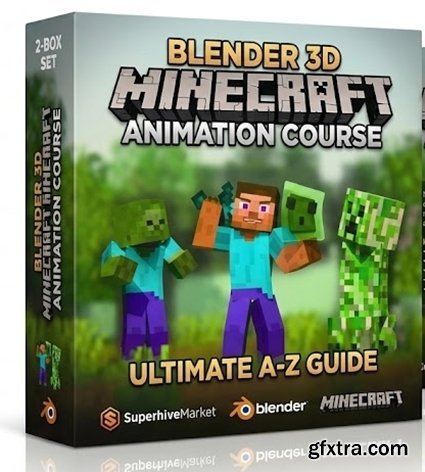
Prerequisite: Beginner. This course can be followed even if you are a complete beginner and have never opened Blender before.
Chapter 1: Introduction Quick Intro and Download Project Files to follow along with the course Chapter 2: Blender Basics Install Blender and learn basics about navigation, 3D modeling, texturing, lighting, animation, and rendering: Basics: Navigation, Selection Tools, Location, Rotation, Scale, Origin Point, Global vs Local Space, Panels and Windows, Creating & Deleting Objects, Duplicating Objects. 3D Modeling: Basics, Extrude, Inset, Bevel. Loop Cut, Proportional Editing, Duplicating vs Instancing, Advanced Object Manipulation, View Modes Texturing: Basics Lighting: Sun Light, Spot Light, Area Light, HDRI Light, Sky Texture Animation: Basics, Timeline, FPS, Keyframe, Auto Keyframing, Keying Set, Keyframe Interpolation. Navigation: Camera Movement, Changing Preferences, Camera Animation Rendering: Image Sequence, Compositing Effects (Glare, Brightness, Contrast, Chromatic Aberration, and more) Download and organize the Essential Tools for Minecraft Animations Chapter 3: Animation Deep Dive Dive deeper into animation and learn more about the timeline and graph editor while making a cute bouncing slime and a quick character animation: What is Animation? Animation Styles The 12 Principles of Animation Basic Animation (Repeat Exercise) Changing the speed of Animation Keyframe types Timeline & Playback Markers Armature Make a Bouncing Slime Animation - Start to Finish Looping Animations Character Animation Introduction BPS Rig V4 Introduction Breathing Loop Animation Animation Workflows Jumping Animation Chapter 4: Advanced Animation Learn how to make Walk Cycles, how to repeat them (loop them), and how to smooth them easily. Then learn how to animate faster with the animation library and NLA editor (layered animation workflows): Walk Cycles - Animating from start to finish Smoothing Animations (Quick Way) Looping Walk Cycle and other animations Making more variations of the walk cycles Animation Library - Introduction and Installation Animation Library - How to use it NLA Editor - Introduction NLA Editor - Combining Animations NLA Editor - Master Strip & Root Bone NLA Editor - Replace vs Combine Blender_3D_Minecraft_Animation_Course_-_Ultimate_A-Z_Guide.part1.rar - 2.9 GB Blender_3D_Minecraft_Animation_Course_-_Ultimate_A-Z_Guide.part2.rar - 2.9 GB Blender_3D_Minecraft_Animation_Course_-_Ultimate_A-Z_Guide.part3.rar - 2.9 GB Blender_3D_Minecraft_Animation_Course_-_Ultimate_A-Z_Guide.part4.rar - 2.9 GB Blender_3D_Minecraft_Animation_Course_-_Ultimate_A-Z_Guide.part5.rar - 2.9 GB Blender_3D_Minecraft_Animation_Course_-_Ultimate_A-Z_Guide.part6.rar - 1.7 GB


NeoSkola Bütün Kursları

Udemy Türkçe


Top Rated News
- TheBoudoirDivas All Tutorial
- 126,000 Royalty-Free 3D Models
- CreativeLive Tutorial Collections
- Fasttracktutorials Course
- Chaos Cosmos Library
- MRMockup - Mockup Bundle
- Finding North Photography
- Sean Archer
- John Gress Photography
- Motion Science
- AwTeaches
- Learn Squared
- PhotoWhoa
- Houdini-Course
- Photigy
- August Dering Photography
- StudioGuti
- Creatoom
- Creature Art Teacher
- Creator Foundry
- Patreon Collections
- Udemy - Turkce
- BigFilms
- Jerry Ghionis
- ACIDBITE
- BigMediumSmall
- Globe Plants
- Unleashed Education
- The School of Photography
- Visual Education
- LeartesStudios - Cosmos
- Fxphd
- All Veer Fancy Collection!
- All OJO Images
- All ZZVe Vectors
- CGTrader 1 CGTrader 2



















