

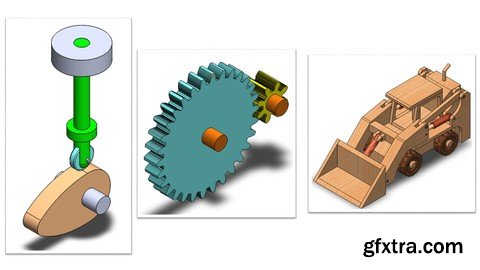
https://www.udemy.com/course/mastering-solidworks-motion-study-fundamentals/
Simulate Real-World Mechanics with Motors, Springs, Dampers & 3D Contact in SOLIDWORKS
What you'll learn Understand the fundamental concepts of Motion Studies in SOLIDWORKS. Navigate and effectively use the Motion Manager Interface. Apply and configure various types of motors, including rotary, linear, and path mate motors, in SOLIDWORKS Motion Studies. Implement gravity into your SOLIDWORKS Motion Studies. Configure and utilize linear and torsional springs in your SOLIDWORKS Motion Studies. Master the application of linear and torsional dampers in SOLIDWORKS Motion Study. Implement and configure linear and torsional force elements within SOLIDWORKS Motion Studies. Configure solid body contact and curve-to-curve contact in 3D Motion Studies. Requirements Basic understanding of SolidWorks CAD software. Access to SolidWorks software (any recent version that includes Motion Study functionality). Description Are you ready to bring your mechanical designs to life and accurately predict their real-world behavior? 'Mastering SolidWorks Motion Study Fundamentals' is your comprehensive guide to unlocking the powerful simulation capabilities within SOLIDWORKS. This course is meticulously designed for aspiring mechanical engineers, design professionals, and anyone seeking to add dynamic motion analysis to their SOLIDWORKS skillset.You'll start by gaining a solid understanding of the Motion Manager Interface and the different types of motion studies available, including Animation, Basic Motion, and Motion Analysis. We'll then dive deep into configuring Motors, teaching you how to apply rotary, linear (actuators), and even advanced path mate motors to drive your assemblies with precision.Next, you'll learn to integrate fundamental physical phenomena. Understand how to implement Gravity and observe its effects on your designs, using practical examples like a swinging pendulum. Explore the crucial roles of Springs, mastering the configuration of both linear and torsional springs to simulate elastic behavior in your systems. Complementing this, you'll master Dampers, applying both linear and torsional types to control and stabilize motion, minimizing oscillations for smoother operation.Beyond these core elements, this course will equip you with the skills to implement various Force Elements, including configuring linear and torsional forces to precisely control movement and interaction within your assemblies. Crucially, you'll also learn about 3D Contact, mastering how to define solid body contact for gears and other interacting parts, as well as complex curve-to-curve contact in mechanisms like a cam-follower, ensuring your simulations mimic real-world scenarios without penetration.By the end of this course, you will not only understand the theory behind motion studies but also possess the practical skills to simulate, analyze, and optimize the motion of your SOLIDWORKS designs effectively. Elevate your engineering capabilities and ensure your designs perform as intended in the real world. Enroll today and start your journey to becoming a SOLIDWORKS Motion Study expert! Who this course is for This course is designed for mechanical engineering students, design engineers, or product developers who want to gain a practical understanding of SOLIDWORKS Motion Studies. It's perfect for those looking to simulate and analyze the motion of their SolidWorks assemblies 


126,000 Royalty-Free 3D Model

Udemy Türkçe


Top Rated News
- CreativeLive Tutorial Collections
- Fasttracktutorials Course
- Chaos Cosmos Library
- MRMockup - Mockup Bundle
- Finding North Photography
- Sean Archer
- John Gress Photography
- Motion Science
- AwTeaches
- Learn Squared
- PhotoWhoa
- Houdini-Course
- Photigy
- August Dering Photography
- StudioGuti
- Creatoom
- Creature Art Teacher
- Creator Foundry
- Patreon Collections
- Udemy - Turkce
- BigFilms
- Jerry Ghionis
- ACIDBITE
- BigMediumSmall
- Globe Plants
- Unleashed Education
- The School of Photography
- Visual Education
- LeartesStudios - Cosmos
- Fxphd
- All Veer Fancy Collection!
- All OJO Images
- All ZZVe Vectors
- CGTrader 1 CGTrader 2



















