

Language: English | Duration: 51 Lectures ( 6h 13m ) | Size: 2.27 GB
https://www.udemy.com/course/friction-the-complete-course-to-create-2d-animations/
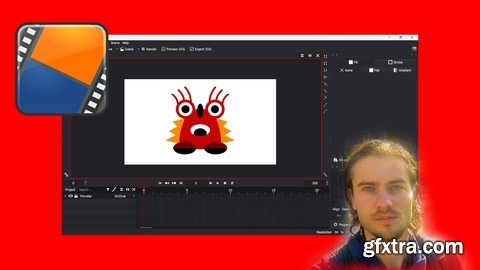
Create 2D animations master features with Friction software
What you'll learn Master dashboard Master layers Master navigation Create shapes Draw with pen Draw with pencil Edit points Master boolean operations Create groups Duplicate shapes Add colors Create gradients Edit strokes add text Add images Start with animations Add keyframes Create interpolations Edit properties Create animation with ball Create animation with move ball Create animation with caterpillar Create animation with puppet Requirements You need to download Friction Description Friction softwareFriction is a 2D animation software. It is free and open source. Friction has many features to create 2D animations. It is an ergonomic software that offers many features to create 2D animations. The entire software is optimized to create quality 2D animations, in vector or raster format. It is possible to draw characters and create shapes with the design tools. It is possible to add colors as well as gradients and strokes. You will find transformation tools to improve the designs. Layers allow you to generate animations by adding keyframes. In the layers you can create quality animations with many features.Advantages of the software- Free open source software- Ergonomic software- Many design tools- Work with vector or raster format- Create animations with keyframes- Work with interpolations- Add gradient colors and strokes- Ergonomic timeline to work with images- Add effects- Create simple or complex animationsThe training courseIn this training course you will learn Friction software to create 2D animations. With a step by step course structure, you will be able to create 2D animations. The different design tools will be presented to create drawings. You will also learn how to add colors, gradients or even strokes. Then you will learn how to create animations using the timeline. You will be able to see how to work with keyframes to create animations. Interpolations are explained to create quality animations. At the end of the training course, several training sessions will allow you to apply the features seen in the training course. Who this course is for People who want to create 2D animations People who want free software to create 2D animations 


126,000 Royalty-Free 3D Model

Udemy Türkçe


Top Rated News
- CreativeLive Tutorial Collections
- Fasttracktutorials Course
- Chaos Cosmos Library
- MRMockup - Mockup Bundle
- Finding North Photography
- Sean Archer
- John Gress Photography
- Motion Science
- AwTeaches
- Learn Squared
- PhotoWhoa
- Houdini-Course
- Photigy
- August Dering Photography
- StudioGuti
- Creatoom
- Creature Art Teacher
- Creator Foundry
- Patreon Collections
- Udemy - Turkce
- BigFilms
- Jerry Ghionis
- ACIDBITE
- BigMediumSmall
- Globe Plants
- Unleashed Education
- The School of Photography
- Visual Education
- LeartesStudios - Cosmos
- Fxphd
- All Veer Fancy Collection!
- All OJO Images
- All ZZVe Vectors
- CGTrader 1 CGTrader 2



















