

https://www.artstation.com/marketplace/p/pBwmV/sci-fi-interior-concept-art-tutorial
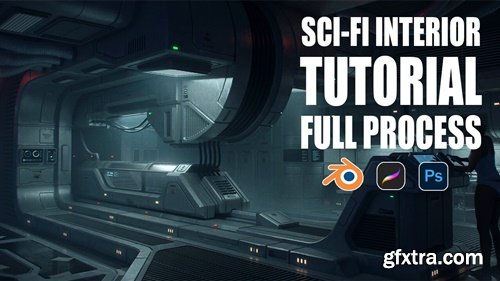
I'm excited to share my full concept art process in creating a Sci-Fi interior. I have been developing and refining this process over the past 3 years whilst working on several feature films and television shows. My intent for this tutorial is to show you how I create an interior from start to finish using Blender, Procreate/Photoshop, and how I structure each step to ensure the process runs smoothly.
Includes over 4 hours of narrated video tutorials. This tutorial is for Intermediate or Advanced artsists/designers who wish to pick up some extra tips for their workflow and have prior knowledge of 3D software and image creation. Chapters 1. Introduction 2. Blender tools 3. Let’s talk about good design 4. Sketching, references & forming a brief 5. 3D modelling 6. Rendering & Paintover Render passes Paintover Final touches (*Please note: Refer to Image 03, 04 & 05 for tips that did not show in the recording) Changing the mood of your scene Programs used: Blender 3.4, Procreate, Photoshop Basic skills of Blender and Photoshop or Procreate are recommended for this tutorial. Course can be followed with most other 3D polygonal modelling software such as Maya, Rhino etc. 3D and Photoshop files are not included



126,000 Royalty-Free 3D Model

Udemy Türkçe


Top Rated News
- CreativeLive Tutorial Collections
- Fasttracktutorials Course
- Chaos Cosmos Library
- MRMockup - Mockup Bundle
- Finding North Photography
- Sean Archer
- John Gress Photography
- Motion Science
- AwTeaches
- Learn Squared
- PhotoWhoa
- Houdini-Course
- Photigy
- August Dering Photography
- StudioGuti
- Creatoom
- Creature Art Teacher
- Creator Foundry
- Patreon Collections
- Udemy - Turkce
- BigFilms
- Jerry Ghionis
- ACIDBITE
- BigMediumSmall
- Globe Plants
- Unleashed Education
- The School of Photography
- Visual Education
- LeartesStudios - Cosmos
- Fxphd
- All Veer Fancy Collection!
- All OJO Images
- All ZZVe Vectors
- CGTrader 1 CGTrader 2



















