

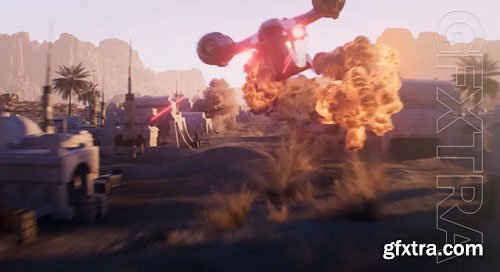
WEEK 1 In week 1 we introduce houdini and cover the concepts of proceduralism. Then we start exploring the interface and how to navigate scenes. We will briefly cover contexts and their uses. Further we will cover nodes and how to interact with them. WEEK 2 Geometry context, Here we start our journey into learning geometry, by modeling a basic building We look at the key differences between procedural workflow and manual editing of geometry. We cover different nodes and their uses, such as group nodes, delete/blast nodes. How to setup up attributes in various ways, The importance of checking the spreadsheet to make sure the data/attributes is working and flowing through the node correctly. WEEK 3 In the week we introduce copying and the tools to use. Look at instancing and how to deal with packed primitives Variations per copy point. For each Loops Heightfields What are they? We build a terrain, looking at the various nodes to manipulate heightfield, Scatter geometry on the heightfield WEEK 4 Volumes and VDBs Building volumes and SDFs Manipulation VDBs SOP solver WEEK 5 Particles, Learn various ways of emitting particles. Manipulating particles by controlling them using pop forces, eg, attract, axis, curve force. Dynamically create groups and attributes to spawn different events. WEEK 6 Vellum, Cloth workflow, pinning, attaching, fracturing. Grains, emitting, clumping, interacting with cloth Hair, not just for hair, we look at using hair for simulating cables. WEEK 7 RBDs Setting up geometry for simulation Different methods of fracturing Breaking constraints WEEK 8 Pyro Creating emitters, pyro source, pyroburst, Create variation by adjusting attributes. Simulation setup and settings Outputting the relevant data WEEK 9 Oceans and FLIP Setting up oceans and dealing with ocean spectrums to create variation. Working with FLIP, simulation and collider setups Viewing data Meshing particles WEEK 10 LOPs Introduction to USD/LOPs Importing data Using the component builder Material setups Instancing Lights and cameras Rendering with Karma WEEK 11 This week, explore shading and lighting with modules covering shader setups for walls, terrain, and more. You'll also tackle custom attributes, instancing, and complete a turntable scene assembly. WEEK 12 In this week we’ll focus on creating a dynamic turntable scene, covering camera and lighting setups, cables, and render settings.



126,000 Royalty-Free 3D Model

Udemy Türkçe


Top Rated News
- CreativeLive Tutorial Collections
- Fasttracktutorials Course
- Chaos Cosmos Library
- MRMockup - Mockup Bundle
- Finding North Photography
- Sean Archer
- John Gress Photography
- Motion Science
- AwTeaches
- Learn Squared
- PhotoWhoa
- Houdini-Course
- Photigy
- August Dering Photography
- StudioGuti
- Creatoom
- Creature Art Teacher
- Creator Foundry
- Patreon Collections
- Udemy - Turkce
- BigFilms
- Jerry Ghionis
- ACIDBITE
- BigMediumSmall
- Globe Plants
- Unleashed Education
- The School of Photography
- Visual Education
- LeartesStudios - Cosmos
- Fxphd
- All Veer Fancy Collection!
- All OJO Images
- All ZZVe Vectors
- CGTrader 1 CGTrader 2



















