

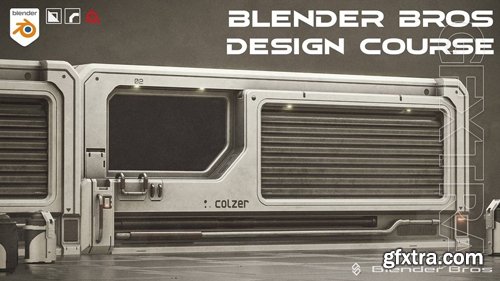
Blender Bros - Design Course
https://www.blenderbros.com/design-course
An easy, step-by-step process for creating visually appealing 3D models.
How to come up with designs and blockouts, How to become inspired and stay inspired, How shapes work together, Echoing & Reverb, Balance of Detail, Importance of Bevels and Chamfers, Elements of good design, Elements of good lighting, How to compose a good image
Coming up with designs and blockouts can be tricky. Most artists struggle at this stage. We'll show you how to overcome - or at the very least - manage this struggle, and how to successfully turn a blockout into a completed model. Making shapes work together is incredibly important for effective visual design. This video will discuss how to use different elements of shapes to achieve a powerful mood and aesthetic in your scene. Lighting is definitely one of the most important elements to effectively portray your design. With weak lighting, you show nothing. With powerful lighting, you show everything. Even the default cube can look amazing with the right lighting. This video will show you how to properly use lighting. What makes up a good design? Turns out, it's a lot of small things combined together. Using lines, angle shifts, negative space, contrasting values and correct rhythm/proportions are all effective tools for creating a good design. Once you can 'see' it, your designs will change forever. Echoing (reverb) is a simple yet effective element of visual design, allowing you to reuse shapes and elements to create a powerful form. Echoing is quite easy to use, since you simply need to reuse shapes and elements that you have already built in your design. Shapes, angles, colors and lights can all be used as echoed detail. Bevels and chamfers are one of the most powerful ways to enhance the visual design and structural definition of your models. If you know how and where to place your bevels/chamfers, this can be one of the easiest ways to enhance the visual design of your model. A complete visual design tutorial, discussing how I start from the default cube and create a completed design. I'll discuss exactly how my brain works when I'm thinking about placing elements & detail, and the best way to go about it on your own models.Topic 1
Blockout Progression
Topic 2
Will all shapes work together?
Topic 3
Lighting
Topic 4
Elements of a Good Design
Topic 5
Echoing & Reverb
Topic 6
Importance of Bevels & Chamfers
BONUS Section
Practical Visual Design Exercise



126,000 Royalty-Free 3D Model

Udemy Türkçe


Top Rated News
- CreativeLive Tutorial Collections
- Fasttracktutorials Course
- Chaos Cosmos Library
- MRMockup - Mockup Bundle
- Finding North Photography
- Sean Archer
- John Gress Photography
- Motion Science
- AwTeaches
- Learn Squared
- PhotoWhoa
- Houdini-Course
- Photigy
- August Dering Photography
- StudioGuti
- Creatoom
- Creature Art Teacher
- Creator Foundry
- Patreon Collections
- Udemy - Turkce
- BigFilms
- Jerry Ghionis
- ACIDBITE
- BigMediumSmall
- Globe Plants
- Unleashed Education
- The School of Photography
- Visual Education
- LeartesStudios - Cosmos
- Fxphd
- All Veer Fancy Collection!
- All OJO Images
- All ZZVe Vectors
- CGTrader 1 CGTrader 2



















