

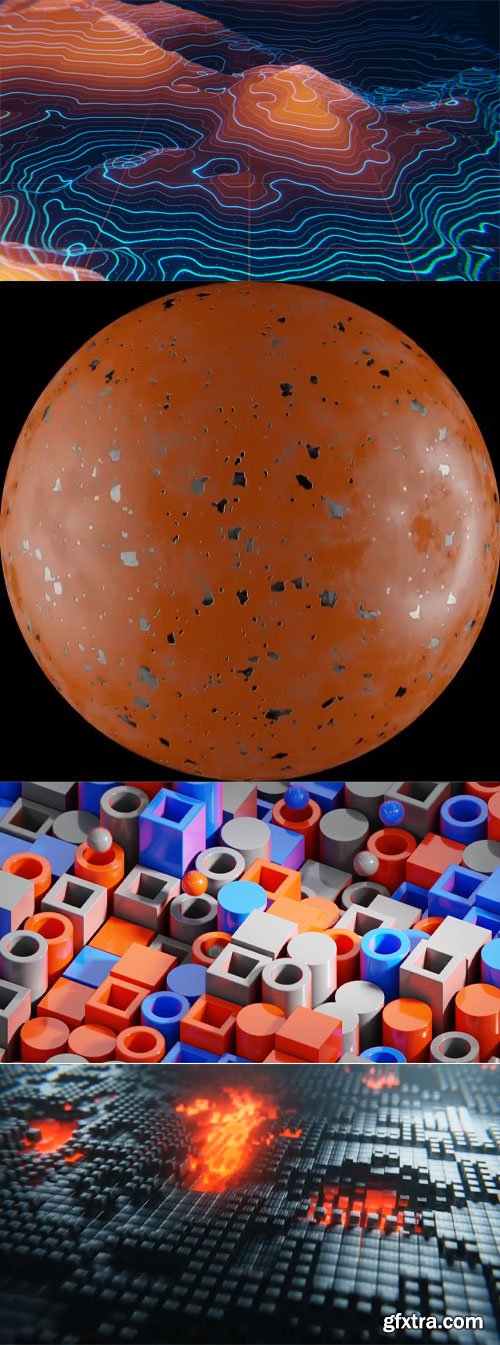
Lesson 01 Creating Seamless Looping in Blender Starting with the innovative "box method," you'll learn to construct scenes that loop, ensuring a continuous flow without visible breaks. Lesson 02 Basics of Shader Workspace This approach emphasizes two primary applications: creating detailed surface effects and leveraging materials as powerful tools for generating visually compelling patterns. Lesson 03 Masking and Pattern Distortion in Blender Learn to create patterns with procedural materials. This lesson introduces advanced concepts such as masking and distorting existing patterns. Lesson 04 Animation with Geometry Nodes This is our first dive into geometry nodes. You will learn a simple setup that gives you a lot of creative flexibility. Lesson 05 Pushing Geometry Nodes to New Heights This lesson builds off of the previous lesson. It takes what we just learned and takes it a lot further to show the potential of geometry nodes. Lesson 07 Crafting a Chipped Paint Material in Blender We will procedurally make a realistic paint material. This lesson will teach you how this process can yield a wide variety of materials, setting you up for the materials we will make in later lessons. Lesson 08 Geometry Nodes and Shading in Blender: A Plexus Style System This lesson is another big geometry nodes lesson. We will learn how to delete geometry procedurally, make a plexus-inspired pattern, and a very detailed and animated scifi material. Lesson 09 Exploring Procedural Animation and Material Techniques in Blender This lesson will show you how to create animatable patterns in the shader editor and align them to form a grid pattern. We will learn a very powerful looping technique for using procedural patterns. Lesson 10 Let's Talk Procedural Animation in Blender The previous lesson set us up for this one. This entire lesson is procedural from the displacement to the pattern that makes the hills. This is a very dense lesson. Lesson 11 Use Text In Blender For Motion Graphics We will learn everything about how to use the text tool. Then we will take that and show how materials can enhance the text geometry. We will also learn how to customize our keyframes for better motion. Lesson 12 Volumetrics and Camera Shake in Blender Rendered entirely in Eevee, we will learn how to manipulate volume to create space clouds, a simple geometry nodes particle system, and how to make looping camera shake. Lesson 13 Crafting a Looping Animation with Dynamic Spheres This is a fun one, we will be making a kinetic animation that allows the spheres to roll around and loop the camera on a new axis we haven't done yet in the course. Lesson 14 Building a Dynamic Environment with Geometry Nodes This is the BIG geometry nodes scene to finalize the course. We will be building an entire environment in geometry nodes and using the kinetic principles to get the ball to roll around. This lesson uses bits of almost every lesson in this course!
CGCookie.Intro.To.Motion.Graphics.Blender.Course.part1.rar - 5.0 GB CGCookie.Intro.To.Motion.Graphics.Blender.Course.part2.rar - 5.0 GB CGCookie.Intro.To.Motion.Graphics.Blender.Course.part3.rar - 118.6 MB


126,000 Royalty-Free 3D Model

Udemy Türkçe


Top Rated News
- CreativeLive Tutorial Collections
- Fasttracktutorials Course
- Chaos Cosmos Library
- MRMockup - Mockup Bundle
- Finding North Photography
- Sean Archer
- John Gress Photography
- Motion Science
- AwTeaches
- Learn Squared
- PhotoWhoa
- Houdini-Course
- Photigy
- August Dering Photography
- StudioGuti
- Creatoom
- Creature Art Teacher
- Creator Foundry
- Patreon Collections
- Udemy - Turkce
- BigFilms
- Jerry Ghionis
- ACIDBITE
- BigMediumSmall
- Globe Plants
- Unleashed Education
- The School of Photography
- Visual Education
- LeartesStudios - Cosmos
- Fxphd
- All Veer Fancy Collection!
- All OJO Images
- All ZZVe Vectors
- CGTrader 1 CGTrader 2



















