


Udemy - Triple Your Editing Speed in Adobe Premiere

Udemy - Apple Motion For Beginners
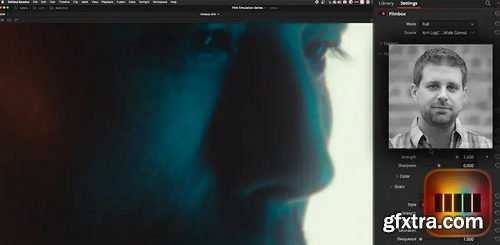
- In this series we started by defining Film Print Emulation (FPE) and using the default FPE LUTs built directly into DaVinci Resolve. In Part 2 we looked at a popular Power Grade product, based entirely on nodes (PixelTools). We shifted gears in Part 3 and used a well-regarded DCTL (by Paul Dore). In this Insight, we are shifting gears again and to take an in-depth look at a very popular, very well regarded OpenFX FPE plugin, Video Village’s Filmbox.
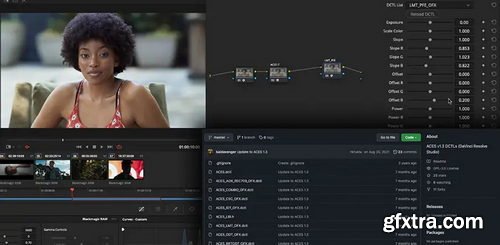
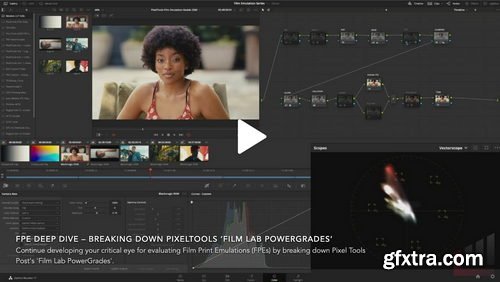
- In the first episode of this series we examined Resolve’s built-in film print emulation (FPE) LUTs. Now we’ll look at the PixelTools’ flexible ‘Film Lab Powergrades’, which builds a more fully-featured FPE pipeline around those stock DaVinci Resolve FPE LUTS. Film Lab PowerGrades includes additional nodes and operations for: Saturation and look enhancements, Adding grain and halation attributes, Enabling blur – mimicking the slightly unsharp look of theatrical film prints
- All of this is delivered in a pre-built node structure that’s logically organized and neatly arranged. It’s an accessible FPE solution that doesn’t require any additional LUTs, DCTLs or OFX plugins. This premium PowerGrade package is designed to work with both the free and paid versions of any standard DaVinci Resolve installation.

Language: English | Duration: 1h 9m | Size: 535 MB
https://www.udemy.com/course/photography-fundamentals-for-absolute-beginners
Learn Photography Fundamentals, how to control lights for camera sensor, shutter speed, ISO, RAW and more

Udemy - Advanced Adobe Premiere Pro Add Hollywood-level Effects
Ready to elevate your videos from ordinary to extraordinary? This advanced course, "Advanced Adobe Premiere Pro: Add Hollywood-level Effects," dives deep into the world of professional video editing, empowering you to create stunning visuals that will captivate your audience.
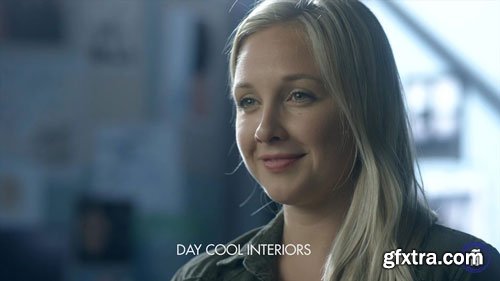
- Ultimate LUT Master Pack deals you with the ideal set of Lookup Tables (LUTs) to get an idea of what the final look of your project will look like. For example, it’ll help you define the mood and tone as well as how it stands out from others of its kind. Our Master bundle of LUTs will take your RAW files and infuse in them a specific look that will certainly immerse your audience.
- The LUTs available are compatible with RED Gemini, RED Weapon, RED Dragon DSMC 1,
Skillshare - Create Realistic Typewriter Effect for YouTube, Instagram, TikTok, Social Media on Premiere Pro
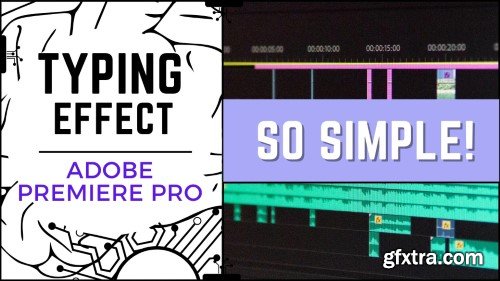
Make Your Videos Stand Out with a Professional Typing Animation
You’ve seen it in YouTube tutorials, Instagram Reels, and cinematic films—text appearing letter by letter, just like a real typewriter. Now, you can create this eye-catching effect effortlessly using a simple workflow with Google Docs and Premiere Pro, without manually animating each letter.

Language: English (US)
https://www.courses.academyofanimatedart.com/p/power-of-light
Dreaming of making the move to become a Lighting Artist but don’t know where to start? We’ve got you covered! The Power of Light teaches you how to create and utilize lights to make the beautiful images that can launch your career!

https://www.udemy.com/course/tiktok-marketing-and-generative-ai-art-video/
Language: English | Duration: 22 Lectures ( 3h 17m ) | Size: 1.9 GB
Master TikTok Marketing and AI-Powered Video Creation – Grow Your Audience, Boost Engagement, and Monetize with Ease!
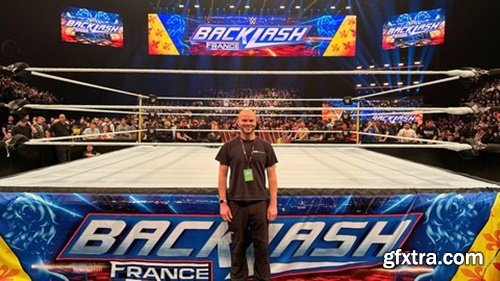
https://www.udemy.com/course/how-to-shoot-professional-wrestling/
From someone who has worked for the biggest wrestling companies in The World.
2025 Update!

Language: English | Size: 1.55 GB | Duration: 0h 53m
https://www.udemy.com/course/unlocking-residual-income-producing-video-courses/
Learn the exciting process of harnessing the power of online video course creation and publication
Udemy - Video Editing AZ Complete Master Course on Premier Pro
https://www.udemy.com/course/video-editing-a-z-complete-master-course-on-premier-pro/

- “The real-time game engine, Unreal, gives you the ability to create more diverse video content.”
- The Unreal Engine tool is used to create cinematics for numerous dramas and animations, thanks to its uncomparable performance and real-time rendering efficiency!
- Now it has established itself as a standard in the industry.
- Are you ready to get started with Unreal Engine so you can learn how to apply it to video production?
- Learn everything about Unreal Engine 5 starting from the production pipeline for lighting, rendering, and level design, to how to use the latest updates like Nanite and Lumens.

Udemy - Workshop Plan Creating the Perfect Wedding Video Yourself
Language: English (US)

Udemy - Short Form Video Editing Powered by AI
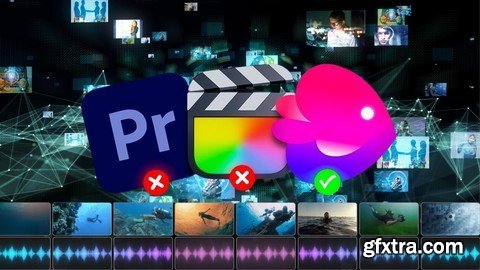
Udemy - How To Make Ai Videos: Mastering Ai Text-To-Video Creation
https://www.udemy.com/course/how-to-make-ai-videos-mastering-ai-text-to-video-creation/
https://www.udemy.com/course/davinci-resolve-101
Getting started with DaVinci Resolve video editing course

126,000 Royalty-Free 3D Model

Udemy Türkçe


Top Rated News
- CreativeLive Tutorial Collections
- Fasttracktutorials Course
- Chaos Cosmos Library
- MRMockup - Mockup Bundle
- Finding North Photography
- Sean Archer
- John Gress Photography
- Motion Science
- AwTeaches
- Learn Squared
- PhotoWhoa
- Houdini-Course
- Photigy
- August Dering Photography
- StudioGuti
- Creatoom
- Creature Art Teacher
- Creator Foundry
- Patreon Collections
- Udemy - Turkce
- BigFilms
- Jerry Ghionis
- ACIDBITE
- BigMediumSmall
- Globe Plants
- Unleashed Education
- The School of Photography
- Visual Education
- LeartesStudios - Cosmos
- Fxphd
- All Veer Fancy Collection!
- All OJO Images
- All ZZVe Vectors
- CGTrader 1 CGTrader 2



















