

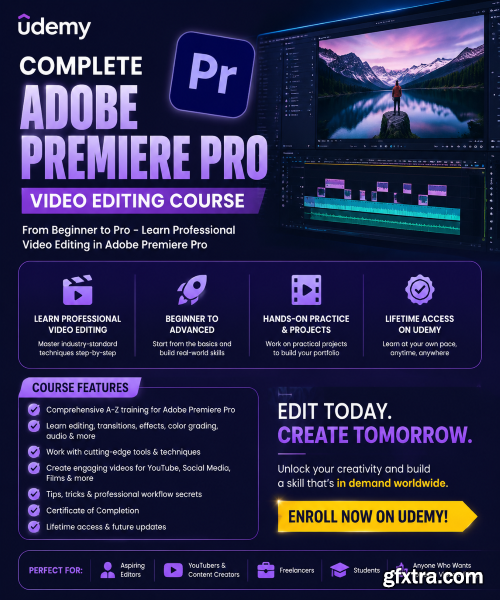
What you'll learn Requirements Description
Students will understand the basics of Adobe Premiere Pro and its workspace.
Students will learn how to import and organize video and audio files.
Students will learn how to cut, trim, and arrange clips in a timeline.
Students will be able to add simple transitions between clips.
Students will learn basic audio editing and sound adjustment.
Students will learn basic color correction to improve video quality.
Students will be able to export videos in the correct format for social media and YouTube.
No prior experience is required. A basic understanding of using a computer is helpful. Students should have Adobe Premiere Pro installed and access to a computer that meets the software requirements for video editing.
This Adobe Premiere Pro course is designed to take you from complete beginner to confident video editor, guiding you step by step through all the essential tools and workflows used in professional video production. Whether you are starting from zero or looking to improve your editing skills, this course will help you build a strong foundation in video editing and understand how real-world projects are created.You will begin by learning how to navigate the Premiere Pro workspace and interface, so you can feel comfortable and efficient inside the software. After that, you will move into project management, importing media, and organizing your files in a clean and professional way. The course then covers essential editing tools such as trimming, cutting, and snapping, helping you build smooth and precise timelines.As you progress, you will learn how to sync audio with video, apply speed remapping for cinematic slow motion and fast motion effects, and enhance your visuals using Lumetri Color for professional color grading. You will also explore masking and adjustment layers to create advanced edits and apply effects across multiple clips.Finally, you will learn how to export your videos with the best settings for social media platforms and clients, ensuring high-quality results every time. By the end of this course, you will be able to edit videos confidently, create professional content, and bring your creative ideas to life using Adobe Premiere Pro.


NeoSkola Bütün Kursları

Udemy Türkçe


Top Rated News
- TheBoudoirDivas All Tutorial
- 126,000 Royalty-Free 3D Models
- CreativeLive Tutorial Collections
- Fasttracktutorials Course
- Chaos Cosmos Library
- MRMockup - Mockup Bundle
- Finding North Photography
- Sean Archer
- John Gress Photography
- Motion Science
- AwTeaches
- Learn Squared
- PhotoWhoa
- Houdini-Course
- Photigy
- August Dering Photography
- StudioGuti
- Creatoom
- Creature Art Teacher
- Creator Foundry
- Patreon Collections
- Udemy - Turkce
- BigFilms
- Jerry Ghionis
- ACIDBITE
- BigMediumSmall
- Globe Plants
- Unleashed Education
- The School of Photography
- Visual Education
- LeartesStudios - Cosmos
- Fxphd
- All Veer Fancy Collection!
- All OJO Images
- All ZZVe Vectors
- CGTrader 1 CGTrader 2



















