

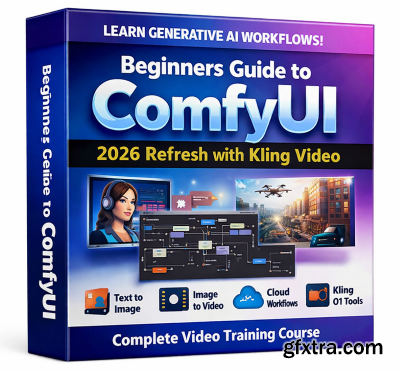
Udemy - Beginners Guide to ComfyUI - 2026 Refresh with Kling Video
https://www.udemy.com/course/beginners-guide-to-comfyui-2026-refresh-with-kling-video
Language: English (US)
- ComfyUI workflows for Gen AI image and AI video: Ideogram, Kling O1 and Comfy Cloud
What you'll learn Requirements
✓ Design end-to-end ComfyUI workflows for text-to-image, image-to-video, and reference-driven generation.
✓ Build repeatable creative pipelines using nodes, templates, workflow saving/export, and canvas navigation.
✓ Create image-to-video results with Kling O1, using reference images to guide motion, identity, and consistency.
✓ Generate high-quality text-to-image outputs with Ideogram v3, using prompt engineering, prompt order, and magic prompt strategically.
✓ Run large text-to-image pipelines in Comfy Cloud using Qwen Image models to improve Performance over local Installation
✓ Modify complex workflows by unpacking subgraphs, bypassing nodes, and tracing KSampler, CLIP, and latent flows.
● A Comfy Cloud subscription (ESSENTIAL)
● An up-to-date AI accelerator with at least 16GB VRAM: NVIDIA RTX is preferred but Apple Silicon or AMD ROCm can be also used.
● (OPTIONAL for local workflows) - A machine with at least 128 GB RAM or 128 GB unified memory


126,000 Royalty-Free 3D Model

Udemy Türkçe


Top Rated News
- CreativeLive Tutorial Collections
- Fasttracktutorials Course
- Chaos Cosmos Library
- MRMockup - Mockup Bundle
- Finding North Photography
- Sean Archer
- John Gress Photography
- Motion Science
- AwTeaches
- Learn Squared
- PhotoWhoa
- Houdini-Course
- Photigy
- August Dering Photography
- StudioGuti
- Creatoom
- Creature Art Teacher
- Creator Foundry
- Patreon Collections
- Udemy - Turkce
- BigFilms
- Jerry Ghionis
- ACIDBITE
- BigMediumSmall
- Globe Plants
- Unleashed Education
- The School of Photography
- Visual Education
- LeartesStudios - Cosmos
- Fxphd
- All Veer Fancy Collection!
- All OJO Images
- All ZZVe Vectors
- CGTrader 1 CGTrader 2



















