

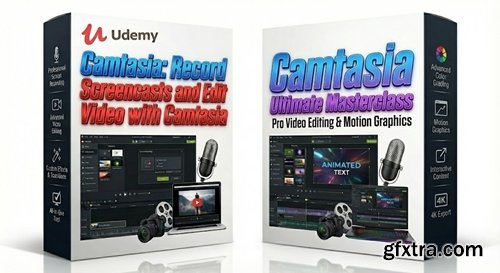
Duration: 2h52m | Video: .MP4, 1920x1080 30 fps | Audio: AAC, 48 kHz, 2ch | Size: 1.54 GB
Genre: eLearning | Language: English
https://www.udemy.com/course/camtasia-2018-for-beginners-screencasts-and-video-editing/
Camtasia: Record screencasts and PowerPoint 2016 presentations with Camtasia: Camtasia video editing and production
What you'll learn How to use the Camtasia 2018 Screen Recorder to record screencasts How to use the Camtasia 2018 Screen Recorder to record PowerPoint presentations How to use the Camtasia 2018 Screen Recorder to record you webcam How to edit together recorded video, external video, music, sound effects and images How to produce professional grade MP4 video Requirements The student must have access to an installed copy of Camtasia 2018 (Windows 10 will be demonstrated) Description "Hey, don't you have other Camtasia courses?", students might ask me. And the answer is "yes, I do". But... My first Camtasia course has become old having addressed Camtasia Studio 8 and my newer course covers Camtasia Studio 8, Camtasia 9 and 2018, PowerPoint 2016, Udemy publication and presentation skills. No matter which way you turn you're stuck with old material or bogged down unwanted information. That's why I produced this fresh brand new look at Camtasia 2018/2019 and those versions only. In this course you'll learn how to use Camtasia Screen Recorder for screencasts and Microsoft PowerPoint presentations (including your webcam) Camtasia Video Editor for editing your screencasts and producing finished MP4 video files (and other forms of output) That's it. I will take you from screencast or PowerPoint presentation to professional finished MP4 publication via an intuitive process that will soon have you adopting my Camtasia workflow. Please note that this workflow is what I've followed for the last 5.5 years as a Udemy and Skillshare instructor and YouTube and Facebook contributor. Make no mistake about it, when it comes to recording Windows/Mac based screencast software demonstrations and PowerPoint presentations, Camtasia 2018/2019 is the software to use just as this course is a must when it comes to learning how to best apply this incredible software to your specific application. And don't forget Udemy's 30-day no questions asked money back guarantee. I'll see you in the classroom, ---Brian Who this course is for People out to make professional grade YouTube and Facebook videos People interested in creating professional grade explainer videos People interested in taking their Camtasia skills to the next level 


NeoSkola Bütün Kursları

Udemy Türkçe


Top Rated News
- TheBoudoirDivas All Tutorial
- 126,000 Royalty-Free 3D Models
- CreativeLive Tutorial Collections
- Fasttracktutorials Course
- Chaos Cosmos Library
- MRMockup - Mockup Bundle
- Finding North Photography
- Sean Archer
- John Gress Photography
- Motion Science
- AwTeaches
- Learn Squared
- PhotoWhoa
- Houdini-Course
- Photigy
- August Dering Photography
- StudioGuti
- Creatoom
- Creature Art Teacher
- Creator Foundry
- Patreon Collections
- Udemy - Turkce
- BigFilms
- Jerry Ghionis
- ACIDBITE
- BigMediumSmall
- Globe Plants
- Unleashed Education
- The School of Photography
- Visual Education
- LeartesStudios - Cosmos
- Fxphd
- All Veer Fancy Collection!
- All OJO Images
- All ZZVe Vectors
- CGTrader 1 CGTrader 2



















