

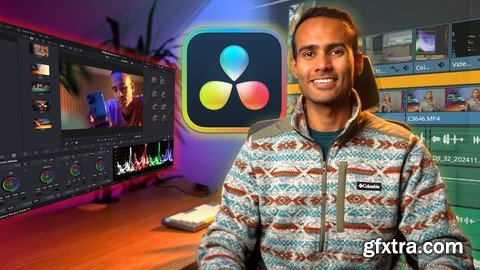
https://www.udemy.com/course/davinci-resolve-19-mastercalss/
The Complete Video Editing & Color Grading Class
What you'll learn Set Up Projects Efficiently: Configure project settings, preferences, and color management for a seamless workflow. Edit Like a Pro: Master editing tools, shortcuts, transitions, and effects to create engaging sequences. Enhance Visuals with Color Grading: Apply advanced color grading techniques using nodes, curves, and tools like power grades Explore Advanced Features: Utilize studio-only tools like Magic Mask, Halation, and Film Grain for professional results. Description DaVinci Resolve 19 Mastercalss: The Complete Video Editing & Color Grading Course Step into the world of professional video editing and color grading with DaVinci Resolve 19, the industry's most powerful tool for filmmakers, editors, and creators. This all-encompassing course is designed to take you from beginner to pro, guiding you through every feature and function of the software. What You’ll Learn: Comprehensive Software Setup: Master Project Settings, Color Management, and Preferences to kickstart your projects the right way. Editing Essentials: Learn the ins and outs of the Edit Page, from Timeline Organization to Video Transitions, Text Animations, and Speed Ramping for dynamic storytelling. Streamline your workflow with Editing Shortcuts, Proxy Media, and advanced tools like Inspector Tab and Adjustment Clips. Cinematic Color Grading: Dive deep into the Color Page, mastering Node Trees, Curves, Color Wheels, and specialized grading for Sony Log, Canon Log, and Apple Log footage. Explore studio-exclusive tools like Halation Effect, Film Look Creator, and Noise Reduction for premium results. Advanced Effects & Techniques: Create stunning visuals with effects like Magic Mask, Greenscreen Keying, Travel Map Animation, and Locked-On Stabilization. Learn creative tools such as Attach Text to Objects, Cut-Out Effects, and the art of making Boring Videos Interesting. Audio & Subtitles: Unlock audio magic with features like Voice Isolation, Music Remixer, and Audio Transcription while adding professional subtitles. Export Like a Pro: Perfect your final output with the Best Export Settings for any platform. Who This Class Is For: Beginners looking to break into video editing. Intermediate creators wanting to elevate their skills with advanced features. Professionals aiming to master DaVinci Resolve’s full capabilities. 


126,000 Royalty-Free 3D Model

Udemy Türkçe


Top Rated News
- CreativeLive Tutorial Collections
- Fasttracktutorials Course
- Chaos Cosmos Library
- MRMockup - Mockup Bundle
- Finding North Photography
- Sean Archer
- John Gress Photography
- Motion Science
- AwTeaches
- Learn Squared
- PhotoWhoa
- Houdini-Course
- Photigy
- August Dering Photography
- StudioGuti
- Creatoom
- Creature Art Teacher
- Creator Foundry
- Patreon Collections
- Udemy - Turkce
- BigFilms
- Jerry Ghionis
- ACIDBITE
- BigMediumSmall
- Globe Plants
- Unleashed Education
- The School of Photography
- Visual Education
- LeartesStudios - Cosmos
- Fxphd
- All Veer Fancy Collection!
- All OJO Images
- All ZZVe Vectors
- CGTrader 1 CGTrader 2



















