

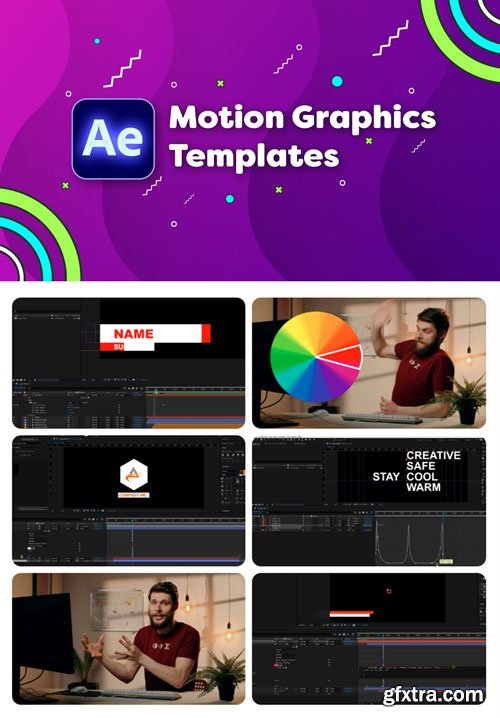
CineCom - Create Motion Graphics Templates With Adobe After Effects
Learn how to create Motion Graphics Templates with Adobe After Effects to use in your own workflow or to sell on marketplaces. These templates can be exported to Adobe Premiere Pro for a user-friendly use.
By the end of the class you are able to setup and export your own custom templates. As well as creating user-friendly tools like checkboxes and dropdown menus using expressions.
This class is for anyone who already has a basic understanding of Adobe After Effects and is ready for the next advanced feature to learn. You want to earn money by selling motion graphics templates on marketplaces. Or you wish to streamline your own production and safe time by creating your own custom templates.



Related Posts
Information
Members of Guests cannot leave comments.
126,000 Royalty-Free 3D Model

Udemy Türkçe


Top Rated News
- CreativeLive Tutorial Collections
- Fasttracktutorials Course
- Chaos Cosmos Library
- MRMockup - Mockup Bundle
- Finding North Photography
- Sean Archer
- John Gress Photography
- Motion Science
- AwTeaches
- Learn Squared
- PhotoWhoa
- Houdini-Course
- Photigy
- August Dering Photography
- StudioGuti
- Creatoom
- Creature Art Teacher
- Creator Foundry
- Patreon Collections
- Udemy - Turkce
- BigFilms
- Jerry Ghionis
- ACIDBITE
- BigMediumSmall
- Globe Plants
- Unleashed Education
- The School of Photography
- Visual Education
- LeartesStudios - Cosmos
- Fxphd
- All Veer Fancy Collection!
- All OJO Images
- All ZZVe Vectors
- CGTrader 1 CGTrader 2



















