

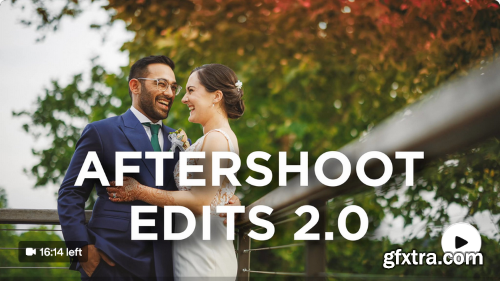
Sam Hurd - Re-evaluating AfterShoot & Transforming Workflows
Recently, I had the opportunity to hang out with a few members of the team and many users during a teaching trip to Peru, which made me realize it’s time to revisit their software. Here’s an in-depth look at how AfterShoot has become an integral part of my photography workflow. The Evolution AfterShoot’s latest update, AfterShoot Edits 2.0, has brought significant improvements. The app now features well-organized import, cull, and edit tabs, streamlining the entire workflow. Though my usage differs slightly from the standard setup, the tool has been a game-changer, especially during peak seasons (like now!). The app also supports masking, cropping, and other useful features that have brought it close to parity with other editing apps. My Workflow with AfterShoot Initial Setup 1. Select your folder of images: For example, a wedding shoot from May 26th. 2. Choose the type of shoot: I select wedding/engagement and opt for automated AI culling. AI Culling • Standard AI cull: This option selects about 50% of the photos for review. For a 7,000-image wedding shoot, AI typically selects around 2,500 images. • Color-coding: Selected images are color-coded green, indicating potential edits. I sync these with Lightroom for further review. • Run the cull Syncing with Lightroom • Sync metadata: After the cull has been run, I go back In Lightroom, I select all images, right-click, and choose “Read Metadata from Files” to sync the color labels. • Sort by green label: This process takes about a minute for 7,000 images, after which I sort by the green label for further review. Reviewing and Flagging • Use a game controller: I use an 8-bitdo controller synced via Bluetooth (if you use an M series laptop then use this app) to flag images for editing efficiently. This method speeds up navigation through selected images, making the process seamless, and comfortable. Seriously, it's some of the best money I ever spent in my career. 





126,000 Royalty-Free 3D Model

Udemy Türkçe


Top Rated News
- CreativeLive Tutorial Collections
- Fasttracktutorials Course
- Chaos Cosmos Library
- MRMockup - Mockup Bundle
- Finding North Photography
- Sean Archer
- John Gress Photography
- Motion Science
- AwTeaches
- Learn Squared
- PhotoWhoa
- Houdini-Course
- Photigy
- August Dering Photography
- StudioGuti
- Creatoom
- Creature Art Teacher
- Creator Foundry
- Patreon Collections
- Udemy - Turkce
- BigFilms
- Jerry Ghionis
- ACIDBITE
- BigMediumSmall
- Globe Plants
- Unleashed Education
- The School of Photography
- Visual Education
- LeartesStudios - Cosmos
- Fxphd
- All Veer Fancy Collection!
- All OJO Images
- All ZZVe Vectors
- CGTrader 1 CGTrader 2



















