


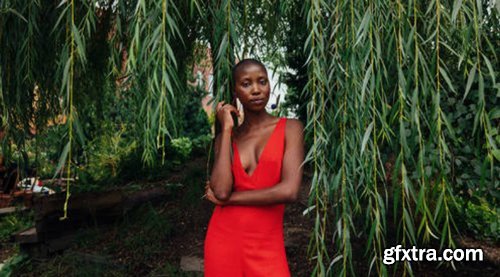
CreativeLive - Shooting in Natural Light

Skillshare - Motion Design in Blender Practice Your Pose to Pose Workflow
Whether you're fresh out of Sir's pose-to-pose class or just looking for some animation posing practice, this session is the perfect choice for turning on some tunes and working on sharpening up your Blender animation skills.
In this session, you have the option to:
- Quickly review the structure of a pose-to-pose workflow
- Independently work alongside Sir during a 40-minute practice session
- Learn some of Sir's tips to help you refine your workflow
Whether you’ve hit obstacles when blocking and animating in Blender in the past or you’ve just started animating in 3D, you’ll leave this session feeling more confident and accomplished in the time you put in towards leveling up your 3D animation skills.

Skillshare - Motion Design in Maya Create a Run Cycle in Maya
Sir will guide you through:
- The ins and outs of animating on 2s
- Posing and adjusting your character
- Animating on 1s
Whether you've taken Sir's class and are looking to practice further or are just looking for a new technique to add to your creative toolbox, you'll walk away from this session with a new effect you can apply to your next creative project.

https://www.udemy.com/course/simple-way-to-conduct-a-ux-audit/
Learn to evaluate the quality of UX+ UI design of any kind of app, website or enterprise software system.

https://www.udemy.com/course/the-ux-designers-accessibility-guide/
Accessibility and Usability Best Practices for UX and UI Designers (User Experience + WCAG 2.2, Section 508, ADA)
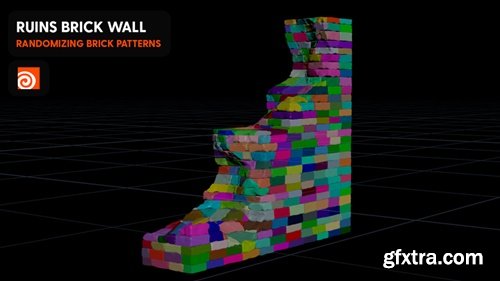
https://www.patreon.com/posts/ruins-randomized-86183331
Join Cgside in this step-by-step tutorial and learn how to build a highly detailed, procedurally generated brick wall with a ruined, aged appearance. This video covers advanced techniques for randomizing brick layouts, adding cracks, and applying realistic textures to create a natural, weathered look. Perfect for environment artists and 3D designers, this tutorial will help you bring depth and authenticity to your scenes. Watch now and start creating stunning, decayed environments!
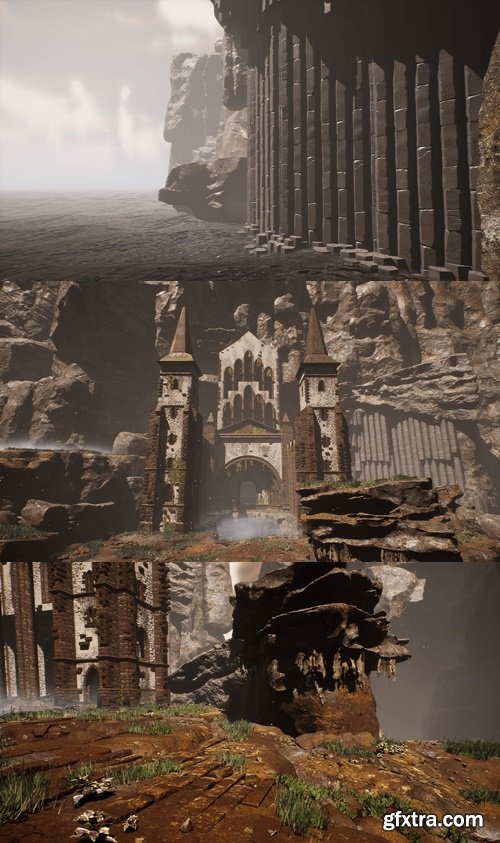
Lost Monastery Ruins contains 91 modular assets, including: towers, tower bridges, cliffs (with vertex paint shader and adjustable texture shader), basalt columns, grass, flowers, wood planks, rocks, ground pebbles, two water shaders with vertex wave animation, decals and a two fog types. Everything was designed to fit together quite nicely. Ideal for realistic games as well as fantasy. Inspired by Sazava monastery.
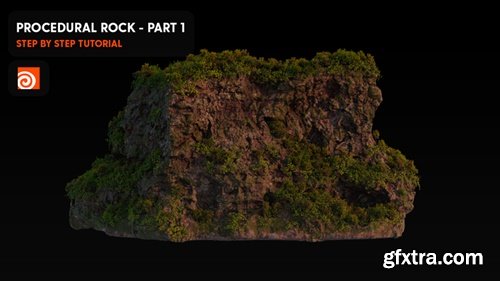
https://www.patreon.com/posts/procedural-rock-86545968
Dive into this Cgside tutorial and discover how to design realistic, procedurally generated rock surfaces with ease. This step-by-step guide covers advanced techniques for displacement, texturing, and shading, ensuring professional-quality results. Plus, you’ll get exclusive project files to deepen your understanding and kickstart your own projects. Perfect for 3D artists and environment designers, this video will help you create stunning, natural-looking rocks for games, films, or simulations. Watch now and elevate your procedural skills!
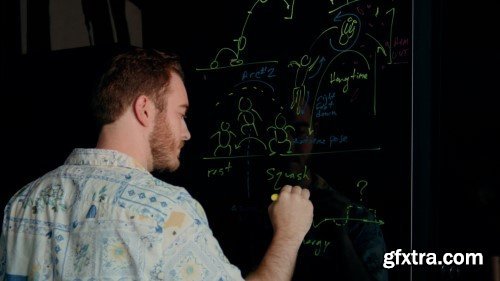
Skillshare - 3D Animation Basics in Blender: Use the Pose to Pose Workflow
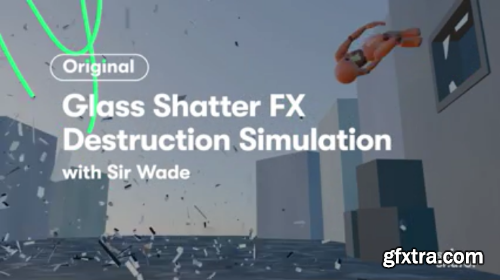
Skillshare - 3D Animation VFX: Create a Glass Shatter Effect in Blender






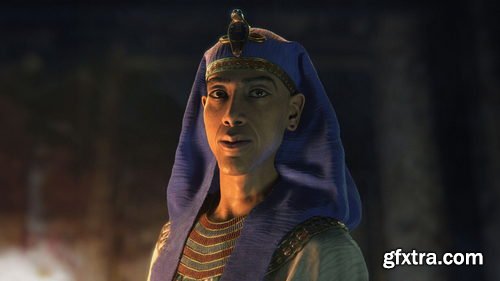
- Recreate a historical 3D portrait of King Akhenaten using Maya, ZBrush, Substance Painter, XGen, Marvelous Designer and Arnold. Mahmoud Salah, character and creature artist, takes artists on a journey of discovery, starting with a scan of an ancient statue together with a modern-day human head scan that he projects onto the ancient statue to help reimagine the historical figure.
- With the sculpt and facial details defined in ZBrush, Mahmoud uses Substance Painter to carefully align and enhance the skin texture. He instructs how to use Arnold for the look development process and how to leverage the esteemed Skin Shader, and dives deep into the eye setup and rendering workflow for realistic CG eyes.
- The hair grooming is handled using XGen in Maya to help push the realism of the artwork to the next level with hyper-realistic brows, lashes, and stubble. To adorn the character, in the final stage of the workshop, Mahmoud creates key accessories for the King, demonstrating his workflow for modeling and texturing a headdress and ornamental collar to display the character in its full glory.
- The goal of this workshop is to teach the skills artists need to reconstruct and reimagine any historical character in 3D.
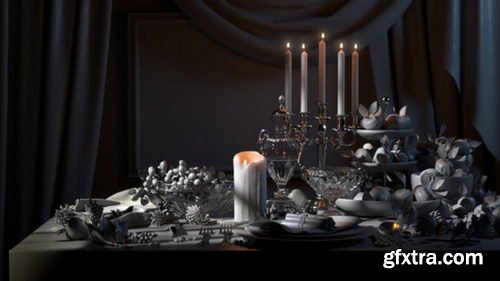
- There are some absolute essentials you need to know when tackling lighting in CG. This 5-hour workshop by Adrien Vallecilla sheds light on everything you need to be aware of when lighting 3D environments, particularly if you’re looking to become a successful lighter or look-dev artist working in digital production.
- The workshop kicks off with fundamental lighting theory, discussing the core differences between real-world lighting and CG, as well as how to recreate natural phenomena using 3D tools. In this case, Adrien teaches using Maya with Redshift, however, the theory can be applied to other 3D packages and rendering engines. You’ll learn how to set up convincing lighting, how to optimize your lighting and rendering settings, plus Adrien also details the key differences between rendering with CPU and GPU engines to help you transfer your knowledge to your tools of choice. The lecture concludes with a look at compositing all of the lighting passes rendered from Redshift inside Nuke.
- The Maya Environment Scene file, HDR image, and Cryptomatte file are provided with this workshop. Links to the models featured by Adrien can be found below. You can also use your own 3D models to create a still-life scene while following along with the theory and practice taught.
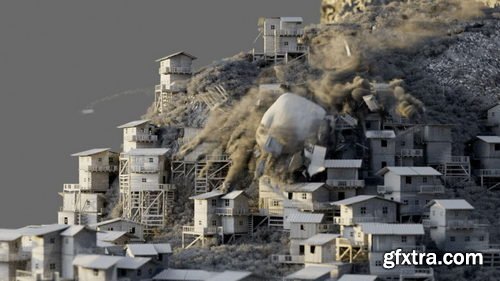
- Discover how to build a fully scalable cinematic destruction shot in Houdini using professional procedural techniques. Recommended for intermediate-level Houdini artists, this 8-hour workshop by David Silberbauer guides you through how to manipulate attributes in Houdini, covers terrains and height field basics, and details how to compile blocks. You’ll see how to randomize attributes, how to set up a fracturing system and build custom constraints. You’ll also learn how to set up a DOP Network to handle RBD destruction setup and review the important TBD basics in SOPs. From there, David guides you through customizing velocities for use in POP networks and then using POPs for debris, as well as how to manipulate debris to use it as a volume source.
- This workshop details how to build from a volume source to create dust with the Pyro Solver, moving on to handling a large-scale simulation. You’ll learn how to not only work in a procedural way but also how to think procedurally, helping all artists feel empowered to build their own large-scale scenes. While this workshop is intended for intermediate users, it also offers an interesting insight for anyone with basic Houdini knowledge looking to learn more about professional industry workflows.
- A Houdini apprentice file with a basic cinematic destruction setup is provided with this workshop.

126,000 Royalty-Free 3D Model

Udemy Türkçe


Top Rated News
- CreativeLive Tutorial Collections
- Fasttracktutorials Course
- Chaos Cosmos Library
- MRMockup - Mockup Bundle
- Finding North Photography
- Sean Archer
- John Gress Photography
- Motion Science
- AwTeaches
- Learn Squared
- PhotoWhoa
- Houdini-Course
- Photigy
- August Dering Photography
- StudioGuti
- Creatoom
- Creature Art Teacher
- Creator Foundry
- Patreon Collections
- Udemy - Turkce
- BigFilms
- Jerry Ghionis
- ACIDBITE
- BigMediumSmall
- Globe Plants
- Unleashed Education
- The School of Photography
- Visual Education
- LeartesStudios - Cosmos
- Fxphd
- All Veer Fancy Collection!
- All OJO Images
- All ZZVe Vectors
- CGTrader 1 CGTrader 2



















