

Language: English | Duration: 6h 4m | Size: 953 MB
https://www.udemy.com/course/garden-blooms-in-procreate-10-day-challenge/
This class is a fun and structured way to grow your Procreate skills!
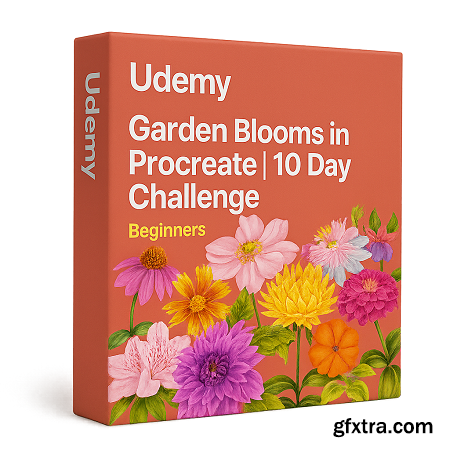
What you'll learn To Illustrate flowers in Procreate To add shading and highlights Tips and tricks to achieve semi realistic effect Techniques you can apply while illustrating any flower of your choice! Requirements An iPad, The drawing app, Procreate, An Apple Pencil Description Flowers we’ll be illustrating in the class:Day 1 - ConeflowerDay 2 - AzaleaDay 3 - PetuniaDay 4 - Passion FlowerDay 5 - CoreopsisDay 6 - AnemoneDay 7 - StrawflowerDay 8 - ZinniaDay 9 - FuchsiaDay 10 - DahliaResources available to download:Sketches (For all 10 flowers)Colour Palatte (For all 10 flowers)Reference Images (For all 10 flowers)BrushesThese garden flower illustrations can have a range of applications, here are a few examples:Surface Pattern DesignsArt PrintsStickersJournalingPersonal ProjectsPlannersSocial mediaSelling clipart or elements on online platforms like Marketplace, Etsy or own websiteIn this class you’ll learn:How to Illustrate flowers in ProcreateHow to Use reference imagesHow to add shading and highlightsTips and tricks to achieve semi realistic effectTechniques you can apply while illustrating any flower of your choice!Who this class is for:Intermediate Level: Anyone who knows the basics of ProcreateYou’ll need:An iPadThe drawing app, ProcreateAn Apple PencilMy drawing tools:11-inch iPad Pro (2nd Gen)Apple Pencil (2nd Gen)Procreate, Drawing App (5.3.7)By the end of this class, you’ll have created 10 beautiful garden flower illustrations with tips and tricks on illustrating any flower of your choice.Project InstructionsFor your class project, you’ll be illustrating garden flowers using the techniques shared in each lesson.To make it easier to get started , I’ve included helpful resources like ready-to-use sketches, a curated color palette, and reference photos all royalty-free and taken by me during my travels.You’re welcome to follow along with the flowers covered in class, or feel free to illustrate a flower of your choice using the same techniques. Who this course is for Intermediate Level: Anyone who knows the basics of Procreate 


NeoSkola Bütün Kursları

Udemy Türkçe


Top Rated News
- TheBoudoirDivas All Tutorial
- 126,000 Royalty-Free 3D Models
- CreativeLive Tutorial Collections
- Fasttracktutorials Course
- Chaos Cosmos Library
- MRMockup - Mockup Bundle
- Finding North Photography
- Sean Archer
- John Gress Photography
- Motion Science
- AwTeaches
- Learn Squared
- PhotoWhoa
- Houdini-Course
- Photigy
- August Dering Photography
- StudioGuti
- Creatoom
- Creature Art Teacher
- Creator Foundry
- Patreon Collections
- Udemy - Turkce
- BigFilms
- Jerry Ghionis
- ACIDBITE
- BigMediumSmall
- Globe Plants
- Unleashed Education
- The School of Photography
- Visual Education
- LeartesStudios - Cosmos
- Fxphd
- All Veer Fancy Collection!
- All OJO Images
- All ZZVe Vectors
- CGTrader 1 CGTrader 2



















