

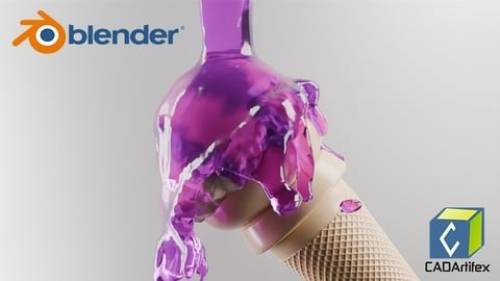
Are you ready to start your journey into the world of 3D design and animation? This beginner-friendly Blender course is designed to help you learn Blender from scratch through a structured, step-by-step, project-based approach. Whether you’re a student, designer, engineer, or complete beginner, this course will take you from absolute zero to confidently creating complete 3D projects. You’ll begin by mastering the Blender interface, navigation, and essential tools. You’ll learn how to use the 3D cursor, apply transformations (move, rotate, scale), and create basic shapes to build a strong foundation. Next, you’ll dive into 3D modeling using Edit Mode tools and modifiers to create clean, efficient, and professional geometry. You’ll also explore intermediate workflows using powerful modifiers like Array, Boolean, and Shrinkwrap to build more complex models with ease. As you progress, you’ll learn sculpting techniques to create organic shapes and character models using brushes, symmetry, and dynamic topology. The course also covers materials, shading, and texturing using shader nodes, helping you create realistic surfaces such as glass, liquids, and glowing materials. You’ll then learn lighting, camera setup, and rendering techniques to produce high-quality, professional results. Finally, you’ll explore animation and basic rigging, where you’ll create smooth keyframe animations, use the graph editor, and build simple rigs using armatures. Hands-On Projects You’ll Build This course is fully project-based, allowing you to apply every concept you learn: Modeling a simple table Creating a wooden bench and dustbin Designing a beverage can and computer mouse Sculpting a cartoon character head Creating a perfume bottle and decorative lamp Rendering a realistic dice and billiard ball Animating a bouncing ball and a stylized product animation What You’ll Achieve By the end of this course, you will be able to: Create professional-quality 3D models Apply realistic materials and textures Set up lighting and render high-quality images Build and animate simple 3D scenes Develop a strong portfolio with real-world projects You’ll also receive a certificate of completion and have access to dedicated technical support whenever you need assistance. No prior experience is required—just a computer and your creativity. Start your Blender journey today and bring your ideas to life.


126,000 Royalty-Free 3D Model

Udemy Türkçe


Top Rated News
- CreativeLive Tutorial Collections
- Fasttracktutorials Course
- Chaos Cosmos Library
- MRMockup - Mockup Bundle
- Finding North Photography
- Sean Archer
- John Gress Photography
- Motion Science
- AwTeaches
- Learn Squared
- PhotoWhoa
- Houdini-Course
- Photigy
- August Dering Photography
- StudioGuti
- Creatoom
- Creature Art Teacher
- Creator Foundry
- Patreon Collections
- Udemy - Turkce
- BigFilms
- Jerry Ghionis
- ACIDBITE
- BigMediumSmall
- Globe Plants
- Unleashed Education
- The School of Photography
- Visual Education
- LeartesStudios - Cosmos
- Fxphd
- All Veer Fancy Collection!
- All OJO Images
- All ZZVe Vectors
- CGTrader 1 CGTrader 2



















