

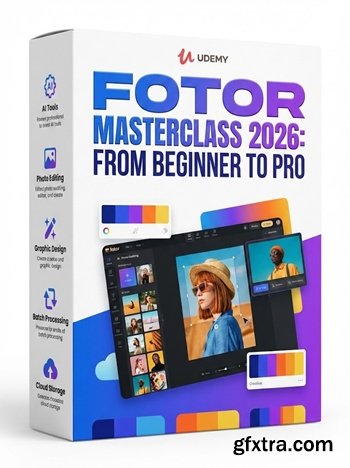
Language: English | Duration: 40m | Size: 481 MB
https://www.udemy.com/course/fotor-masterclass-from-beginner-to-pro/
Unlock the full potential of Fotor: Master image editing, AI generation, and custom avatars like a pro
What you'll learn Master Fotor’s interface and essential features for beginners Understand how to generate AI-based images with Fotor’s advanced prompt system Get hands-on with Fotor’s professional photo editor to edit and enhance images Create personalized avatars and headshots using Fotor’s AI Avatar Generator Learn how to export your work and use Fotor’s tools for various design projects Gain confidence in using Fotor’s premium features to create marketing materials Understand AI-enhanced design tools that save time and increase creativity Requirements No prior experience with Fotor required A computer or tablet with internet access Basic understanding of image editing (optional, but helpful) Enthusiasm to learn and experiment with design tools A Fotor account (Free plan is sufficient to get started) Description Welcome to Fotor Masterclass: From Beginner to Pro! Whether you're just starting out or looking to elevate your design skills, this course will guide you through every aspect of Fotor’s incredible platform, from basics to advanced techniques. By the end, you’ll be a confident pro in using Fotor for image editing, AI-powered design, and avatar creation.This comprehensive course begins by introducing you to Fotor’s interface and key features, giving you a solid foundation. We’ll cover how to set up your account, explore Fotor’s design tools, and show you how to quickly generate stunning images using AI-powered prompts. You’ll also learn how to use Fotor’s powerful photo editor to fine-tune your images with advanced editing tools, filters, and AI enhancements. With practical examples, you'll master techniques like cropping, resizing, background removal, and more.Next, we’ll dive into Fotor’s AI Avatar Generator, where you’ll learn to create professional headshots and personalized avatars, ideal for social media profiles, websites, and even marketing materials. You’ll explore how to create compelling designs for various purposes, from social media posts to professional presentations.This course is packed with actionable insights and step-by-step guides, designed to help you unlock the full potential of Fotor. Whether you're creating high-quality marketing materials, stunning visuals, or custom avatars, you’ll walk away with the skills to bring your creative vision to life. So, what are you waiting for? Let’s dive into the world of design and image editing with Fotor! Who this course is for Beginners looking to learn Fotor from scratch Aspiring designers who want to improve their skills using Fotor’s tools Content creators and marketers who need to create high-quality visuals quickly Social media managers seeking tools to generate compelling images and posts Anyone interested in exploring the potential of AI-generated design and avatar creation Professionals who want to expand their design skills with Fotor’s AI-powered tools 


126,000 Royalty-Free 3D Model

Udemy Türkçe


Top Rated News
- CreativeLive Tutorial Collections
- Fasttracktutorials Course
- Chaos Cosmos Library
- MRMockup - Mockup Bundle
- Finding North Photography
- Sean Archer
- John Gress Photography
- Motion Science
- AwTeaches
- Learn Squared
- PhotoWhoa
- Houdini-Course
- Photigy
- August Dering Photography
- StudioGuti
- Creatoom
- Creature Art Teacher
- Creator Foundry
- Patreon Collections
- Udemy - Turkce
- BigFilms
- Jerry Ghionis
- ACIDBITE
- BigMediumSmall
- Globe Plants
- Unleashed Education
- The School of Photography
- Visual Education
- LeartesStudios - Cosmos
- Fxphd
- All Veer Fancy Collection!
- All OJO Images
- All ZZVe Vectors
- CGTrader 1 CGTrader 2



















