

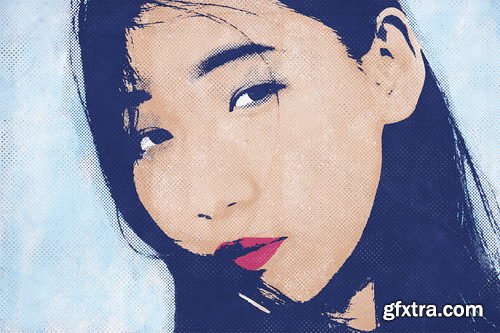
Phlearn - How to Create a Pop Art Effect in Photoshop
https://phlearn.com/tutorial/pop-art-effect-photoshop/
6 Sample Images | 14 Custom Textures | 15 Photoshop Brushes | 1 Photoshop Action | 1 Photoshop Pattern
Tap into your inner Warhol by creating pop art in Photoshop! Learn how to transform any photo into eye-catching graphic art as we walk you through multiple examples using the included Photoshop Actions, Photoshop Brushes, and custom textures. From bright and vibrant coloring, to comic book-style halftone effects, we show you how to create your own stunning works of art.



Related Posts
Information
Members of Guests cannot leave comments.
126,000 Royalty-Free 3D Model

Udemy Türkçe


Top Rated News
- CreativeLive Tutorial Collections
- Fasttracktutorials Course
- Chaos Cosmos Library
- MRMockup - Mockup Bundle
- Finding North Photography
- Sean Archer
- John Gress Photography
- Motion Science
- AwTeaches
- Learn Squared
- PhotoWhoa
- Houdini-Course
- Photigy
- August Dering Photography
- StudioGuti
- Creatoom
- Creature Art Teacher
- Creator Foundry
- Patreon Collections
- Udemy - Turkce
- BigFilms
- Jerry Ghionis
- ACIDBITE
- BigMediumSmall
- Globe Plants
- Unleashed Education
- The School of Photography
- Visual Education
- LeartesStudios - Cosmos
- Fxphd
- All Veer Fancy Collection!
- All OJO Images
- All ZZVe Vectors
- CGTrader 1 CGTrader 2



















