

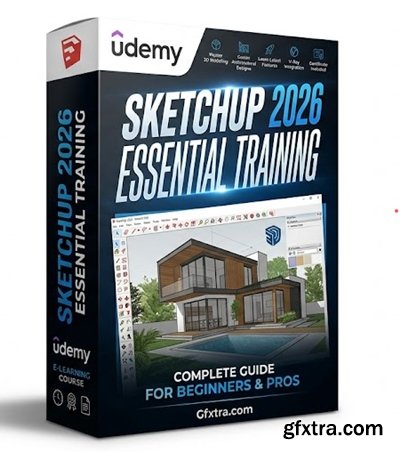
Level: Beginner | Genre: eLearning | Language: English | Duration: 39 Lectures ( 3h 36m ) | Size: 2.5 GB
https://www.udemy.com/course/sketchup-2026-essential-training
The complete step-by-step guide to mastering SketchUp 2026 from scratch for architecture and design.
What you'll learn
✓ Master the Interface: Navigate the SketchUp 2026 workspace, toolbars, and tray systems with confidence.
✓ Create 3D Geometry: Use fundamental drawing tools (Line, Rectangle, Circle) and modification tools (Push/Pull, Offset, Move) to create accurate 3D models.
✓ Draft Floor Plans: Import images or CAD files to draft precise 2D floor plans and convert them into 3D structures.
✓ Organize Models Professionally: Master the difference between Groups and Components, and use Tags (Layers) to keep complex projects organized.
✓ Use the Warehouse: Search, download, and modify pre-made 3D assets from the 3D Warehouse to speed up your workflow.
✓ Apply Materials & Styles: texture your models with realistic materials and use Styles to create artistic or technical visual looks.
✓ Create Scenes & Animations: Set up camera views (Scenes) to create architectural walkthroughs and export simple animations.
✓ Export for Production: Export your final designs as high-resolution images, PDFs, or files ready for Layout.
Requirements
● A 3-Button Mouse: A mouse with a scroll wheel is strongly recommended (and almost mandatory) for navigating SketchUp effectively. Using a laptop trackpad makes the learning curve much steeper.
● A free 30-day trial of SketchUp Pro is sufficient for this course.
● Users with older versions (2023-2025) can still follow along, but the interface may look slightly different.
● No Prior Experience: "No previous 3D modeling or CAD experience is required. We start from the very beginning.
● Basic Computer Skills: "Familiarity with basic computer navigation (creating folders, saving files, downloading assets)."
Description
Unlock the power of 3D modeling with the most up-to-date guide on Udemy!
Whether you are an aspiring architect, an interior designer, or a hobbyist looking to visualize your DIY projects, SketchUp 2026 Essential Training is your direct path to mastery. This course takes you from opening the software for the first time to exporting professional-grade images and animations—all using the latest tools found in SketchUp 2026.
Why This Course? SketchUp is the world's most popular 3D modeling software because it’s intuitive and fun. But without the right workflow, it can be frustrating. This course cuts through the confusion, teaching you the "SketchUp Way"—a professional workflow that keeps your models clean, organized, and easy to edit.


NeoSkola Bütün Kursları

Udemy Türkçe


Top Rated News
- TheBoudoirDivas All Tutorial
- 126,000 Royalty-Free 3D Models
- CreativeLive Tutorial Collections
- Fasttracktutorials Course
- Chaos Cosmos Library
- MRMockup - Mockup Bundle
- Finding North Photography
- Sean Archer
- John Gress Photography
- Motion Science
- AwTeaches
- Learn Squared
- PhotoWhoa
- Houdini-Course
- Photigy
- August Dering Photography
- StudioGuti
- Creatoom
- Creature Art Teacher
- Creator Foundry
- Patreon Collections
- Udemy - Turkce
- BigFilms
- Jerry Ghionis
- ACIDBITE
- BigMediumSmall
- Globe Plants
- Unleashed Education
- The School of Photography
- Visual Education
- LeartesStudios - Cosmos
- Fxphd
- All Veer Fancy Collection!
- All OJO Images
- All ZZVe Vectors
- CGTrader 1 CGTrader 2



















