

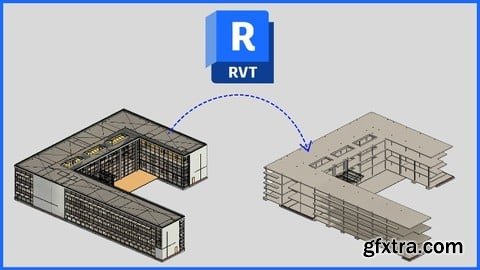
Udemy - Revit Structures Beginner Guide to Linked Architect Model
One of the most common questions I get from my peers is: This beginner-friendly course is designed to answer exactly that. Whether you're a student, technician, or just getting started with Revit Structures, this course will walk you through the step-by-step process of linking and working with an architect’s Revit model. You’ll learn how to coordinate effectively, avoid common mistakes, and confidently build your structural model based on the architect’s layout. What You’ll Learn: How to link an architect’s Revit model into your structural project How to create key elements from the linked model, including: Grids Levels Structural Columns Structural Walls Structural Floors Structural Beams Foundations for columns and walls Beam Systems Rafters and Purlins How to apply view filters to control layout visibility and clarity How to create and manage reusable view templates efficiently How to download structural families for your project By the end of this course, you’ll have a solid foundation in using linked architectural models to build your structural design efficiently and accurately in Revit 2025—with real-world workflows you can apply immediately.
“How do I work with an architect’s model in my Revit structural project?”



126,000 Royalty-Free 3D Model

Udemy Türkçe


Top Rated News
- CreativeLive Tutorial Collections
- Fasttracktutorials Course
- Chaos Cosmos Library
- MRMockup - Mockup Bundle
- Finding North Photography
- Sean Archer
- John Gress Photography
- Motion Science
- AwTeaches
- Learn Squared
- PhotoWhoa
- Houdini-Course
- Photigy
- August Dering Photography
- StudioGuti
- Creatoom
- Creature Art Teacher
- Creator Foundry
- Patreon Collections
- Udemy - Turkce
- BigFilms
- Jerry Ghionis
- ACIDBITE
- BigMediumSmall
- Globe Plants
- Unleashed Education
- The School of Photography
- Visual Education
- LeartesStudios - Cosmos
- Fxphd
- All Veer Fancy Collection!
- All OJO Images
- All ZZVe Vectors
- CGTrader 1 CGTrader 2



















