

Categories: Presentation Templates » PowerPoint Templates
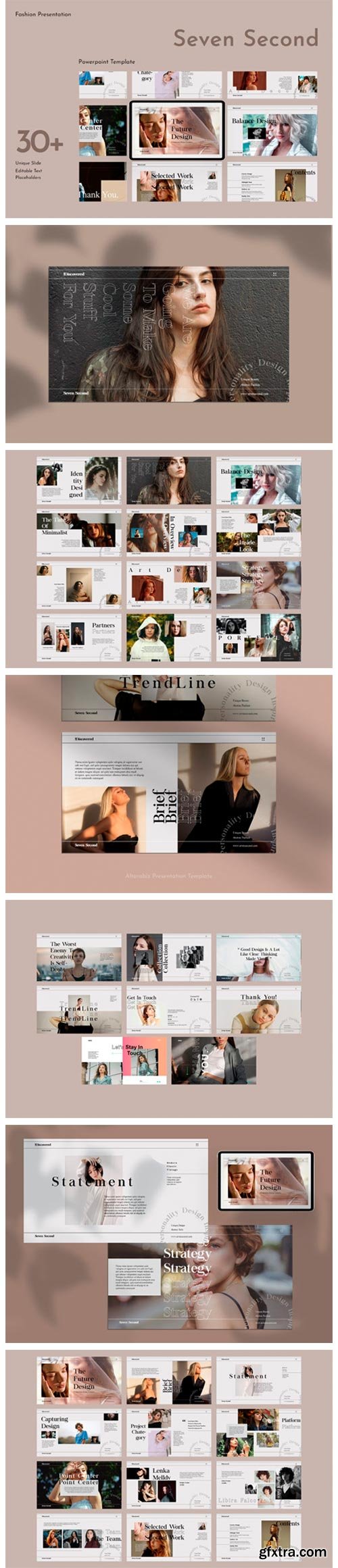
Seven Second PowerPoint Presentation 4251976
• 30 Slides
• Drag Your images to place holder icon to insert your own picture
• Click Home New Slides select the design layouts
• Black Overlay Designs insert the design on place holder and add the black transparent
• Background Changes Right Click on background and select format background Click Picture or texture fill File insert your own picture
• Don’t forget to download and install the font first



Related Posts
126,000 Royalty-Free 3D Model

Udemy Türkçe


Top Rated News
- CreativeLive Tutorial Collections
- Fasttracktutorials Course
- Chaos Cosmos Library
- MRMockup - Mockup Bundle
- Finding North Photography
- Sean Archer
- John Gress Photography
- Motion Science
- AwTeaches
- Learn Squared
- PhotoWhoa
- Houdini-Course
- Photigy
- August Dering Photography
- StudioGuti
- Creatoom
- Creature Art Teacher
- Creator Foundry
- Patreon Collections
- Udemy - Turkce
- BigFilms
- Jerry Ghionis
- ACIDBITE
- BigMediumSmall
- Globe Plants
- Unleashed Education
- The School of Photography
- Visual Education
- LeartesStudios - Cosmos
- Fxphd
- All Veer Fancy Collection!
- All OJO Images
- All ZZVe Vectors
- CGTrader 1 CGTrader 2



















