

Aescripts - Unwarp V1.0.2 for Photoshop
https://aescripts.com/unwarp-for-photoshop/
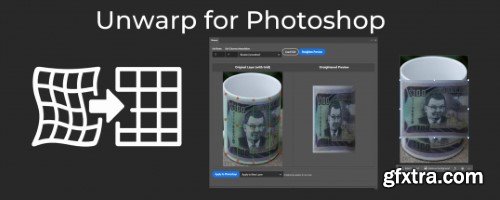
- Straighten warped/curved images in Photoshop by aligning a grid to the image curvature. This tool works like the opposite/reverse of the warp tool. Drag the gridlines to match the curvature of your image, then press "straighten" to snap the grid into the original position, straightening the image along with it. This is kind of like how the perspective warp tool works, but for curvature. You can customize the number of columns/rows in the grid, and you can choose between bilinear interpolation (faster) or bicubic interpolation (slower with larger images but smoother).



Related Posts
Information
Members of Guests cannot leave comments.
126,000 Royalty-Free 3D Model

Udemy Türkçe


Top Rated News
- CreativeLive Tutorial Collections
- Fasttracktutorials Course
- Chaos Cosmos Library
- MRMockup - Mockup Bundle
- Finding North Photography
- Sean Archer
- John Gress Photography
- Motion Science
- AwTeaches
- Learn Squared
- PhotoWhoa
- Houdini-Course
- Photigy
- August Dering Photography
- StudioGuti
- Creatoom
- Creature Art Teacher
- Creator Foundry
- Patreon Collections
- Udemy - Turkce
- BigFilms
- Jerry Ghionis
- ACIDBITE
- BigMediumSmall
- Globe Plants
- Unleashed Education
- The School of Photography
- Visual Education
- LeartesStudios - Cosmos
- Fxphd
- All Veer Fancy Collection!
- All OJO Images
- All ZZVe Vectors
- CGTrader 1 CGTrader 2



















