

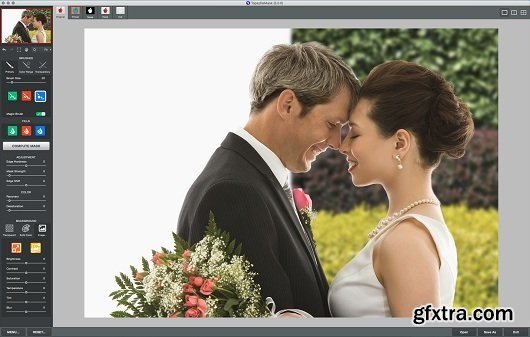
Anyone editing photos must be able to select the exact objects or sections, which is essential to improving your photos. This ability to select objects and cutout backgrounds provides greater flexibility to your post processing workflow - making essential editing tasks like background replacement, selective adjustments, repositioning and multi-layer compositions effortless.
With ReMask''s powerful and controllable tools you can quickly and easily select any part of your image. Like a pair of digital scissors, ReMask allows you to define the edges of an object and intuitively Home Page - http://www.topazlabs.com/remask
cut it out - which as a photographer, saves you both time and money.
ReMask Highlights
- Color decontamination technology to help solve color bleed issues
- Better hair extraction technology
- Refining Toolset for fine-tuning masks and foreground color
- Ability to handle certain types of transparent objects
- Color selection brushes for complex objects such as trees and veils
- Ability to save and load tri-map and masks
- Auto-create layer and auto-create mask options
- 2-screen or 4-screen viewing for mask accuracy


126,000 Royalty-Free 3D Model

Udemy Türkçe


Top Rated News
- CreativeLive Tutorial Collections
- Fasttracktutorials Course
- Chaos Cosmos Library
- MRMockup - Mockup Bundle
- Finding North Photography
- Sean Archer
- John Gress Photography
- Motion Science
- AwTeaches
- Learn Squared
- PhotoWhoa
- Houdini-Course
- Photigy
- August Dering Photography
- StudioGuti
- Creatoom
- Creature Art Teacher
- Creator Foundry
- Patreon Collections
- Udemy - Turkce
- BigFilms
- Jerry Ghionis
- ACIDBITE
- BigMediumSmall
- Globe Plants
- Unleashed Education
- The School of Photography
- Visual Education
- LeartesStudios - Cosmos
- Fxphd
- All Veer Fancy Collection!
- All OJO Images
- All ZZVe Vectors
- CGTrader 1 CGTrader 2



















